
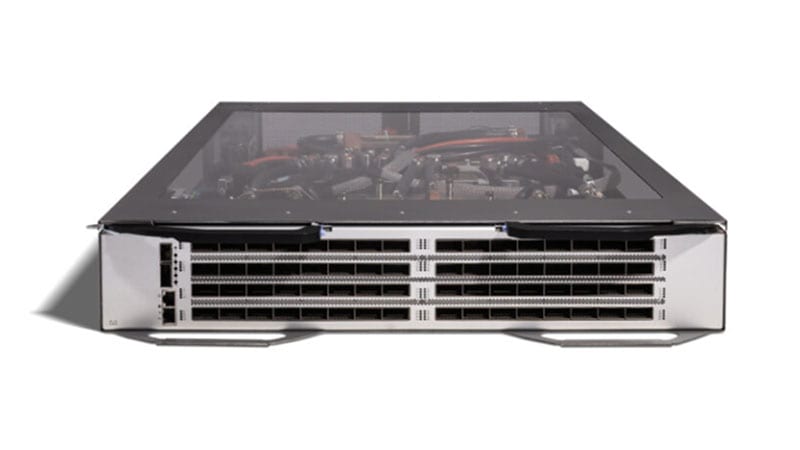
If you still have Cisco Nexus 2248TP Fabric Extenders (PID N2K-C2248TP-1GE) hanging off a Nexus 5000, 6000, or 7000 parent, they are now past every lifecycle milestone Cisco tracks. The 2248TP reached its Last Day of Support on November 30, 2021. From that date forward there are no NX-OS fixes, no PSIRT security patches, and no TAC or RMA replacement for this hardware. Because a FEX has no local control plane and quietly forwards top-of-rack traffic for years, these units tend to outlive every other component in the rack. This guide explains what the end-of-life dates mean for a live fabric, why the enhanced Nexus 2248TP-E is a genuine upgrade rather than a relabel, and how to plan a clean refresh without a forklift.
What the Nexus 2248TP actually was
The 2248TP (N2K-C2248TP-1GE) is a 1RU Fabric Extender: 48 x 100/1000BASE-T RJ-45 host-facing ports plus 4 x 10GE SFP+ fabric uplinks back to a parent switch. The critical thing to understand about a FEX is what it is not. It is not a switch. It has no independent NX-OS image, no local switching, no spanning-tree instance, and no management plane of its own. It behaves as a remote line card of its parent Nexus 5000/5500/6000/7000, and every forwarding and policy decision happens on that parent. You cable servers to the FEX, the FEX trunks them up to the parent over the 10GE fabric links, and the whole stack is configured and monitored as if the FEX ports were slots in the parent chassis.
That model made dense Gigabit server access cheap and easy to manage at scale, and it is why so many of these are still racked. But the original 2248TP carries a small shared packet buffer, which becomes the limiting factor the moment traffic gets bursty, incast from storage, backup windows, or many-to-one application patterns, and it is frozen on a software baseline that stopped getting fixes in 2017.
Why acting now matters
The hazard of an end-of-life FEX is not that it stops forwarding. It is that it keeps forwarding flawlessly while the support floor disappears underneath it. Three exposures stack up after LDoS:
- No PSIRT security patches. A FEX inherits its software behavior from the parent, but the 2248TP hardware and its microcode are no longer eligible for fixed images. Any vulnerability that touches this hardware path is permanent, there is no fixed release to upgrade to.
- No TAC or RMA. A failed unit cannot be opened as a contract case or swapped under SmartNet. Your only recovery is a spare you bought before LDoS or a secondary-market unit of the same dead-end model.
- Audit and compliance exposure. The frameworks federal, DoD, SLED, and healthcare buyers live under, FedRAMP, CMMC, the HIPAA Security Rule, PCI DSS, STIG/RMF, and CISA directives, expect supported, patchable infrastructure. An unsupported FEX carrying production server traffic is a finding waiting to happen, and 'the vendor no longer ships fixes' is not a defensible remediation plan.
There is also a parent-switch trap. As you modernize the data center core onto current NX-OS releases and newer parents (Nexus 9000 in NX-OS mode, for example), support for legacy first-generation FEX hardware narrows. The 2248TP can strand you on an aging parent you also want to retire, the line card and the chassis age out together.
What each milestone means in practice
- End of Sale (2016-11-02): the last day Cisco accepted new orders. Everything after this date is consuming the support tail.
- End of Software Maintenance (2017-11-02): the last day Cisco released maintenance and bug-fix software covering this hardware. After this, even non-security defects go unfixed.
- Last Day of Support / LDoS (2021-11-30): the hard wall. No TAC, no RMA, no software of any kind. The hardware is on its own.
The recommended replacement: Nexus 2248TP-E
Cisco's EoL bulletin names the enhanced Nexus 2248TP-E (PID N2K-C2248TP-E) as the successor, and it is deliberately a same-shape, better-silicon swap. It keeps the exact port geometry of the original, 48 x 100/1000BASE-T host ports plus 4 x 10GE SFP+ fabric uplinks in 1RU, so the cabling plan, the rack footprint, and the server-facing copper all stay the same. What changes is everything that made the original buffer-bound:
- Dramatically larger packet buffer. The '-E' designation is about memory: the 2248TP-E carries a much larger shared buffer (on the order of 32 MB) versus the small buffer on the original 2248TP. That headroom is what absorbs incast and microbursts, the storage, backup, and many-to-one application patterns that cause silent drops on the first-generation unit.
- Configurable buffering and queue-limits. The -E exposes shared-buffer and per-queue tuning so you can engineer the FEX for bursty workloads instead of accepting a fixed, undersized default.
- IEEE 1588 PTP support. The -E adds Precision Time Protocol pass-through for time-sensitive environments (financial, industrial, and lab workloads) that the original did not support.
- Same operational model, current software. It still behaves as a remote line card of a Nexus 5000/5500/6000/7000 parent, configured from the parent's NX-OS, but as a supported FEX it rides current, patched NX-OS trains on that parent rather than a frozen 2017 baseline.
In short, you are not relearning anything. The fabric-extender architecture, the fex-associate model, and the parent-side configuration are identical. You are swapping a buffer-starved, unsupported unit for one that survives bursty traffic and stays in support.
A practical migration plan
1. Assess and inventory
Start on the parent switch, not the FEX. Run 'show fex' and 'show fex detail' to enumerate every associated FEX, its FEX ID, its parent uplinks, and its model. Capture which host ports are actually in use with 'show interface status' scoped to the FEX module range, and note any port-channels, vPC host connections, VLAN assignments, QoS policies, and storage (FCoE) bindings that ride those ports. The goal is a complete map of what each 2248TP is carrying before you touch it. Many racks have FEX ports that were provisioned and never decommissioned, confirm real usage, not the config.
2. Confirm parent and software compatibility
The 2248TP-E is supported on the same parent families, but the supported FEX-to-parent matrix is NX-OS-version-specific. Confirm your parent's running NX-OS release supports the 2248TP-E and, if you are also refreshing the parent, validate the combined matrix. This is the step that prevents a cutover surprise, verify it against current Cisco compatibility data before you order.
3. License and feature parity
A FEX itself carries no license, entitlement lives on the parent. So feature parity is a parent-side exercise: confirm the NX-OS feature licenses your design relies on (vPC, FCoE, advanced L3, etc.) are present and current on the parent that will host the new FEX. If the refresh is paired with a parent upgrade onto NX-OS with Smart Licensing Using Policy, fold the FEX cutover into that Smart Account work rather than treating it as separate.
4. Physical: power, uplinks, and optics
The 2248TP-E uses the same 1RU footprint and the same 4 x 10GE SFP+ fabric uplinks. Reuse your existing fabric optics and twinax/fiber where they match the new unit's transceiver support, but verify each SFP+ against the 2248TP-E's supported optics list, do not assume a decade-old optic is on the current compatibility matrix. Confirm dual power-supply and airflow direction (port-side intake vs. exhaust) match your hot/cold-aisle layout, since FEX units ship in both airflow variants.
5. Phased cutover
Avoid a big-bang swap. Because the FEX is a line card of the parent, the cleanest approach is to rack the 2248TP-E with a new FEX ID, pre-stage its fex-associate and host-port configuration on the parent, then migrate servers rack-by-rack (or NIC-by-NIC for dual-homed hosts) during a maintenance window with tested rollback. For vPC-attached servers with redundant NICs, move one leg at a time so the host never fully drops. Keep the old 2248TP live and cabled until the new FEX has carried production traffic clean through at least one full business and backup cycle.
6. Secure decommission
Once a 2248TP is drained, remove its fex-associate binding from the parent, physically pull it, and follow your media-sanitization and asset-disposal process. For federal, DoD, and healthcare environments, document the removal against your NIST SP 800-88 sanitization and property-disposal records, an audit trail that an unsupported device left the environment is as important as the swap itself.
Procurement notes for regulated buyers
For US federal, DoD, and SLED purchases, confirm TAA compliance and country-of-origin on the 2248TP-E and its optics before the PO, and align the buy with your GPC or contract vehicle. Data-center hardware lead times move with demand, and end-of-life refreshes often compete for the same parts, order fabric optics and spares alongside the FEX rather than after. Buy through an authorized Cisco partner so the units arrive with valid SmartNet/Solution Support entitlement and a clean serial history, which matters both for warranty and for audit. You can browse current data-center hardware in our catalog, and our team will validate the parent/NX-OS/FEX matrix as part of the quote.
Frequently asked questions
Is the Nexus 2248TP still supported by Cisco?
No. The Nexus 2248TP (N2K-C2248TP-1GE) passed its Last Day of Support on November 30, 2021. Cisco no longer provides software fixes, PSIRT security patches, or TAC and RMA service for this hardware. Any 2248TP still in a rack is running entirely unsupported and is a likely audit and compliance finding.
What is the difference between the Nexus 2248TP and the 2248TP-E?
They share the same port layout, 48 x 100/1000BASE-T host ports plus 4 x 10GE SFP+ fabric uplinks in 1RU, and the same fabric-extender operating model. The enhanced 2248TP-E adds a much larger packet buffer (around 32 MB), configurable shared-buffer and queue-limit tuning, and IEEE 1588 PTP support. The bigger buffer is the headline: it absorbs incast and microbursts that cause silent drops on the original unit, and unlike the original it remains in support.
Can I reuse my existing fabric optics and cabling when I move to the 2248TP-E?
Largely yes, the 2248TP-E keeps the same 1RU footprint, the same 48 RJ-45 host ports, and the same 4 x 10GE SFP+ fabric uplinks, so server-facing copper and rack space carry over. Verify each 10GE SFP+ or twinax against the 2248TP-E's current supported-optics list rather than assuming a decade-old transceiver is still on the matrix, and confirm airflow direction matches your aisle layout.
Does the Nexus 2248TP-E need its own license?
No. A Fabric Extender carries no license of its own, it operates as a remote line card of its parent Nexus 5000/5500/6000/7000, and all entitlement lives on that parent. Feature parity is a parent-side exercise: confirm the NX-OS feature licenses your design needs (vPC, FCoE, advanced L3, and so on) are present and current on the parent that will host the new FEX.
Do I have to replace the parent switch to use the 2248TP-E?
Not necessarily. The 2248TP-E is supported on the same Nexus 5000/5500/6000/7000 parent families, but the exact FEX-to-parent compatibility depends on the parent's NX-OS release. Confirm your running NX-OS version supports the 2248TP-E before ordering. If you are also modernizing the parent onto a newer platform, validate the combined matrix as part of the same project.
Uniqcli Team
The Uniqcli Team is an authorized Cisco partner specializing in Catalyst wireless, switching, datacenter fabric, licensing, and managed services for U.S. federal, state, local, and education customers. We scope Cisco bills of materials, validate procurement paths (TAA, FIPS, contract vehicles), and deliver design, deployment, and managed operations.
Ready to scope your Cisco build?
Build a quoteRelated reading
View all →GuidesNexus 2232PP EoL: Migration to the Nexus 2348UPQ FEX
The Nexus 2232PP FEX passed Last Day of Support on September 30, 2025, here's why it has to come out of your racks and how to migrate cleanly to the higher-density, 40G-uplink Nexus 2348UPQ.
January 25, 2026 · 7 min readGuidesCisco Nexus 9396PX EoL: Migrate to Nexus 93180YC-FX3
The Nexus 9396PX (N9K-C9396PX) passed Last Day of Support on February 19, 2023, here is why this original 9300 leaf has to come out and how to refresh cleanly to the Cloud Scale 93180YC-FX3.
April 2, 2026 · 10 min readGuidesCisco Nexus 6001-64T EoL: Migrate to Nexus 93180YC-FX3
The Nexus 6001-64T (N6K-C6001-64T) passed Last Day of Support on April 30, 2022. Here is what each milestone means, why the 10GBASE-T top-of-rack switch has to come out, and how to refresh cleanly to the Cloud Scale Nexus 93180YC-FX3.
April 19, 2026 · 7 min readGuidesCisco Nexus 5696Q EoL: Migrate to Nexus 93360YC-FX2
The Nexus 5696Q (N5K-C5696Q) hits Last Day of Support on May 31, 2026. Here is why the 4RU chassis must come out and how to migrate cleanly to the fixed 2RU Nexus 93360YC-FX2 with 25/100G and MACsec.
February 7, 2026 · 9 min readGuidesNexus 5672UP-16G EoL: Migration to Nexus 9300 93180YC-FX
The Nexus 5672UP-16G reaches Last Day of Support on May 31, 2026, here's why it has to come out and how to migrate cleanly to the 25G/100G Nexus 9300 (N9K-C93180YC-FX).
February 5, 2026 · 10 min readGuidesCisco Nexus 56128P EoL: Migrate to Nexus 9300 93360YC-FX2
The Nexus 56128P (N5K-C56128P) hit Last Day of Support on September 30, 2025. Here's what each lifecycle date means and how to refresh cleanly to the Nexus 9300 93360YC-FX2 with 25G/100G and MACsec.
February 3, 2026 · 8 min read