
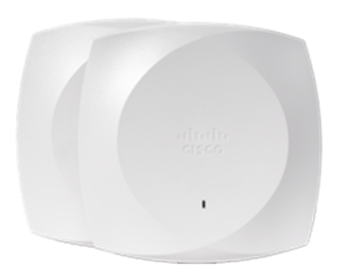
Short answer: if the budget is fixed and you have competent in-house staff willing to own the network day to day, UniFi is the better dollar-for-dollar buy. If you need a vendor-backed SLA, zero-touch deployment across many sites, and a support organization procurement and compliance teams can point to on a contract, Meraki is worth its license. This is not a close call on either axis, it is two different operating models wearing similar-looking dashboards, and the right pick depends on what you're actually optimizing for.
Both platforms put wireless, switching, and security under one cloud console with a modern UI, and both will pass traffic reliably in a well-designed network. The split is in what happens after install: who is accountable when something breaks, what it costs every year after year one, and how much of the RF and policy work the platform does for you versus how much you do yourself.
At a glance
| Factor | Cisco Meraki | Ubiquiti UniFi |
|---|---|---|
| Management model | 100% cloud dashboard, no local controller option | Local controller (self-hosted or Ubiquiti console) or optional cloud hosting |
| Licensing | Mandatory per-device subscription tied to a term | One-time hardware purchase; controller software is free |
| Support model | Cisco TAC-backed, formal SLAs, hardware RMA programs | Community forums plus Ubiquiti tickets; lighter SLA structure |
| Deployment scale | Built for many distributed sites, zero-touch shipping | Scales technically, but proven mainly at SMB/single-site scale |
| Ecosystem | Switches, security appliances, cameras, SD-WAN, cellular gateways | Switches, gateways, cameras, access control at prosumer price points |
| Best fit | Multi-site, regulated, or compliance-driven organizations | Budget-constrained SMB, MSPs, hands-on IT teams |
Management model: mandatory cloud vs. optional local control
Meraki has no local management path at all. Every access point, switch, and security appliance phones home to the Meraki cloud, and that dashboard is the only place configuration, monitoring, and firmware live. The upside is real: one login shows every site, alerts arrive without you polling anything, and a new AP shipped to a remote office joins the network the moment someone plugs it in, with zero on-site configuration. Access points cache their configuration locally, so a WAN or cloud-reachability outage does not immediately drop wireless clients, but you lose visibility and the ability to push changes until connectivity returns, which matters for troubleshooting an active incident.
UniFi flips that default. Its controller software runs locally, on a self-hosted server, a UniFi OS console, or Ubiquiti's own hardware, and it works fully offline once deployed. Ubiquiti has since added an optional cloud-hosted console for remote management, but the architecture still assumes an admin who wants hands-on access to the controller rather than a pure SaaS relationship. For a single site with an engaged IT owner, that is not a burden. For twenty sites with no local IT at any of them, it is.
Licensing: the actual cost driver
This is where the two platforms diverge hardest. Meraki hardware ships as a shell without a usable network until you attach a license, every access point, switch, and appliance needs an active subscription tied to a term to stay on the dashboard and remain eligible for firmware updates and Cisco support. That license is a recurring line item that shows up at every renewal, and it scales linearly with device count: a 10-AP network and a 100-AP network pay proportionally, forever, not just once.
UniFi charges once, at the hardware purchase. The Network Application controller software has no mandatory per-device subscription, you buy the access point, deploy it, and there is no license expiration event waiting to break the network. Ubiquiti sells optional extras (hosted cloud console access, extended warranty coverage) but none of them gate basic operation. At meaningful device counts, that difference compounds: the more APs you deploy, the wider the total-cost-of-ownership gap grows in UniFi's favor, purely on licensing mechanics.
Support and SLA: where Meraki earns the premium
Meraki's license includes Cisco TAC-backed support with defined response commitments and a formal hardware replacement program. For an organization that needs to name a vendor in a compliance questionnaire, a cyber-insurance renewal, or a board-level incident review, that matters independent of raw throughput or feature checklists. Meraki also inherits Cisco's broader security ecosystem, deeper integration paths with identity, DNS-layer security, and extended detection and response tooling than a standalone AP vendor typically offers.
UniFi support runs through community forums and Ubiquiti support tickets, with a lighter formal SLA structure. That is a fine trade for a competent generalist managing one office, a hospitality property, or a client site an MSP already monitors closely. It is a harder sell when the person who understands the network could leave, when downtime has a contractual cost, or when an auditor asks who is accountable for patching a wireless vulnerability on a fixed clock.
Firmware and updates: who owns the risk
Meraki pushes firmware from the cloud on a vendor-managed cadence. That reduces day-to-day admin burden, nobody has to remember to patch a wireless CVE, but it also means you're on Cisco's release schedule rather than your own, with limited ability to hold back an update on a change-control window without opting out of the model that makes Meraki simple in the first place.
UniFi updates are admin-pulled: you decide when to apply a new controller or firmware version, which gives you real control over staging and change windows. The tradeoff is that the control comes with responsibility, a security patch that sits unapplied because nobody got to it is a self-inflicted gap, not a vendor failure. Neither model is wrong, but they allocate operational risk very differently, and that allocation should factor into which platform a thin IT team can actually keep current.
Which should you choose?
- Budget-constrained SMB with an engaged, hands-on IT owner: UniFi wins on raw cost, and the local-controller model is not a hardship at one site.
- Multi-site or franchise operation needing zero-touch remote deployment and a single pane of glass: Meraki's cloud-only model does exactly what you need out of the box.
- Regulated, government, or enterprise buyer that needs a vendor procurement can defend on a contract: Meraki's TAC support and Cisco pedigree carry real weight here.
- MSP managing many thin-margin client networks: Meraki's per-device recurring license erodes margin fast across many small sites; UniFi's one-time cost usually pencils out better.
- Already standardized on Cisco security (identity, DNS security, XDR): Meraki's native integration path is a meaningful reason to stay inside the Cisco ecosystem.
Frequently asked questions
Does Meraki really stop working without an active license?
Meraki hardware is designed to run under a current license, that's what keeps it on the dashboard, eligible for firmware updates, and covered by Cisco support. Treat the license as mandatory operating cost, not an add-on, and confirm the current enforcement behavior for your exact hardware and term with a validated quote before you budget.
Is UniFi actually free to run after you buy the hardware?
The access points and switches themselves cost money like any networking gear, but the Network Application controller software carries no mandatory per-device subscription. Optional paid extras exist, such as hosted cloud console access, but none of them are required for the network to keep working.
Can UniFi handle enterprise-scale deployments?
Technically it can pass traffic at scale, but the support model, SLA structure, and procurement recognition lag Meraki and Cisco Catalyst at true enterprise or regulated scale. Multi-site organizations with compliance obligations and public-sector buyers who need a contractually accountable vendor generally lean toward Meraki.
Which platform is cheaper over five years?
It depends on device count and how you value your own labor. UniFi's lack of a recurring per-device license usually wins on raw total cost of ownership at small-to-mid scale. Meraki's license bundles Cisco support, updates, and cloud features that reduce labor and risk, which matters more as the ratio of sites to on-site IT staff grows.
Do Meraki and UniFi interoperate on the same network?
They can share the same physical network, VLANs, and subnets, but each platform is managed by its own controller with no shared dashboard or unified policy engine between them. A mixed fleet is usually a transitional state during a migration, not a permanent architecture.
Which is the better choice for a security-conscious organization?
Meraki plugs directly into Cisco's broader security stack and carries Cisco TAC support behind it, which matters for incident response and compliance audits. UniFi covers baseline WPA3 and RADIUS security competently but does not have the same depth of enterprise security ecosystem integration.
Uniqcli Team
The Uniqcli Team is an authorized Cisco partner specializing in Catalyst wireless, switching, datacenter fabric, licensing, and managed services for U.S. federal, state, local, and education customers. We scope Cisco bills of materials, validate procurement paths (TAA, FIPS, contract vehicles), and deliver design, deployment, and managed operations.
Ready to scope your Cisco build?
Build a quoteRelated reading
View all →GuidesMeraki vs Aruba: Cloud Networking Portfolios Compared
Meraki vs Aruba compared at the enterprise level: cloud-only versus cloud-or-on-prem deployment, licensing, and NAC ecosystem, how to pick between two legitimate wireless portfolios.
July 11, 2026 · 5 min readGuidesMeraki Go vs UniFi: The Real Small Business Wi-Fi Matchup
Meraki Go vs UniFi for small business Wi-Fi comes down to who runs the network: an app-first, zero-IT cloud model or a self-hosted controller with deeper control and one-time hardware economics.
July 12, 2026 · 5 min read Guides
Meraki MX vs Palo Alto: Cloud-Managed vs Full NGFW
Meraki MX vs Palo Alto usually isn't a head-to-head fight, it's cloud-managed branch simplicity against deep, security-engineer-operated NGFW, and deciding which layer you're actually solving for.
July 11, 2026 · 5 min read Guides
Meraki MS vs Catalyst Switches: Cloud-Managed or IOS XE?
Meraki ms vs catalyst is really a management-philosophy question: full cloud-dashboard simplicity versus on-box IOS XE control, and Cisco now blurs the line by cloud-managing Catalyst hardware.
July 11, 2026 · 5 min read Guides
Cisco Meraki MS22 EoL: Migration to the MS130-24P
The Meraki MS22 passed Last Day of Support on April 30, 2021, no patches, no TAC, no RMA. Here is why it has to come out and how to migrate cleanly to the cloud-managed MS130-24P.
May 20, 2026 · 7 min readGuidesCisco Meraki MX60 (MX60-HW) Replacement & MX67 Migration
The Meraki MX60 hit Last Day of Support on 2022-10-24, no firmware, no PSIRT fixes, no RMA. Here is exactly what that means and how to migrate a small branch to the MX67 cleanly.
April 8, 2026 · 7 min read