
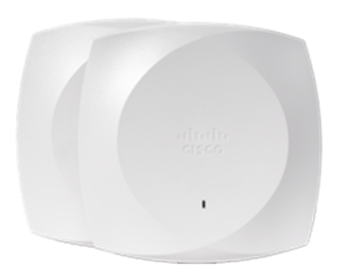
Meraki Go vs UniFi is the classic small-business Wi-Fi decision, and it comes down to who runs the network. Choose Meraki Go when a single site has no IT staff and app-based setup with Cisco's support chain matters more than granular control; choose UniFi when you or an IT partner want deeper control over VLANs, routing, and firewall policy and prefer one-time hardware economics over a managed service. Meraki Go is Cisco's app-first, cloud-managed system for a single site with no dedicated IT, no controller to buy, host, or patch. UniFi is Ubiquiti's self-hosted (or cloud-hosted) platform: buy the hardware once, run a controller, and reach the VLANs, firewall rules, and multi-site scale Meraki Go was never built to expose. The tiebreaker most buyers miss: Meraki Go offers a graduation path into full Cisco Meraki networking that UniFi has no real equivalent for, so a business likely to outgrow one site can start simple without a future vendor swap.
At a glance
| Factor | Meraki Go | UniFi |
|---|---|---|
| Management model | App-only, cloud-hosted, no controller to run | Self-hosted or cloud-hosted controller (network app) |
| Setup complexity | Guided app setup, no networking background needed | Controller setup plus some networking knowledge expected |
| Cost structure | Hardware with base cloud management included; some advanced features are optional paid add-ons | Largely one-time hardware purchase |
| Multi-site management | Not supported within the Go product line | Supported via a shared controller or site manager |
| Feature depth | Basic VLAN, guest network, content filtering | Advanced VLANs, ACLs, deep firewall, site-to-site VPN |
| Hardware ecosystem | Small line: AP, switch, security gateway | Broad line: APs, switches, gateways, cameras, phones |
| Typical buyer | Single retail site, clinic, or office with no IT staff | Multi-site SMB or IT-comfortable owner/MSP client |
| Support chain | Cisco-backed, sold through an authorized partner | Community and reseller support; varies by seller |
| Growth path | Move up into the full Cisco Meraki dashboard | Stays within UniFi; no enterprise graduation tier |
Meraki Go vs UniFi: the management philosophy gap
Meraki Go is built around a single mobile app: the device joins automatically, and the app becomes the dashboard for the life of the hardware. There is no server or cloud key to provision, Cisco hosts the control plane, and local access points keep passing traffic even if the cloud connection drops. UniFi takes the opposite approach: a controller, self-hosted or Ubiquiti-hosted, owns configuration, and every switch, AP, and gateway checks in with it. That controller is also where UniFi's deeper features live: site-to-site VPN, advanced routing, and per-VLAN firewall policy a Meraki Go app was never designed to expose. Meraki Go assumes nobody wants to think about networking; UniFi assumes someone will learn the controller.
Honest cost math: subscription vs one-time purchase
The honest cost math depends on time horizon more than sticker price, treat any dollar figure as a snapshot and confirm current licensing terms in a validated quote before budgeting. Meraki Go includes base cloud management with the hardware rather than charging the per-device Enterprise or Advanced subscriptions full Meraki requires, though some advanced features, such as added security on the gateway, can be optional paid add-ons. UniFi hardware is largely a one-time purchase with no mandatory recurring license, but whoever runs the controller absorbs the backups, patching, and troubleshooting Cisco handles automatically for Meraki Go customers. Over five years, a static single site often favors UniFi's upfront model on raw hardware; where Meraki Go earns its keep is the managed, vendor-backed operation and the clean path to enterprise Meraki, not a lower sticker price.
Where UniFi's depth wins
UniFi earns its reputation with buyers who want to see everything: VLAN segmentation for guest, voice, and IoT traffic; deep packet inspection on the gateway; site-to-site VPN between locations; and one controller managing APs, switches, cameras, and phones together. UniFi also scales its hardware catalog wider than Meraki Go, larger PoE switches, rack-mount gateways, higher-density APs, without leaving the ecosystem. For an operator with light IT capability, or an MSP running several clients from one console, that depth is the reason to pick UniFi over Meraki Go. The tradeoff: someone has to own the controller for the life of the network.
Where Meraki Go's simplicity, and Cisco's support chain, wins
Meraki Go wins on what matters most to a business with no IT function: time to a working, secure network. Point the app at the hardware, and guest Wi-Fi, a basic firewall, and staff wireless are live in minutes, with no VLAN plan to design first. Because Cisco owns the control plane, patches ship without an admin scheduling downtime, and hardware support runs through Cisco's channel rather than a community forum. For a retail storefront, a clinic, or an office where the owner is also the admin, that support chain is worth more than a feature UniFi offers that never gets configured.
The graduation path: growing beyond Meraki Go
The real strategic difference shows up when the business grows. Device-count ceilings, multi-site sprawl the app was never meant to manage, or a request for identity-based access control are where Meraki Go hits its limits, and Cisco's answer is to move up into the full Meraki dashboard: enterprise MR access points, MX appliances, and MS switches, all within the same Cisco Meraki cloud family, with no vendor swap. UniFi has no equivalent tier: growing past one UniFi controller usually means more UniFi hardware or a different vendor's enterprise line. That single-vendor continuity is the strongest long-term argument for starting on Meraki Go if the business might outgrow a single site. See how this comparison changes at enterprise scale in our full write-up on the same matchup.
Plan the graduation honestly, though: moving from Meraki Go to the enterprise Meraki dashboard is an upgrade path, not a toggle. Go hardware is managed from the Go app, not the enterprise dashboard, so stepping up means new MR, MX, or MS hardware, rebuilding SSIDs and firewall rules in the new dashboard, and cutting over site by site. The advantage is that the operational model, support chain, and procurement relationship stay the same, the disruption is a planned hardware refresh rather than a vendor rip-and-replace, and the old Go gear can cascade to a smaller site.
Which should you choose?
- Choose Meraki Go if there's no IT staff, the site is single-location, and app-based setup with vendor-backed support matters more than granular configuration.
- Choose UniFi if you, or an outside IT partner, want full control over VLANs, routing, and firewall policy, and would rather pay once for hardware than renew a license.
- Choose UniFi if you already run more than one site today managed by an admin or MSP comfortable with a controller.
- Choose Meraki Go if the business might scale into multiple locations later, since the upgrade path stays inside one vendor relationship.
- Either way, confirm current hardware, licensing, and support terms in a validated, TAA-compliant quote before you commit a budget.
One practical note: Meraki Go's per-site model is a feature for a five-person office and a constraint for anyone planning a second location within the license term, so map the next two years before choosing. Browse the current access point lineup for base Meraki Go and entry Meraki hardware, and if Aruba Instant On is also on your shortlist, see our head-to-head against that other app-first competitor.
Frequently asked questions
Is Meraki Go cheaper than UniFi for a small business?
Meraki Go often costs less upfront and includes base cloud management with the hardware, while UniFi hardware is usually a larger one-time purchase with no required ongoing fee for local management. Over a five-year horizon a static single-site UniFi deployment often costs less in raw hardware terms, though Meraki Go adds vendor-backed management and a path into enterprise Meraki that UniFi does not. Get a current quote for both platforms before budgeting, since list pricing and licensing terms change over time.
Does Meraki Go require a subscription like enterprise Meraki?
Meraki Go does not require the tiered per-device Enterprise or Advanced subscriptions that full Meraki MR, MX, and MS hardware need, because base cloud management is included with the Meraki Go hardware. Some advanced Meraki Go features, such as added security on the gateway, can be optional paid add-ons, so buyers should confirm current terms in a validated quote. This simpler model is one reason small businesses without an IT function choose Meraki Go over the full Meraki dashboard.
Can UniFi and Meraki Go be managed without a dedicated IT person?
Meraki Go is built for that scenario: the app walks a non-technical owner through setup, and Cisco's cloud handles patching and monitoring in the background. UniFi can be run without dedicated IT staff too, but it generally asks more of whoever sets up the controller, since VLANs and firmware updates are the operator's responsibility rather than the vendor's. A business with zero networking background usually finds Meraki Go faster to stand up.
What happens when a business outgrows Meraki Go?
A business that outgrows Meraki Go's single-site model can move directly into the full Cisco Meraki dashboard, adding enterprise MR access points, MX security appliances, and MS switches under the same cloud management family. UniFi has no direct equivalent upgrade tier, so a business that outgrows UniFi's SMB line typically adds more UniFi hardware or evaluates a different enterprise vendor. This graduation path is a main reason to choose Meraki Go when future growth is realistic.
Is UniFi or Meraki Go better for a multi-location business?
UniFi generally handles multi-location management better within its own SMB tier, since its controller, self-hosted or Ubiquiti-hosted, can manage several sites' worth of hardware from one console. Meraki Go itself is built around a single site and does not offer true multi-site management within the Go product line. A growing multi-location business on Meraki Go usually needs to move up into the full Meraki dashboard instead.
Do Meraki Go and UniFi both support guest Wi-Fi and basic security?
Yes, both Meraki Go and UniFi support a separate guest wireless network, basic firewall rules, and content filtering out of the box. UniFi generally exposes more configuration depth in these areas, including more granular firewall rules and traffic shaping. Meraki Go keeps the same features simpler and faster to configure through its app, at the cost of some of that granularity.
Uniqcli Team
The Uniqcli Team is an authorized Cisco partner specializing in Catalyst wireless, switching, datacenter fabric, licensing, and managed services for U.S. federal, state, local, and education customers. We scope Cisco bills of materials, validate procurement paths (TAA, FIPS, contract vehicles), and deliver design, deployment, and managed operations.
Ready to scope your Cisco build?
Build a quoteRelated reading
View all →GuidesMeraki Go vs Aruba Instant On: Small-Business Wi-Fi
Meraki Go vs Aruba Instant On compared for small businesses: app-based management, no-mandatory-subscription pricing, and when to graduate to enterprise gear.
July 11, 2026 · 5 min read Guides
How Much Does a Cisco Network Cost for a Small Business?
A small business Cisco network starts from about $3,000, but the hardware sticker is the smallest part of the story. Licensing tier, subscription term, SmartNet, optics, PoE, and installation decide the real number, and the only accurate figure is a quote.
March 21, 2026 · 9 min readGuidesMeraki vs UniFi: Cloud-Managed Networking Compared
Meraki vs UniFi compared for IT teams weighing a cloud-managed refresh: licensing, support posture, and real total cost, where UniFi wins on price and where Meraki earns its premium.
July 11, 2026 · 5 min read Guides
Webex vs Zoom for Business: A Buyer’s Comparison
Webex vs. Zoom for business, compared honestly on meeting experience, devices, cloud calling, and security, so IT buyers can match the platform to how their organization actually works.
July 11, 2026 · 6 min readGuidesMeraki vs Aruba: Cloud Networking Portfolios Compared
Meraki vs Aruba compared at the enterprise level: cloud-only versus cloud-or-on-prem deployment, licensing, and NAC ecosystem, how to pick between two legitimate wireless portfolios.
July 11, 2026 · 5 min read Guides
Cisco UTM Appliances Compared: Meraki MX vs Secure Firewall
A UTM appliance comparison for Cisco buyers: what UTM vs NGFW naming really means, then how Meraki MX and Secure Firewall stack up as Cisco's two UTM-style paths.
July 11, 2026 · 6 min read