
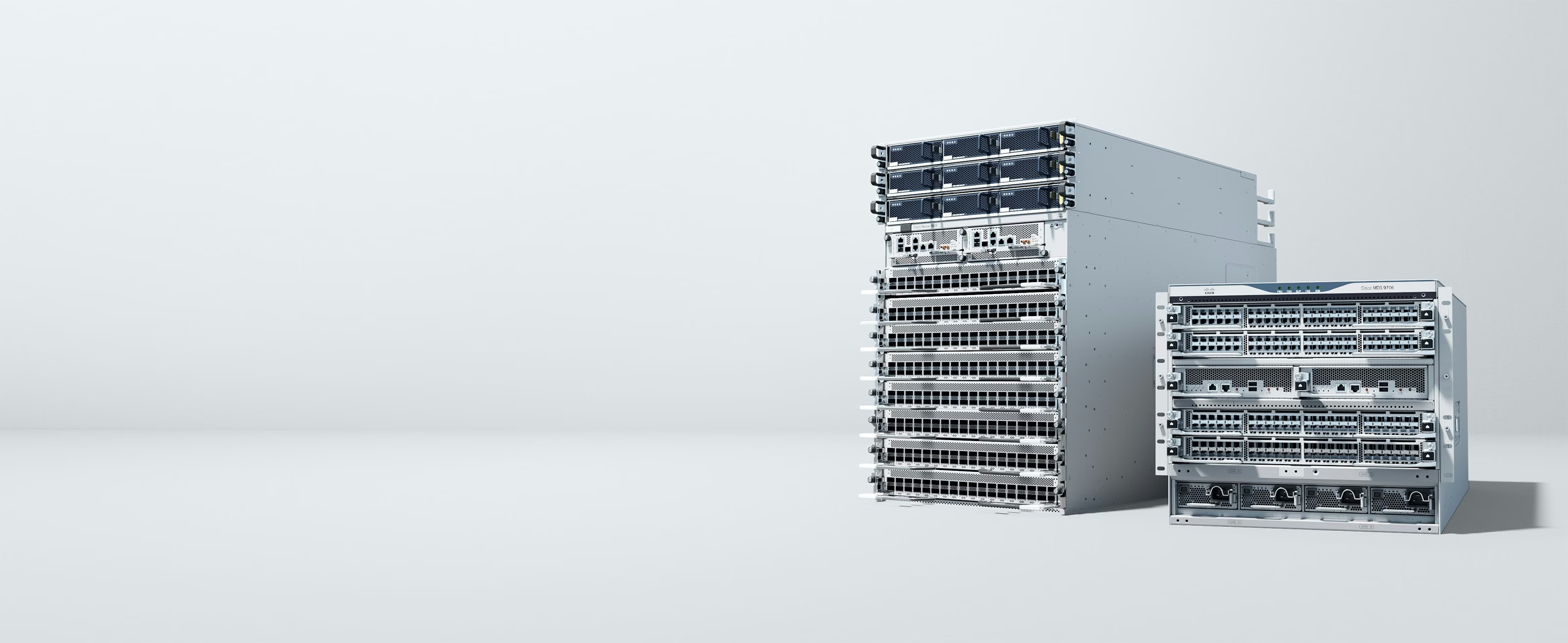
Catalyst 9200l vs 9200 is not a software question, both switches run the same IOS XE image and the same Cisco Smart Licensing tiers, so Network Essentials and Network Advantage mean identically the same thing on either one. The real differences are physical and architectural. The Catalyst 9200 has modular uplinks (field-swappable modules covering 1G, 10G SFP+, 25G SFP28, and 40G QSFP+), StackWise-160 stacking, field-replaceable fans, and larger lookup tables, built for enterprise-scale closets that may need to change uplink speed later. The Catalyst 9200L has fixed uplinks baked into the switch, StackWise-80 stacking, and no field-replaceable fans on most models, a cost-optimized SKU built for branch and small-to-midsize deployments where the uplink configuration is decided once and left alone. Critically, the two don't stack with each other, so pick one line per site rather than mixing them and finding out at cutover.
At a glance
Same OS, same licensing model, genuinely different hardware. Here's the comparison before the detail.
| Dimension | Catalyst 9200L | Catalyst 9200 |
|---|---|---|
| Platform positioning | Cost-optimized branch/SMB access switch | Enterprise-scale modular access switch |
| Operating system | IOS XE | IOS XE, identical software model |
| Management | Catalyst Center, Meraki cloud/hybrid mode | Catalyst Center, Meraki cloud/hybrid mode, same options |
| Licensing | Cisco Smart Licensing, Network Essentials/Advantage | Cisco Smart Licensing, Network Essentials/Advantage, same tiers |
| Stacking / upgrade path | StackWise-80, fixed 4x1G/4x10G/mGig uplinks, up to 8 members | StackWise-160, modular uplink module (1G/10G/25G/40G, OIR), up to 8 members |
| Typical role | Branch wiring closets, modest scale, budget-first refreshes | Larger campus closets needing uplink flexibility and stacking headroom |
Modular vs fixed uplinks: the practical difference
The 9200's uplink modules are field-replaceable and support online insertion and removal, so a closet that starts on 1G uplinks can move to 10G SFP+, 25G SFP28, or even 40G QSFP+ later by swapping the module rather than swapping the switch. That flexibility carries a real cost premium and is genuinely wasted if you already know the uplink speed will never change for the life of the switch. The 9200L skips that flexibility entirely: uplinks are fixed at purchase (commonly 4x1G, 4x10G, or multigigabit depending on the exact SKU), which keeps the unit cost down but means an uplink-speed change means a new switch, not a new module. The decision comes down to how confident you are in your uplink speed today and how long you plan to hold the hardware, a refresh with a known, stable uplink favors the 9200L's lower cost; a growing campus closet with an uncertain multi-year trajectory favors the 9200's modularity.
StackWise-80 vs StackWise-160: bandwidth and the no-mixing rule
Both lines stack up to eight members, but the stacking bandwidth is materially different: the 9200 runs StackWise-160, delivering up to 160 Gbps of ring bandwidth per switch, while the 9200L runs StackWise-80 at up to 80 Gbps. In a full ring topology that difference shows up under heavy inter-member traffic and during failover convergence, though many branch-scale closets never approach either ceiling in practice. The rule that trips people up during a mixed-site refresh: a 9200 and a 9200L cannot join the same stack, because the stacking architecture and bandwidth don't match between the two lines. If you're standardizing hardware across a multi-site refresh with a mix of large and small closets, decide the line per site up front, and don't assume you can start a stack on one and extend it with the other later.
Scale: virtual networks, lookup tables, and when it matters
The 9200 carries meaningfully larger forwarding and lookup tables than the 9200L, and supports multiple virtual networks, VRF-style segmentation, where the 9200L is limited to a single virtual network. For a straightforward access closet running a handful of VLANs with no multi-tenant or segmented-routing requirement, that difference is invisible in daily operation. It becomes real the moment you're building toward SD-Access fabric roles with multiple overlay networks, or supporting a multi-tenant environment where traffic from different business units, agencies, or departments needs hard separation at the access layer. If that's your roadmap, model it against the 9200 rather than the 9200L even if the 9200L's per-port cost looks better on a spreadsheet today, retrofitting scale you didn't buy is a forklift, not a license upgrade.
Serviceability: field-replaceable fans and why it matters for uptime
The 9200 supports field-replaceable fan units, so a failed fan is a parts swap during a maintenance window rather than a full switch replacement. Most 9200L models do not offer field-replaceable fans, the lowest port-count models are fanless entirely, which is a genuine advantage for noise-sensitive spaces like open offices or classrooms, which means a fan failure on a fan-equipped 9200L typically means replacing the unit. For a closet where physical access is hard to schedule, such as a locked IDF in a remote site or a facility with limited after-hours access, that serviceability gap is worth weighing alongside the sticker price. For a fanless, low-traffic branch closet, it's a non-issue by design.
PoE budget isn't the differentiator you'd expect
It's tempting to assume the higher-end 9200 automatically wins on PoE capacity, but both lines offer comparable PoE+ and UPOE power-budget options at matching port counts, the PoE class is a per-SKU configuration choice on either family, not a structural advantage of one line over the other. Don't let PoE budget alone push you toward the pricier modular 9200 if your actual driver is power to the port; check the specific SKU's power budget against your endpoint load on both lines before assuming you need to step up. The decision factors that do consistently separate the two are uplink flexibility, stacking bandwidth, table scale, and serviceability, covered above, not how many watts reach a given port.
Which should you choose?
Match the line to the closet's growth trajectory over its whole service life, not just today's port count:
- Branch office, small IDF, stable and known uplink speed, budget-conscious, Catalyst 9200L.
- Larger closet, uncertain future uplink needs, or want headroom to change uplink modules without a forklift, Catalyst 9200.
- Planning SD-Access fabric roles or multi-tenant segmentation at the access layer, Catalyst 9200, for the larger tables and multi-virtual-network support.
- Standardizing a multi-site refresh with mixed closet sizes, pick the line per site deliberately, and remember the two families don't stack together.
Frequently asked questions
Can I stack a Catalyst 9200 with a 9200L?
No. The 9200 uses StackWise-160 and the 9200L uses StackWise-80, and the two architectures are not compatible with each other in the same stack. Plan the member count and the specific line, 9200 or 9200L, per site rather than assuming you can mix them.
What is the difference in stacking bandwidth between 9200 and 9200L?
The Catalyst 9200 uses StackWise-160, delivering up to 160 Gbps of ring bandwidth per switch in a full stack. The Catalyst 9200L uses StackWise-80, delivering up to 80 Gbps. Both support up to eight stack members; the difference is the bandwidth available between them.
Do the 9200 and 9200L use the same licensing?
Yes. Both run Cisco Smart Licensing with the same Network Essentials and Network Advantage tiers and the same term-subscription model. The licensing decision is independent of which hardware line you choose, it depends on the features you need, not the chassis.
Which has modular uplinks, the 9200 or 9200L?
The Catalyst 9200 has field-replaceable, modular uplinks supporting 1G, 10G SFP+, 25G SFP28, or 40G QSFP+ depending on the module installed. The Catalyst 9200L has fixed uplinks, commonly 4x1G, 4x10G, or multigigabit depending on the SKU, that are set at purchase and cannot be swapped.
Is the 9200L fanless?
The lowest port-count 9200L models are fanless, which suits noise-sensitive spaces like classrooms and open offices. Higher-port-count models in the line do include fans, but most 9200L models lack the field-replaceable fan units that the 9200 offers, so plan for a unit swap rather than a fan swap if one fails.
Which should I choose for a branch office?
For a typical branch office with a known, stable uplink requirement and a modest port count, the Catalyst 9200L is usually the better value, it delivers the same IOS XE feature set and licensing options at a lower hardware cost. Step up to the 9200 only if you anticipate needing modular uplink flexibility, higher stacking bandwidth, or multi-virtual-network scale at that site.
Uniqcli Team
The Uniqcli Team is an authorized Cisco partner specializing in Catalyst wireless, switching, datacenter fabric, licensing, and managed services for U.S. federal, state, local, and education customers. We scope Cisco bills of materials, validate procurement paths (TAA, FIPS, contract vehicles), and deliver design, deployment, and managed operations.
Ready to scope your Cisco build?
Build a quoteRelated reading
View all →GuidesCatalyst 2960-X Refresh: Moving to Catalyst 9200/9200L
Cisco 2960 vs 9200 is a lifecycle question first: the 2960-X has moved past key support milestones, so this is a refresh guide to the 9200/9200L, licensing, stacking, and management changes.
July 11, 2026 · 5 min readGuidesCatalyst 1000 vs 9200: Entry Switching Done Right
Catalyst 1000 vs 9200 is the classic small-site question: a simple, license-light access switch or the entry point to Cisco's enterprise Catalyst 9000 family. Here's how to decide.
July 11, 2026 · 5 min read Guides
Cisco 2960-48TC-L EoL: Migrate to Catalyst 9200L 48-Port
The Catalyst 2960-48TC-L (WS-C2960-48TC-L) passed Last Day of Support on October 31, 2019. Here is why this Fast Ethernet LAN Base switch has to come out of the wiring closet, and how to refresh cleanly to the Catalyst 9200L 48-port C9200L-48T-4X-A.
June 9, 2026 · 8 min readGuidesCisco 2960-24TC-L EoL: Migrate to Catalyst 9200L Guide
The original Catalyst 2960-24TC-L (WS-C2960-24TC-L) passed Last Day of Support on October 31, 2019. Here's why this Fast Ethernet LAN Base switch must come out, and how to refresh cleanly to the Gigabit, PoE+ Catalyst 9200L-24P-4X.
June 7, 2026 · 7 min read Guides
Cisco WS-C2960X-48FPD-L EoL: Migrating to Catalyst 9200L
The Cisco Catalyst 2960-X 48-port full-PoE switch (WS-C2960X-48FPD-L) is end-of-sale with support ending October 31, 2027, here is a concrete plan to migrate to the Catalyst 9200L (C9200L-48P-4X).
October 22, 2025 · 9 min readGuidesWS-C2960X-24PS-L EoL: Migrate to Catalyst 9200L Guide
A practical, partner-built plan for replacing the end-of-sale Catalyst 2960-X 24-port PoE switch (WS-C2960X-24PS-L) with the Catalyst 9200L-24P-4G before the October 2027 last day of support.
October 20, 2025 · 7 min read