
Wi-Fi 5 vs 6 vs 6E vs 7: The Enterprise Upgrade Ladder
Wi-Fi 5 vs 6 vs 6E vs 7 is really a question of upgrade timing, not a single winner. Here's what each generation actually changed, what speed to expect in the real world, and which Cisco access point generation matches each rung.
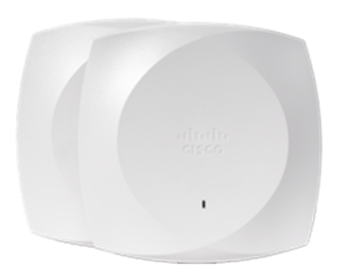
For enterprise buyers weighing wifi 5 vs 6 vs 6e vs 7, the honest answer is that Wi-Fi 5 is a legacy tier you replace at end of life rather than plan around, Wi-Fi 6 is today's mainstream deployment floor, Wi-Fi 6E is the generation that actually opens up clean 6 GHz spectrum, and Wi-Fi 7 is the current top tier that adds Multi-Link Operation and 320 MHz channels on top of everything 6E already does. The real-world decision for most refreshes is Wi-Fi 6 vs 6E vs 7, Wi-Fi 5 access points are worth swapping out, not benchmarking against. This guide walks the full four-generation ladder so you can time the upgrade to your client mix and building, not to whichever number shipped most recently.
At a glance
| Factor | Wi-Fi 5 | Wi-Fi 6 | Wi-Fi 6E | Wi-Fi 7 |
|---|---|---|---|---|
| IEEE standard | 802.11ac | 802.11ax | 802.11ax on 6 GHz | 802.11be |
| Bands in use | 5 GHz (2.4 GHz needed an older radio) | 2.4 GHz and 5 GHz | 2.4, 5, and 6 GHz | 2.4, 5, and 6 GHz |
| Core efficiency gain | Wider channels, basic beamforming | OFDMA and MU-MIMO in both directions | Same Wi-Fi 6 efficiency plus uncongested spectrum | Multi-Link Operation across bands, wider channels |
| Max channel width | 160 MHz, rarely implemented | 160 MHz | 160 MHz | 320 MHz on 6 GHz |
| Client base today | Legacy phones, laptops, IoT sensors | Broad, most devices sold since roughly 2019 | Growing, recent flagship phones and laptops | Early, newest flagship devices only |
| Interference environment | Crowded 5 GHz shared with everything | Crowded 5 GHz shared with everything | Fresh spectrum, little legacy traffic | Fresh 6 GHz plus legacy 2.4/5 GHz bands |
| Typical enterprise status | End of life, plan replacement | Current deployment baseline | Selective, for interference or density relief | Emerging, targeted deployment |
| Best fit today | Nothing new should ship on this | General-purpose refresh, any site | High-density or RF-congested environments | Latency-sensitive, high-throughput, future-proofing |
Wi-Fi 5 vs 6 vs 6E vs 7: What Changed Each Generation
Each jump solved a different problem. Wi-Fi 6 didn't primarily chase peak speed, its headline changes were OFDMA, which lets an access point serve several clients in one transmission slot instead of one at a time, and MU-MIMO working uplink as well as downlink. Both matter more in a packed conference room or open-plan office than on a speed test with one laptop. Wi-Fi 6E takes that same 802.11ax efficiency and moves a portion of it onto the 6 GHz band, which had never been available for Wi-Fi before, the gain isn't a new radio trick, it's simply spectrum that isn't already full of neighboring networks, microwaves, and legacy 2.4/5 GHz traffic. Wi-Fi 7 keeps 6 GHz and adds two genuinely new capabilities: Multi-Link Operation, which lets one client maintain simultaneous connections across bands and shift traffic between them in real time, and 320 MHz-wide channels on 6 GHz, twice the widest channel Wi-Fi 6E or 6 could use. That combination is what actually moves the needle on latency and throughput ceilings, not a bigger number on the box.
Wi-Fi 6E vs Wi-Fi 7 Speed: Marketing Numbers vs What You'll See
Vendor spec sheets quote aggregate PHY rates that assume ideal spacing, full channel width, and a client radio capable of matching it, numbers no real deployment reaches. In practice, wifi 6e vs 7 speed differences show up less in single-client throughput and more in how the network behaves under load. A Wi-Fi 6E access point on a clean 6 GHz channel already delivers excellent single-client speed; what Wi-Fi 7 changes is how gracefully performance holds up as more clients, more video calls, and more IoT chatter pile onto the same AP, thanks to wider channels and MLO's ability to route around a congested band instead of waiting on it. If your current pain point is one laptop's speed test, Wi-Fi 6E already answers it. If your pain point is a 40-person all-hands call degrading for everyone at once, Wi-Fi 7's headroom is the more relevant number, and even then it only pays off once client devices actually support 802.11be radios, most of the install base doesn't yet.
The Dual-Band Wi-Fi 7 vs Tri-Band Wi-Fi 6E Trap
Here's where buyers get burned in the broad market: not every device wearing a Wi-Fi 7 label is tri-band. Plenty of entry-grade and consumer Wi-Fi 7 gear runs only 2.4 and 5 GHz with no 6 GHz radio at all, and a tri-band Wi-Fi 6E unit one tier up can genuinely out-spec that kind of Wi-Fi 7 hardware even though it carries the older generation number. Cisco's own Wi-Fi 6E lineup, by contrast, is tri-band from the compact entry model up through the higher-capacity units, so the 6 GHz radio is present regardless of tier. The lesson is that the generation name by itself doesn't tell you how much radio hardware is inside the box, and Cisco's enterprise Wi-Fi 7 access points sidestep the dual-band trap entirely, because the current CW9176 and CW9178 are both tri-band designs separated by throughput and capacity tier rather than band count; confirm the exact radio configuration of any specific model in a validated quote. Match the AP tier to the site, not just the generation name; our tier-by-tier breakdown of that specific upgrade decision goes deeper on which model fits which floor plan.
Client Mix Reality: When Older Devices Drag the Cell
An access point's generation is a ceiling, not a guarantee, every client on a given radio and channel shares airtime, and a handful of older Wi-Fi 5 or early Wi-Fi 6 devices on the 5 GHz band can hold everyone else to older, slower transmission modes for that shared slot. This is the most common reason a Wi-Fi 6E or 7 refresh disappoints on paper: the AP is new, but the badge scanners, older laptops, and building IoT sensors it's still serving are not, and mixed-generation cells settle to the lowest common denominator for contention overhead even when OFDMA and MU-MIMO are doing their job. Before budgeting for the newest AP generation, audit what's actually connecting, a site full of five-year-old laptops gets more from Wi-Fi 6's efficiency gains than from Wi-Fi 7's 6 GHz headroom nobody in the building can reach yet. Where the client fleet is already modern, the newer generation earns its keep immediately.
Cisco AP Generations Mapped to the Ladder
For Cisco buyers, the standards map cleanly onto specific access point families. Wi-Fi 6 lives in the 9105 and 9115 series, compact, dual-band, the current volume choice for general refreshes. Wi-Fi 6E lives in the 9136 and the 9162/9166 series, all tri-band with a dedicated 6 GHz radio, spanning compact and high-capacity tiers. Wi-Fi 7 lives in the CW9176 and CW9178 series, both tri-band access points with a dedicated scanning radio, with the 9176 as the high-performance option and the 9178 as the higher-capacity, ultra-high-performance flagship; confirm the exact radio and throughput specifications of either in a validated quote. If you're choosing between models inside that entry tier specifically, our comparison of the 9115, 9120, and 9130 models breaks down antenna type and capacity within that family. For the broader current lineup across all four generations, see our access point lineup, and for a closer look at how the newest standard fits Cisco's roadmap, our page on adoption timing for the newest standard covers that separately from this ladder.
When to Skip 6E and Go Straight to Wi-Fi 7
Skipping Wi-Fi 6E and buying Wi-Fi 7 directly makes sense in three situations: you're refreshing on a normal five-to-seven-year cycle and the budget difference between a 6E and a comparable 7 access point is modest relative to the AP's multi-year service life once support and licensing are included; your building is new construction or a full rip-and-replace where cabling and mounts are being redone anyway, so there's no reason to install a generation you'll swap again soon; or your client roadmap already includes 802.11be-capable devices arriving within the AP's service life. Conversely, stick with Wi-Fi 6E when the driver is pure interference relief in an already-crowded 5 GHz environment and the budget needs to stretch across many access points, 6E delivers the clean-spectrum benefit at a lower per-AP cost than Wi-Fi 7, and a growing share of current phones and laptops can already use its 6 GHz band.
Which should you choose?
- Choose Wi-Fi 6 if you need a broad, reliable refresh today and most clients in the building are three to five years old, it's the safest general-purpose baseline.
- Choose Wi-Fi 6E if RF congestion on 5 GHz is the actual complaint and your client fleet already includes recent phones and laptops that support 6 GHz.
- Choose the high-performance Wi-Fi 7 access point, such as the CW9176, if you want future-facing tri-band hardware to replace a Wi-Fi 6 AP one-for-one without stepping up to the flagship's capacity.
- Choose the flagship Wi-Fi 7 access point, such as the CW9178, for dense, high-demand spaces, trading floors, large auditoriums, hospital floors, where airtime contention and total capacity are the real constraint.
- Replace any remaining Wi-Fi 5 access points on their own hardware lifecycle regardless of the above; they're a security and support-lifecycle risk before they're a speed problem.
Whatever generation you land on, plan the refresh around the client devices you'll actually have in year three of the AP's life, not the ones on your desk today, Wi-Fi upgrades tend to outlast two or three device refresh cycles underneath them. Browse current access points in the catalog, and if the 6E-versus-newest-generation debate is the live question for your next site, our dedicated comparison of that specific decision picks up exactly where this ladder leaves off.
Frequently asked questions
Is Wi-Fi 6E just Wi-Fi 6 with more bands, or a different technology?
Wi-Fi 6E uses the same underlying 802.11ax standard and efficiency features as Wi-Fi 6, including OFDMA and MU-MIMO, and adds access to the 6 GHz band on top. The technology inside a Wi-Fi 6E access point is not new relative to Wi-Fi 6, what changed is the availability of clean, uncongested spectrum for it to run on.
What is the real wifi 6e vs 7 speed difference in an office deployment?
Single-client speed on a clean 6 GHz channel is already strong on Wi-Fi 6E, so the gap most organizations notice is in how the network holds up under load rather than in a single speed test. Wi-Fi 7's 320 MHz channels and Multi-Link Operation mainly show their value when many clients, video calls, and background traffic are competing for airtime at once, and only once client devices support the newer standard.
Should I buy a dual band Wi-Fi 7 access point or a tri band Wi-Fi 6E access point?
It depends on the specific hardware, because the generation label alone does not tell you the band count. A genuinely dual-band Wi-Fi 7 access point that runs only 2.4 and 5 GHz can offer less usable capacity than a tri-band Wi-Fi 6E access point with a full 6 GHz radio, so a newer generation number does not guarantee more radio hardware. Cisco's enterprise Wi-Fi 7 access points such as the CW9176 and CW9178 are tri-band, so within that lineup you choose on capacity tier rather than band count, confirm the exact configuration of any model in a validated quote.
Do Wi-Fi 6E or Wi-Fi 7 access points still support older Wi-Fi 5 and Wi-Fi 6 clients?
Yes, both Wi-Fi 6E and Wi-Fi 7 access points are backward compatible and will serve Wi-Fi 5, Wi-Fi 6, and other older clients on the 2.4 GHz and 5 GHz bands. The catch is that those older clients don't gain the newer generation's benefits and, in a busy cell, can add contention overhead that affects newer devices sharing the same channel.
Is a Wi-Fi 6E router the same class of device as an enterprise Wi-Fi 7 access point?
No. A Wi-Fi 6E router is typically a consumer, single-unit device built for one home network, while an enterprise Wi-Fi 7 access point like Cisco's CW9176 or CW9178 series is designed for centrally managed, multi-AP deployments with roaming, security, and management features a home router doesn't include. Comparing the two on band count alone misses the deployment-scale differences that matter for a business network.
How do Cisco's access point generations line up with Wi-Fi 5 through Wi-Fi 7?
Cisco's current Wi-Fi 6 access points are the 9105 and 9115 series, its Wi-Fi 6E access points are the 9136 and 9162/9166 series, and its Wi-Fi 7 access points are the CW9176 and CW9178 series. Wi-Fi 5 access points predate this current lineup entirely and are handled as replacement candidates rather than part of an active product ladder.
Uniqcli Team
The Uniqcli Team is an authorized Cisco partner specializing in Catalyst wireless, switching, datacenter fabric, licensing, and managed services for U.S. federal, state, local, and education customers. We scope Cisco bills of materials, validate procurement paths (TAA, FIPS, contract vehicles), and deliver design, deployment, and managed operations.
Ready to scope your Cisco build?
Build a quoteRelated reading
View all → Guides
Wi-Fi generations explained: from Wi-Fi 5 to Wi-Fi 7
From Wi-Fi 5 to Wi-Fi 6, 6E, and now Wi-Fi 7, each generation changed what a wireless network can carry. Here is what actually changed under the hood, why the 6 GHz band matters, and how to map the standards to real Cisco hardware before you spec a refresh.
June 5, 2026 · 10 min read Guides
Wi-Fi 6 vs Wi-Fi 6E: Is the 6 GHz Band Worth It
Wi-Fi 6E adds the 6 GHz band on top of everything Wi-Fi 6 already does. Here is when that extra spectrum earns its place in a Cisco campus, and when standard Wi-Fi 6 is still the smarter buy.
February 1, 2026 · 10 min read Guides
Wi-Fi 6 vs Wi-Fi 7: the complete comparison
Wi-Fi 7 is not a minor refresh of Wi-Fi 6. It reworks how spectrum, channels, and client connections are handled, and that changes how you plan a campus, a hospital floor, or a federal facility. Here is what actually differs, where the gains are real, and how to decide what to deploy.
January 22, 2026 · 11 min read Guides
What is Wi-Fi 6E? The 6 GHz band explained
Wi-Fi 6E takes the 802.11ax standard and opens it up to the 6 GHz band, adding a wide stretch of clean, uncongested spectrum. Here is what the band actually does, why it matters for dense enterprise sites, and how to plan a Cisco deployment around it.
January 11, 2026 · 11 min read Insights
When Wi-Fi 6E is still the right choice
Wi-Fi 7 is not automatically the upgrade your building needs. Here is the 2026 case for choosing Cisco Wi-Fi 6E when your clients, switching, density, and budget actually say so.
April 4, 2026 · 12 min read Insights
Is Wi-Fi 6E worth it, or should you skip to Wi-Fi 7
Wi-Fi 6E opened the 6 GHz band and still ships in capable Cisco access points, but Wi-Fi 7 adds Multi-Link Operation, 320 MHz channels, and 4K-QAM. Here is how to decide which one belongs in your next refresh, and when waiting actually costs you.
February 27, 2026 · 10 min read