
Key takeaways
- Wi-Fi 6 and Wi-Fi 6E run the same 802.11ax engine; the only hard difference is that 6E opens a third radio band at 6 GHz, roughly tripling the clean channel count.
- The 6 GHz band shines in high-density, interference-heavy, and latency-sensitive rooms; in low-density offices, ordinary Wi-Fi 6 on 2.4 and 5 GHz often delivers identical real-world experience for less money.
- 6 GHz signal does not travel as far or punch through walls as well as 5 GHz, so a 6E deployment usually needs more access points and a careful RF survey, not a one-for-one swap.
- Client adoption matters: 6 GHz only helps devices built for it, so audit your laptop, phone, and IoT fleet before paying for spectrum nothing can use yet.
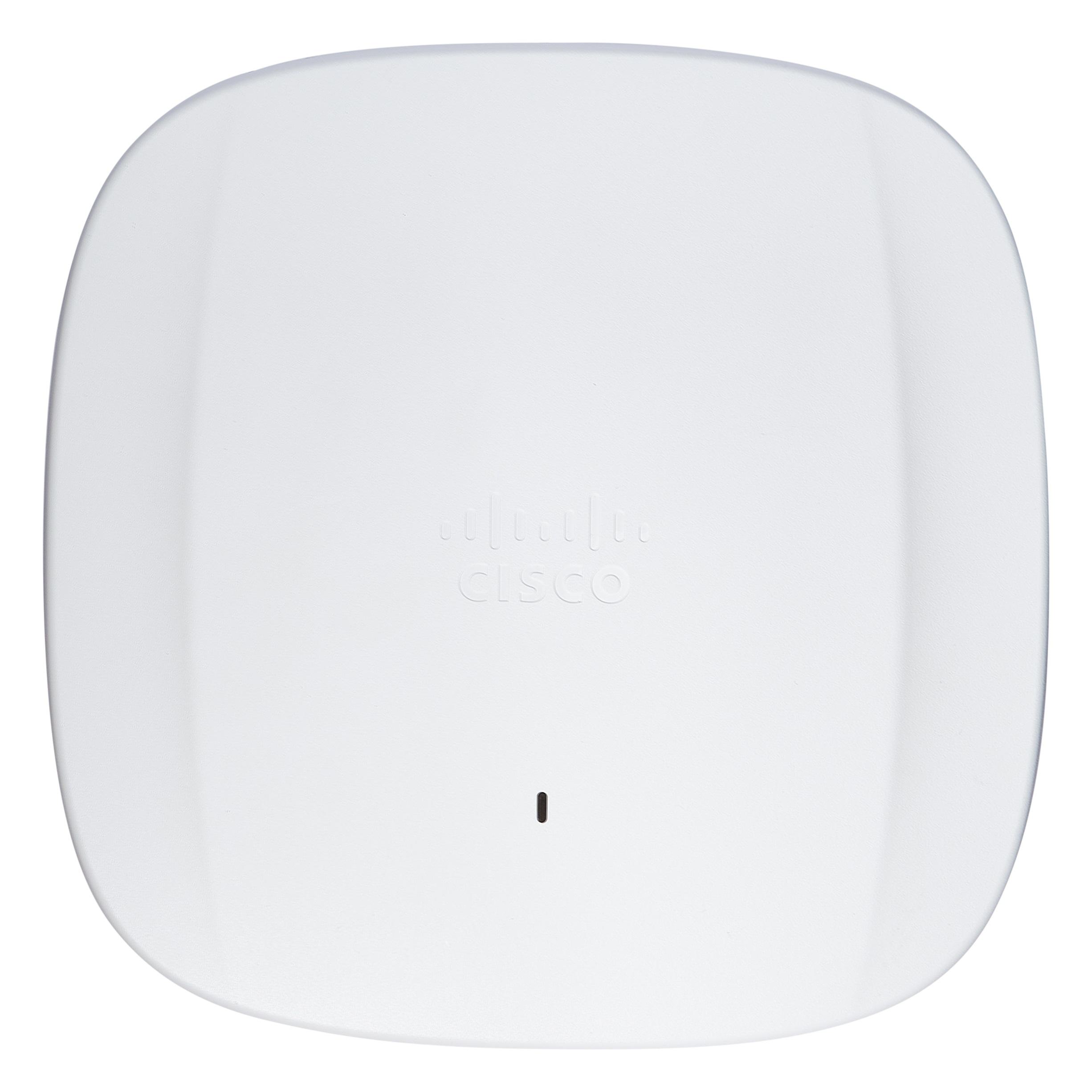
- In the Cisco line, Wi-Fi 6E lives in the Catalyst 9162I, 9164I, and 9166 access points, while Wi-Fi 6 covers the Catalyst 9100 family such as the 9120 and 9130.
- If you are buying new in 2026, weigh Wi-Fi 6E against Wi-Fi 7, since the newer Catalyst 9176I and 9178I also use 6 GHz and protect the investment longer.
The real difference is one band, not a generation
It is tempting to read "Wi-Fi 6" and "Wi-Fi 6E" as two steps on a ladder. They are not. Both standards are built on the same 802.11ax foundation, ratified through the IEEE and certified by the Wi-Fi Alliance. They share the same efficiency features: OFDMA for packing more clients into each transmission, MU-MIMO for serving several devices at once, 1024-QAM for denser data, and Target Wake Time for stretching battery life on phones and sensors. If you put a Wi-Fi 6 client next to a Wi-Fi 6E client in an empty room, the airlink behaves almost identically.
The "E" stands for extended, and what gets extended is spectrum. Wi-Fi 6 operates in the long-established 2.4 GHz and 5 GHz bands. Wi-Fi 6E adds a third band at 6 GHz, opened for unlicensed use in the United States by the FCC in 2020. That single change is the entire story. Everything else marketing teams attach to 6E is really a downstream effect of having a fresh, wide, mostly empty stretch of airwaves to work with.
So the honest framing of this comparison is not "old versus new." It is "two bands versus three." Whether that third band is worth paying for depends almost entirely on how crowded your current airspace is and what your clients can actually use.
What the 6 GHz band actually buys you
The headline benefit of 6 GHz is room. The band roughly triples the amount of usable spectrum available to enterprise wireless, which means far more non-overlapping channels. In the 5 GHz band, channel planning is a constant fight against your own neighboring access points and whatever the building next door is broadcasting. At 6 GHz you can deploy wide 80 MHz and even 160 MHz channels without the planning gymnastics, because there is simply more lane space to spread out.
The second benefit is cleanliness. The 6 GHz band is restricted to Wi-Fi 6E and Wi-Fi 7 devices only. There are no legacy Wi-Fi 4 or Wi-Fi 5 clients dragging the airtime down, no microwave ovens, no decade-old printers chattering on the channel. Every device on 6 GHz speaks the modern, efficient dialect, which keeps latency low and throughput consistent. For real-time traffic such as voice, video conferencing, AR or VR headsets, and clinical telemetry, that predictability is often worth more than raw peak speed.
- Triple the spectrum: roughly 1,200 MHz of new airspace versus the crowded 5 GHz band, opening many more clean channels.
- Wide channels without the fight: 80 MHz and 160 MHz channels are practical, not theoretical, because there is room to plan them.
- A legacy-free band: only 6E and Wi-Fi 7 clients are admitted, so no slow older devices share the airtime.
- Lower, more consistent latency for voice, video, and immersive applications that punish jitter.
The physics tax: 6 GHz does not travel as far
Spectrum is not free, and the 6 GHz band collects its tax in coverage. Higher-frequency radio waves attenuate faster and are absorbed more readily by drywall, glass, concrete, and the human body. A 6 GHz signal simply does not reach as far as a 5 GHz signal at the same transmit power, and it loses more energy passing through each wall it crosses. The gap is not catastrophic, but it is real and it shows up the moment you try to cover a floor plan designed around 5 GHz.
The practical consequence is that Wi-Fi 6E is rarely a one-for-one access point swap. If you rip out Wi-Fi 5 access points and hang the same number of 6E units in the same mounting locations, the 6 GHz cells will often leave holes where 5 GHz had none. Clients fall back to 5 GHz in those gaps, which works, but it means you paid for a band your users only touch part of the time. Getting full value out of 6 GHz usually means more access points, placed with the shorter range in mind.
This is exactly why an RF survey matters more for 6E than it did for earlier generations. Coverage math built on wall loss, ceiling height, and client density beats guesswork, which is the same discipline our team applies when planning a Cisco wireless refresh and sizing the access point count for a building rather than assuming the old layout still fits.
Client devices decide whether 6 GHz pays off
A new band only helps the devices that can hear it. A 6 GHz radio in the ceiling does nothing for a laptop, phone, scanner, or IoT sensor that lacks a 6 GHz radio of its own, and those clients will keep living on 2.4 and 5 GHz exactly as they did before. This is the single most overlooked factor in the Wi-Fi 6 versus 6E decision. Buying spectrum your fleet cannot use is buying a feature you will not feel.
Modern flagship laptops and phones shipped since roughly 2021 increasingly include 6 GHz support, but enterprise fleets are mixed. Ruggedized handhelds, barcode scanners, medical carts, badge readers, building controls, and the long tail of IoT almost never have 6 GHz radios, and they refresh on multi-year cycles. In a warehouse or a hospital, the devices that matter most for operations may be years away from touching 6 GHz at all.
Before committing, take an honest inventory of what connects to your network and when each category refreshes. If the answer is a handful of executive laptops today and everything else in 2028, standard Wi-Fi 6 will serve the bulk of your users just as well right now. If the answer is a steady stream of new 6E and Wi-Fi 7 clients arriving every quarter, the third band starts paying rent immediately.
Where Wi-Fi 6E earns its place
The clearest case for 6E is density. Lecture halls, conference centers, stadiums, trading floors, and open-plan offices where hundreds of people cluster in one space are precisely where 5 GHz runs out of clean channels. The extra spectrum at 6 GHz lets you reuse channels across more access points without them stepping on each other, which is the difference between a usable network and a frustrating one when a room fills up. Higher education and large enterprise campuses feel this most acutely, and it is a frequent driver behind education and large-campus refreshes.
Latency-sensitive and bandwidth-hungry workloads are the second strong case. Healthcare imaging, real-time clinical communication, broadcast-quality video, engineering visualization, and AR or VR training all benefit from the clean, wide, low-jitter channels that only 6 GHz can offer in a busy building. For environments like healthcare, where consistency is a patient-safety concern and not just a convenience, the predictability of an uncongested band is often the deciding factor rather than top-line speed.
Regulated and high-security environments add a third angle. Agencies and contractors building to controlled baselines have to account for new radios in their hardening and accreditation work, including the relevant DISA STIGs and the controls in NIST SP 800-53. A 6E or Wi-Fi 7 deployment is often the right time to align the wireless tier with those requirements, which is core to how we approach government and defense networks.
Where standard Wi-Fi 6 is still the smart buy
Plenty of environments do not need a third band, and pretending otherwise just inflates the bill. A typical branch office, a small clinic, a retail store, or a low-density floor of cubicles rarely saturates the 5 GHz channels it already has. In those spaces, a well-designed Wi-Fi 6 deployment on 2.4 and 5 GHz delivers an experience indistinguishable from 6E for the people using it, because the bottleneck was never spectrum. Spending more on radios nobody is congesting is money better aimed at coverage or uplink capacity.
Budget and lifecycle timing also push toward standard Wi-Fi 6 in many cases. The Cisco Catalyst 9100 family, including access points like the Catalyst 9120 and 9130, remains a mature, well-supported, cost-effective platform. If a site has working cabling, adequate density today, and a fleet with little 6 GHz support, a Wi-Fi 6 refresh extends the network's life at a lower capital cost while you wait for client adoption to catch up. Pair it with current Smart Net Total Care coverage and check the platform against the Cisco end-of-life policy so you are not buying into a short runway.
There is one important caveat. If you are buying brand-new hardware in 2026 specifically to gain 6 GHz, look hard at Wi-Fi 7 before settling on 6E. Wi-Fi 7 also uses the 6 GHz band, adds wider 320 MHz channels and multi-link operation, and protects the investment longer. The honest tradeoff is often "Wi-Fi 6 to save money now" versus "Wi-Fi 7 to future-proof," with plain 6E sitting in a narrowing middle.
The Cisco lineup, mapped to the decision
Cisco draws the line cleanly across its access point portfolio, which makes matching hardware to the decision straightforward. Wi-Fi 6 is the Catalyst 9100 family, with indoor units like the Catalyst 9120 and 9130 and their external-antenna variants for warehouses and high-ceiling spaces. These are dual-band 2.4 and 5 GHz radios, and they are the right answer when density is moderate and the client fleet has not moved to 6 GHz.
Wi-Fi 6E arrives with the Catalyst 9162I, 9164I, and 9166 access points, which add the third 6 GHz radio on top of the same 802.11ax feature set. These are the units to specify when you have density, latency-sensitive traffic, or a growing population of 6E-capable clients. Above them, Cisco's Wi-Fi 7 access points such as the Catalyst 9176I and 9178I also operate on 6 GHz while adding the newer standard's wider channels, and the full current spec lives on our Wi-Fi 7 product page.
Whichever tier fits, the access points are only half the design. Band selection, channel width, and the number of radios all change how a Catalyst 9800 wireless controller is sized and how the campus switching and PoE budget must be planned, since 6 GHz radios and denser access point counts pull more power and more uplink capacity. If you want the model selection and RF math handled before a number lands on a purchase order, our team can scope it and turn it into a Cisco Wi-Fi quote with the survey assumptions written down rather than assumed.
Cisco products involved
- Cisco Catalyst 9120 Access Point
- Cisco Catalyst 9130 Access Point
- Cisco Catalyst 9162I Access Point
- Cisco Catalyst 9164I Access Point
- Cisco Catalyst 9166 Access Point
- Cisco Catalyst 9800 Wireless Controller
- Cisco Catalyst 9176I Access Point
- Cisco Smart Net Total Care
Frequently asked questions
Is Wi-Fi 6E faster than Wi-Fi 6?
Not inherently. Both use the same 802.11ax engine, so peak speeds per channel are comparable. Wi-Fi 6E feels faster in crowded environments because the extra 6 GHz spectrum gives it more clean, wide channels to spread clients across, which reduces congestion and contention. In a quiet, low-density room you may see no practical difference at all.
Will my existing devices work on a Wi-Fi 6E network?
Yes. Wi-Fi 6E access points are backward compatible and continue to serve 2.4 and 5 GHz clients normally. Only devices with a dedicated 6 GHz radio can use the new band, though. Older laptops, phones, scanners, and IoT gear simply keep connecting on the bands they already used, so the 6 GHz benefit applies only to newer clients.
Does 6 GHz cover the same area as 5 GHz?
No. Higher-frequency 6 GHz signals attenuate faster and pass through walls less effectively than 5 GHz, so coverage per access point is smaller. A 6E deployment often needs more access points than the equivalent 5 GHz design, which is why an RF survey based on wall loss and density is important rather than reusing the old mounting plan.
Should I skip Wi-Fi 6E and go straight to Wi-Fi 7?
If you are buying new hardware in 2026 mainly to get the 6 GHz band, Wi-Fi 7 is worth serious consideration. It also uses 6 GHz, adds wider 320 MHz channels and multi-link operation, and extends the useful life of the investment. Plain Wi-Fi 6E sits in a narrowing middle ground between cost-saving Wi-Fi 6 and future-proof Wi-Fi 7.
Which Cisco access points support Wi-Fi 6E?
In the Cisco Catalyst line, Wi-Fi 6E is delivered by access points such as the Catalyst 9162I, 9164I, and 9166. Standard Wi-Fi 6 is covered by the Catalyst 9100 family, including the 9120 and 9130. Cisco's Wi-Fi 7 access points, like the Catalyst 9176I and 9178I, also use the 6 GHz band while adding the newer standard's features.
How do I decide between Wi-Fi 6 and Wi-Fi 6E for my site?
Look at three things: client mix, density, and budget. If many current and incoming devices support 6 GHz and you have high-density or latency-sensitive rooms, 6E or Wi-Fi 7 pays off. If your fleet is mostly older devices in moderate-density spaces, standard Wi-Fi 6 delivers the same experience for less. A scoped survey settles it before you commit budget.
Uniqcli Team
The Uniqcli Team is an authorized Cisco partner specializing in Catalyst wireless, switching, datacenter fabric, licensing, and managed services for U.S. federal, state, local, and education customers. We scope Cisco bills of materials, validate procurement paths (TAA, FIPS, contract vehicles), and deliver design, deployment, and managed operations.
Ready to scope your Cisco build?
Build a quoteRelated reading
View all → Guides
What is Wi-Fi 6E? The 6 GHz band explained
Wi-Fi 6E takes the 802.11ax standard and opens it up to the 6 GHz band, adding a wide stretch of clean, uncongested spectrum. Here is what the band actually does, why it matters for dense enterprise sites, and how to plan a Cisco deployment around it.
January 11, 2026 · 11 min read Insights
Wi-Fi 6E over Wi-Fi 6: the real pros and cons
A buyer's breakdown of Wi-Fi 6E versus Wi-Fi 6 for enterprise, federal, and DoD networks: where the 6 GHz band genuinely pays off, where it falls short, and how to decide what to buy.
February 11, 2026 · 12 min read Guides
Wi-Fi generations explained: from Wi-Fi 5 to Wi-Fi 7
From Wi-Fi 5 to Wi-Fi 6, 6E, and now Wi-Fi 7, each generation changed what a wireless network can carry. Here is what actually changed under the hood, why the 6 GHz band matters, and how to map the standards to real Cisco hardware before you spec a refresh.
June 5, 2026 · 10 min read Guides
Wi-Fi 6E vs Wi-Fi 7: which should you deploy in 2026
Wi-Fi 6E gave us a clean 6 GHz band. Wi-Fi 7 stacks multi-link operation, wider channels, and 4K-QAM on top. Here is how to decide which one belongs in your 2026 refresh, with the Cisco access points that ship each standard.
January 27, 2026 · 10 min read Guides
AP density and counts: Wi-Fi 6 vs Wi-Fi 7
Wi-Fi 7 changes the math on how many access points a high-density space actually needs. Here is how AP counts shift between Wi-Fi 6 and Wi-Fi 7, why the answer is rarely "fewer APs," and how to size a Cisco Catalyst deployment that holds up under real load.
April 19, 2026 · 12 min read Guides
Wi-Fi 6 vs Wi-Fi 7: the complete comparison
Wi-Fi 7 is not a minor refresh of Wi-Fi 6. It reworks how spectrum, channels, and client connections are handled, and that changes how you plan a campus, a hospital floor, or a federal facility. Here is what actually differs, where the gains are real, and how to decide what to deploy.
January 22, 2026 · 11 min read