

Webex vs. Teams usually comes down to your Microsoft 365 posture. If your organization already pays for Microsoft 365 E3 or E5 licensing, Teams is effectively bundled in and wins on cost and inertia, it's already inside Outlook, SharePoint, and OneDrive, and most staff have used it. Webex wins where Teams is weaker: purpose-built meeting and room hardware, calling maturity for organizations that need a real cloud or hybrid PBX, and a security posture that integrates natively with a Cisco network and identity stack. Neither claim is close, Teams' M365 bundling advantage is as real as Webex's device and calling advantage. The right choice depends on which one matters more in your environment, and most IT teams that search this comparison already have a hunch about the answer before they start reading.
At a glance
| Category | Cisco Webex | Microsoft Teams |
|---|---|---|
| Core strength | Devices, calling maturity, and security integration with a Cisco stack | Bundled into Microsoft 365, near-zero incremental cost for existing M365 tenants |
| Licensing model | Standalone Webex Suite or Calling subscriptions | Included in most Microsoft 365 Business/E3/E5 plans; Teams Phone is a separate add-on |
| Room & desk hardware | Cisco-built Room Series, Desk Series, and 8800-series IP phones | Certified third-party Teams Rooms hardware, some Cisco devices are also Teams Rooms-certified |
| Cloud calling / PSTN | Webex Calling, built on Cisco's UC telephony lineage (CUCM) | Teams Phone, Calling Plans, Operator Connect, or Direct Routing for PSTN |
| Office-suite integration | Integrates with Microsoft 365 and Google Workspace as a neutral platform | Native, deep integration with Outlook, SharePoint, and OneDrive |
| Security & admin | Native integration with Cisco Duo, Umbrella, and ISE | Native integration with Microsoft Entra ID and the M365 security stack |
Why Teams wins on bundling
Teams' advantage isn't a feature, it's economics and inertia. If you're already licensed for Microsoft 365 E3 or E5, Teams meetings and chat are included, the client is already installed for most knowledge workers, and IT doesn't have to justify a second collaboration budget line. Microsoft has also pushed Copilot and other AI features deeper into the Teams experience specifically because it sits inside the same tenant as Outlook, Word, and Excel, an integration advantage that's structurally hard for an outside platform to match, since it depends on owning the whole productivity suite, not just the meetings app. Teams Phone, the calling piece, is a separate add-on with its own licensing, so the "Teams is free" argument fully holds for meetings and chat but not for cloud PBX. For an organization with no strong Cisco relationship and a Microsoft-centric IT stack, this bundling advantage is difficult for any competitor, Webex included, to argue against on cost alone.
Where Webex pulls ahead: devices and room hardware
Microsoft doesn't manufacture meeting-room hardware; it certifies devices from partners under the Microsoft Teams Rooms program. Cisco builds its own Room Series and Desk Series line specifically for Webex, and, notably, Cisco also sells Room Series hardware certified to run as Microsoft Teams Rooms devices, so the hardware decision and the software-platform decision don't have to be the same decision. For an IT team standardizing conference rooms, buying Cisco-built devices means one vendor for firmware updates, security patching, and support regardless of which meeting platform ends up as the primary client. That matters operationally: a fragmented room-hardware fleet from several certified partners means several separate firmware release cycles, several support portals, and several sets of end-of-life dates to track, where a single-vendor Cisco fleet collapses all of that into one relationship. Size a room refresh in the catalog or view current Cisco collaboration hardware.
Calling: Webex Calling vs Teams Phone
Cloud calling is the sharpest divide between the two platforms. Webex Calling carries Cisco's multi-decade telephony engineering forward, the same lineage as Cisco Unified Communications Manager, with mature hybrid options for organizations migrating off on-prem CUCM at their own pace, and cloud PSTN available directly from Cisco in a growing list of countries, with SIP trunking available to fill in coverage elsewhere. Teams Phone is a capable, fast-growing cloud PBX, but it requires its own licensing on top of core M365 plans, plus a separate PSTN connectivity decision, Calling Plans, Operator Connect, or Direct Routing through a third-party carrier, each with different setup and carrier-relationship overhead. Cisco desk phones, the 8800 series and related models, are qualified at the family level to operate in both worlds: natively with Webex Calling and CUCM, and via SIP/Direct Routing or Teams-certified firmware in Microsoft-calling environments, so a hardware refresh doesn't have to lock you into one platform's roadmap. Compare current desk phone models in the catalog.
Security and compliance
Both ecosystems are enterprise-grade on security, and the honest differentiator is integration depth with what you already run, not a raw feature gap. Teams inherits Microsoft Entra ID for identity, Purview for compliance and eDiscovery, and Defender for security, a strong story for a Microsoft-centric security team, especially one that already runs eDiscovery holds and retention policies through Purview for email and files and wants chat and calling records captured under the same policy engine. Webex integrates natively with Cisco Duo (MFA), Umbrella (DNS-layer security), and ISE (network access control), which matters if your network and endpoint security already run on Cisco. Government and regulated buyers should note that Microsoft Teams (via GCC/GCC High) and Webex for Government both operate FedRAMP-authorized environments at the family/package level, confirm the specific authorization and impact level your agency requires rather than assuming parity across every tier.
Which should you choose?
This is less "better tool" and more "which ecosystem are you already committed to."
- You're already licensed for Microsoft 365 E3/E5 and want meetings and chat with no new procurement. Teams fits.
- Your security team standardizes on Microsoft Entra ID, Purview, and Defender. Teams fits.
- Deep Outlook, SharePoint, and OneDrive integration matters more than device choice. Teams fits.
- You run Cisco phones, switches, or security tools and want fewer vendors across network, security, and collaboration. Webex fits.
- Calling is a first-class requirement, especially migrating off on-prem CUCM. Webex fits.
- You're refreshing conference rooms and want Cisco-built hardware with one support chain, regardless of which client ultimately runs in the room. Webex fits.
- You want a neutral meetings platform that isn't tied to a single office-suite vendor. Webex fits.
Frequently asked questions
Is Webex better than Microsoft Teams?
It depends on what you're already running. Teams wins decisively on Microsoft 365 bundling, if you pay for E3/E5, Teams meetings and chat are effectively included. Webex wins on purpose-built device hardware, cloud/hybrid calling maturity, and native integration with a Cisco security stack. Most organizations should decide based on their existing Microsoft or Cisco footprint, not a feature-by-feature scorecard.
Is Teams free if I already use Webex?
If you're licensed for Microsoft 365 Business Standard or higher, or E3/E5, Teams meetings and chat are included in that subscription regardless of what other collaboration tools you run, there's no way to opt out of paying for it once it's in your tenant. Teams Phone, the cloud calling piece, is always a separate add-on license.
Can Cisco devices run Microsoft Teams?
Yes, at the family level. Cisco sells Room Series and certain desk devices that are certified to run as Microsoft Teams Rooms hardware, in addition to their native Webex mode. Confirm the specific model and firmware path for Teams certification before ordering, not every Cisco endpoint ships Teams-certified out of the box.
Do I need Webex Calling if we already use Teams Phone?
No, running Teams Phone as your cloud PBX doesn't require Webex Calling, and vice versa. Some organizations run both platforms for different populations, such as Teams for general staff and Webex Calling for a call-center or CUCM-migration population, but that's a scale and complexity decision, not a requirement.
Is Microsoft Teams FedRAMP authorized?
Microsoft offers GCC and GCC High government cloud environments for Teams with FedRAMP authorization, similar in concept to Webex for Government. Authorization level and scope vary by package and by which Microsoft 365 government offering you're licensed under, confirm the specific tier against your agency's requirement.
Uniqcli Team
The Uniqcli Team is an authorized Cisco partner specializing in Catalyst wireless, switching, datacenter fabric, licensing, and managed services for U.S. federal, state, local, and education customers. We scope Cisco bills of materials, validate procurement paths (TAA, FIPS, contract vehicles), and deliver design, deployment, and managed operations.
Ready to scope your Cisco build?
Build a quoteRelated reading
View all →GuidesWebex Calling vs Teams Phone: Cloud PBX Compared
Webex Calling vs. Teams Phone compared on PSTN connectivity, CUCM migration paths, and desk phone compatibility, a practical cloud PBX guide for IT buyers.
July 11, 2026 · 5 min readGuidesWebex vs Google Meet: Which Meetings Platform to Standardize On
Webex vs Google Meet comes down to what's already on your desks: a Google Workspace shop leans Meet for simplicity, while organizations that need managed devices, phone integration, or on-prem and hybrid deployment options lean Webex. Here's the honest breakdown, with a Zoom column for context.
July 12, 2026 · 5 min readGuidesWebex vs Zoom vs Teams: The Enterprise Three-Way
Webex vs. Zoom vs. Teams compared on devices, calling, bundling, and security, an honest three-way breakdown for enterprise IT buyers choosing a platform.
July 11, 2026 · 5 min read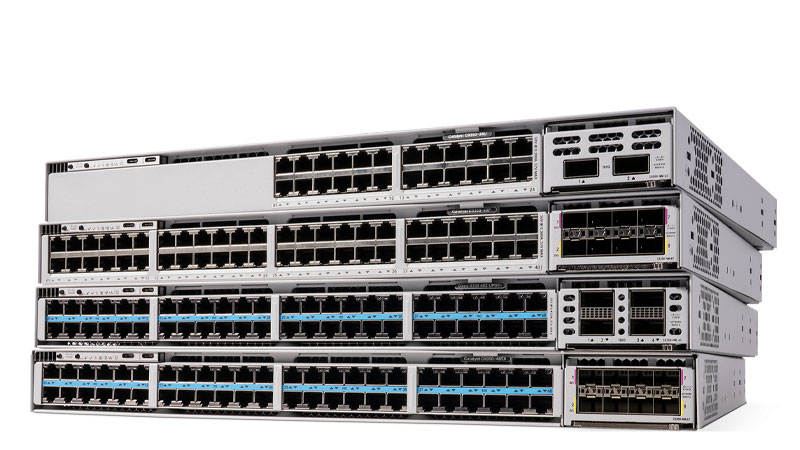 Guides
Cisco Unified Communications Manager (CUCM) Buying Guide
What CUCM actually is today, how it's licensed now that perpetual UCL is gone, where it runs (on-prem UCS vs. Webex Calling Dedicated Instance), and how partners actually structure a purchase.
July 3, 2026 · 8 min readGuidesCisco IP Phone Buyer's Guide (2026): 9800 vs 8800 vs 7800
A practical buyer's guide to the current Cisco desk phone lineup, which series is active, which is winding down, MPP vs Enterprise firmware, PoE requirements, and the license gotchas that trip up fleet rollouts.
July 3, 2026 · 8 min read Compliance
Zoom vs Webex Security vs Teams: A Compliance Buyer's Guide
The zoom vs webex security question rarely has one answer, it depends on your compliance regime. Here's how Webex, Zoom, and Microsoft Teams actually compare on encryption, data residency, FedRAMP, and DoD authorization.
July 12, 2026 · 7 min read