
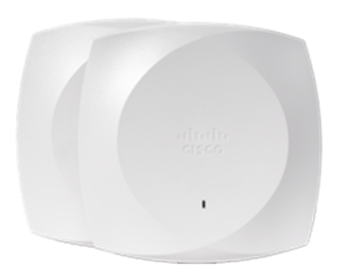
Meraki Go and Aruba Instant On exist for the same reason: their parent companies' enterprise dashboards (Meraki Dashboard, Aruba Central) are overkill and intimidating for a business with one location, no dedicated IT staff, and a handful of access points. Both trade enterprise depth for a mobile-app setup experience and a pricing model without a mandatory recurring subscription for core operation. Picking between them usually comes down to which parent ecosystem you're more likely to grow into, not a meaningful feature gap between the two today.
The more important question for most buyers isn't Go versus Instant On, it's whether either one is still the right tier for you, or whether you've already outgrown the small-business category and should be pricing full Meraki or Aruba Central instead.
At a glance
| Factor | Meraki Go | Aruba Instant On |
|---|---|---|
| Management | Mobile app, simplified vs. full Meraki Dashboard | Mobile app, simplified vs. full Aruba Central |
| Licensing | No mandatory recurring subscription for core operation | No mandatory recurring subscription for core operation |
| Parent ecosystem | Cisco Meraki | HPE Aruba Networking |
| Scalability ceiling | Built for one location or a small handful, not multi-site fleets | Built for one location or a small handful, not multi-site fleets |
| Upgrade path | Full Meraki MR/CW line, adds subscription licensing and full dashboard | Aruba Central / enterprise Aruba, adds subscription licensing and fabric features |
| Best fit | Single-location small business already leaning Cisco/Meraki | Single-location small business already leaning Aruba/HPE |
App-based management, on purpose
Both product lines are managed from a phone or tablet app rather than a browser dashboard, and both trim the feature set deliberately compared to their enterprise siblings. That's not a limitation to apologize for, it's the point. A business owner or office manager without networking background can set up guest Wi-Fi, a basic VLAN split, and a handful of access points in an afternoon, without learning either company's full enterprise console. Neither line is trying to compete with full Meraki or Aruba Central on depth; they're competing on how fast a non-specialist gets a reliable network running.
Licensing: no mandatory subscription, on either side
This is the detail that separates both lines from their own enterprise siblings just as much as it separates them from each other. Full Meraki hardware requires an active per-device subscription to stay on the dashboard; Meraki Go does not carry that same mandatory recurring gate for core functionality. Aruba Instant On follows the same logic relative to Aruba Central. In that sense, Meraki Go and Instant On both sit closer to Ubiquiti UniFi's no-mandatory-license philosophy than to their own enterprise product lines, three different companies converging on the same idea that small businesses won't tolerate a recurring per-device fee the way an enterprise IT budget will. If you're comparing Meraki Go specifically against UniFi rather than Instant On, expect the licensing conversation to be a wash; the differentiators there are ecosystem and app polish, not licensing philosophy.
Feature ceiling and scalability
Both lines cap out well below enterprise capability by design: simplified RF management, limited or no formal NAC/identity integration, and a practical ceiling on how many access points and locations you should run under one app before management gets unwieldy. Neither is built for centralized multi-site oversight the way full Meraki or Aruba Central is. That's the right trade for a genuinely small operation and the wrong trade the moment you open a second or third location and need one pane of glass across all of them.
The upgrade path: what happens when you outgrow it
Growing out of Meraki Go means moving to the full Meraki MR line (or CW-series hardware running in Meraki mode), which brings real multi-site management, deeper security integration, and Cisco TAC support, but also brings the mandatory per-device subscription that Go doesn't require. Growing out of Aruba Instant On follows the same shape on the Aruba side: Aruba Central adds fabric and multi-site capability alongside its own subscription licensing. Neither upgrade is a free lunch, you're trading the no-subscription simplicity of the small-business tier for the manageability and support depth of the enterprise tier, and that trade only pays off once you actually need the multi-site or compliance capability it enables. Timing that move matters: upgrading too early means paying enterprise licensing for capability you don't yet use, and waiting too long means running a growing, multi-location business through a management app that was never designed for it.
Support expectations at the small-business tier
Support depth is lighter at this tier on both sides, and that's worth setting expectations around before you buy. Neither Meraki Go nor Aruba Instant On carries the same formal, TAC-backed SLA structure their enterprise siblings do, you're generally looking at community resources, knowledge bases, and standard vendor support channels rather than a contractually guaranteed response time. For a business that can tolerate best-effort support and occasional self-service troubleshooting, that's a reasonable trade for the price. For a business where a Wi-Fi outage stops revenue (a retail point-of-sale system, a restaurant's ordering flow), it's worth pricing what faster, guaranteed support would cost on the enterprise tier before assuming the small-business line is adequate.
This is also where a reseller relationship earns its keep even at small scale: a partner who can triage an issue before it becomes a support ticket often matters more than which vendor's logo is on the access point.
Which should you choose?
- Single location, no dedicated IT, already buying other Cisco or Meraki gear: Meraki Go is the more natural on-ramp if you expect to grow into full Meraki later.
- Single location, no dedicated IT, already leaning Aruba/HPE for other infrastructure: Aruba Instant On mirrors the same logic on that side.
- Comparing against Ubiquiti UniFi specifically: expect licensing philosophy to be similar across all three, decide on ecosystem fit and app experience instead.
- Opening a second or third location, or starting to need centralized policy across sites: stop evaluating the small-business tier and price full Meraki or Aruba Central instead.
- Unsure whether you'll outgrow the small-business tier within a couple of years: size the first deployment toward the enterprise line's entry-level hardware so you're not replacing access points at the upgrade point.
Frequently asked questions
Does Meraki Go require an ongoing subscription like full Meraki?
No. Meraki Go is built specifically without the mandatory per-device subscription that full Meraki MR hardware requires for dashboard access and support. That's one of the main reasons it exists as a separate small-business tier rather than just being an entry price point on the main Meraki line.
Does Aruba Instant On require an ongoing subscription like Aruba Central?
No. Instant On follows the same small-business logic as Meraki Go, it's positioned without a mandatory recurring license fee for core operation, unlike Aruba's enterprise Central platform, which does run on subscription licensing.
How does Meraki Go compare to Ubiquiti UniFi?
Licensing philosophy is similar across both, neither requires a mandatory per-device subscription for core operation. The real differences are ecosystem and management experience: Meraki Go uses a simplified mobile app tied to Cisco's Meraki brand and offers a smoother on-ramp if you expect to grow into full Meraki later, while UniFi uses its own local or cloud-hosted controller and has a broader prosumer hardware ecosystem of its own.
When should a small business skip Go or Instant On and buy enterprise gear instead?
As soon as you open a second or third location, need centralized policy across sites, or require formal NAC/identity integration. Both small-business lines cap out below that capability by design, and trying to manage a growing multi-site footprint through either app becomes unwieldy well before it becomes impossible.
Can Meraki Go and full Meraki MR access points share the same dashboard?
No. Meraki Go is managed through its own simplified mobile app, separate from the full Meraki Dashboard that MR and CW-series hardware use. Moving from Go to full Meraki is a genuine platform migration, not a setting you toggle on existing hardware.
How many access points can Meraki Go or Aruba Instant On realistically support?
Both are designed around a single location or a small handful of access points rather than a large or multi-site fleet. Neither publishes the small-business tier as a scale play, once a deployment grows past a modest handful of APs or adds a second site, it's time to evaluate the enterprise line instead.
Uniqcli Team
The Uniqcli Team is an authorized Cisco partner specializing in Catalyst wireless, switching, datacenter fabric, licensing, and managed services for U.S. federal, state, local, and education customers. We scope Cisco bills of materials, validate procurement paths (TAA, FIPS, contract vehicles), and deliver design, deployment, and managed operations.
Ready to scope your Cisco build?
Build a quoteRelated reading
View all →GuidesMeraki Go vs UniFi: The Real Small Business Wi-Fi Matchup
Meraki Go vs UniFi for small business Wi-Fi comes down to who runs the network: an app-first, zero-IT cloud model or a self-hosted controller with deeper control and one-time hardware economics.
July 12, 2026 · 5 min read Guides
How Much Does a Cisco Network Cost for a Small Business?
A small business Cisco network starts from about $3,000, but the hardware sticker is the smallest part of the story. Licensing tier, subscription term, SmartNet, optics, PoE, and installation decide the real number, and the only accurate figure is a quote.
March 21, 2026 · 9 min readGuidesMeraki vs UniFi: Cloud-Managed Networking Compared
Meraki vs UniFi compared for IT teams weighing a cloud-managed refresh: licensing, support posture, and real total cost, where UniFi wins on price and where Meraki earns its premium.
July 11, 2026 · 5 min readGuidesMeraki vs Aruba: Cloud Networking Portfolios Compared
Meraki vs Aruba compared at the enterprise level: cloud-only versus cloud-or-on-prem deployment, licensing, and NAC ecosystem, how to pick between two legitimate wireless portfolios.
July 11, 2026 · 5 min read Guides
Cisco RV042 (RV042-G5) End-of-Life: Migrate to the RV340
The RV042 Dual WAN VPN Router passed its Last Day of Support on June 30, 2019. Here is a practical, partner-vetted plan to refresh to the gigabit RV340 without breaking your dual-WAN VPN branch.
June 11, 2026 · 6 min read Guides
Cisco SG300-28 EoL: Migrate to the CBS350-24T-4G
The SG300-28 passed Last Day of Support on May 31, 2022, here's why this Layer 3 lite closet switch has to come out and how to refresh cleanly to the Cisco Business CBS350-24T-4G.
April 13, 2026 · 7 min read