
Cisco transceiver & optics compatibility guide (SFP, SFP+, QSFP, QSFP-DD)
How Cisco optics compatibility actually works: form factors by speed (1G–400G), platform and IOS-XE/NX-OS support, transceiver coding, and genuine vs third-party SFPs. Part-number mapping from an…
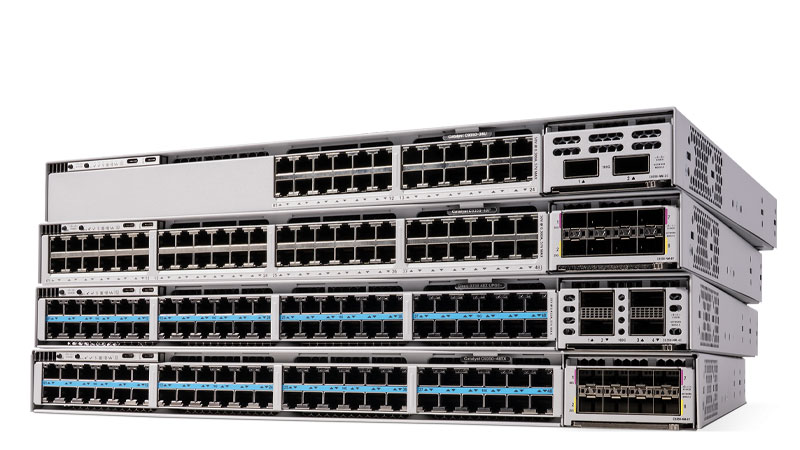
A Cisco transceiver is compatible when three things line up: the form factor matches the port (SFP for 1G, SFP+ for 10G, SFP28 for 25G, QSFP+ for 40G, QSFP28 for 100G, QSFP-DD for 400G), the optic's part number (PID) appears on the support matrix for your specific platform and software release, and the transceiver coding is accepted by the switch or router. Speed and connector fit alone are not enough, a 100G QSFP28 optic that runs on a Nexus 9300 may not be supported on a given Catalyst 9500 line card, and the IOS-XE or NX-OS train you run determines whether the PID is recognized. Genuine Cisco-coded optics are guaranteed against the published matrix; reputable third-party optics work electrically and can be enabled, but Cisco TAC will ask you to swap in a Cisco optic before troubleshooting a link.
The five things that decide Cisco optics compatibility
Buyers waste the most money assuming "it's an SFP+, so it fits." Speed and connector are only the start. Five factors decide whether an optic will actually pass traffic on your hardware:
Form factor is the physical/electrical cage. SFP carries up to 1G, SFP+ up to 10G, SFP28 up to 25G, QSFP+ is 40G (4×10G), QSFP28 is 100G (4×25G), and QSFP-DD is 400G (8×50G). Cages are backward-tolerant in one direction only: an SFP runs in an SFP+ port, and a QSFP28 runs in a QSFP-DD port, but never the reverse.
Platform support is the per-device matrix. Cisco publishes a compatibility matrix per switch/router family and often per line card. A QSFP-100G-SR4-S supported on a Nexus 9336C is not automatically supported on every Catalyst 9500 module, check the matrix for your exact PID.
Software release matters because optic support is added in specific IOS-XE and NX-OS trains. A newer 400G coherent optic may need a minimum release before the platform recognizes the PID. Always confirm the optic against your running train, not just the chassis.
Reach and media must match the fiber plant: SR/SX is multimode (OM3/OM4), LR/LX/EX/ZR is single-mode, and DAC/AOC are fixed-length direct-attach. A 10km LR optic will not light a 300m MMF run, and vice versa.
Coding is the EEPROM data Cisco writes to identify the optic. This is the gate that rejects "unsupported transceiver", covered below.
| Speed | Form factor | Cage / port example | Typical Cisco PIDs | Media |
|---|---|---|---|---|
| 1G | SFP | GE SFP slot | GLC-LH-SMD, GLC-SX-MMD, GLC-TE | SMF / MMF / RJ-45 |
| 10G | SFP+ | 10GE SFP+ slot | SFP-10G-SR, SFP-10G-LR, SFP-H10GB-CU3M | MMF / SMF / DAC |
| 25G | SFP28 | 25GE SFP28 slot | SFP-25G-SR-S, SFP-25G-LR-S | MMF / SMF |
| 40G | QSFP+ | QSFP 40G slot | QSFP-40G-SR4, QSFP-40G-LR4, QSFP-H40G-CU3M | MMF (MPO) / SMF / DAC |
| 100G | QSFP28 | QSFP28 100G slot | QSFP-100G-SR4-S, QSFP-100G-LR4-S, QSFP-100G-AOC | MMF (MPO) / SMF / AOC |
| 400G | QSFP-DD | QSFP-DD 400G slot | QDD-400G-DR4-S, QDD-400G-FR4-S, QDD-400G-ZR | SMF (MPO/duplex LC) |
Form-factor families, by speed
1G SFP is still everywhere, management uplinks, legacy aggregation, copper handoffs. GLC-LH-SMD covers both 1000BASE-LX/LH single-mode and is the modern dual-rate replacement for the old GLC-LH-SM. GLC-TE is the 10/100/1000 copper RJ-45 SFP. These run in any SFP slot and in SFP+ ports at 1G.
10G SFP+ is the workhorse of access-to-distribution uplinks. SFP-10G-SR (300m on OM3 MMF) and SFP-10G-LR (10km SMF) cover most campus and data-center needs; SFP-H10GB-CUxM twinax DAC handles top-of-rack within a few meters.
25G SFP28 became the server-NIC and leaf access standard because it reuses SFP+ cabling economics at 2.5× the speed. SFP-25G-SR-S (MMF) and SFP-25G-LR-S (SMF) are the common optics; SFP-28 ports also accept 10G SFP+ optics, which is useful during phased migrations.
40G/100G QSFP dominates spine and aggregation. QSFP-40G-SR4 and QSFP-100G-SR4-S use MPO-12 multimode ribbon and can break out to 4×10G or 4×25G respectively with the right breakout cable. QSFP-100G-LR4-S runs 10km over duplex single-mode. A QSFP+ optic physically fits a QSFP28 port but only runs at 40G there.
400G QSFP-DD is the current data-center and AI-fabric edge. QDD-400G-DR4-S reaches 500m over parallel single-mode (MPO-12) and breaks out to 4×100G; QDD-400G-FR4-S runs 2km over duplex LC; QDD-400G-ZR adds coherent DWDM for metro spans. QSFP-DD ports accept QSFP28/QSFP+ optics for backward compatibility, so a 400G leaf can still host 100G links. Browse current optics by reach and speed in Cisco Optics & Transceivers.
How transceiver coding works (and the "unsupported transceiver" error)
Every optic carries an EEPROM that stores a vendor ID, serial, and Cisco-specific data. When you insert an optic, the platform reads that data and checks it against its internal list. If the optic is Cisco-coded and on the supported list for that platform/release, the port comes up clean. If it is not recognized, the device flags it, on IOS/IOS-XE you see a `%PHY-4-UNSUPPORTED_TRANSCEIVER` message and the port may err-disable; on NX-OS the interface stays down with a transceiver-validation failure.
This is not the optic being electrically incompatible, it is a policy check. Cisco intentionally validates coding so that the published support matrix is meaningful and TAC can reason about your link budget. Genuine Cisco optics (and properly Cisco-coded third-party optics from reputable vendors) pass this check automatically.
If you must use a non-coded third-party optic in a lab or non-production link, the platforms expose overrides:
- IOS / IOS-XE (Catalyst): `service unsupported-transceiver` in global config, plus `no errdisable detect cause gbic-invalid` so the port does not err-disable.
- NX-OS (Nexus): unsupported transceivers are generally allowed by default but log a warning; the supported PID still governs whether features like FEC negotiate correctly.
- IOS-XR (ASR 9000 / 8000): `transceiver permit pid all` under the interface enables third-party PIDs.
Note the trade-off: these commands suppress the policy check, not the engineering reality. TAC will ask you to install a Cisco optic before troubleshooting a flaky link, and on regulated or federal procurements (TAA), the optic's provenance matters as much as the switch's.
| Platform / OS | Behavior with non-Cisco optic | Override command |
|---|---|---|
| IOS / IOS-XE (Catalyst) | Port err-disables, UNSUPPORTED_TRANSCEIVER syslog | `service unsupported-transceiver` + `no errdisable detect cause gbic-invalid` |
| NX-OS (Nexus) | Usually allowed, logs warning; FEC/feature support not guaranteed | (allowed by default) |
| IOS-XR (ASR 9000 / 8000) | PID rejected on some line cards | `transceiver permit pid all` (interface) |
Genuine Cisco vs third-party optics: how to decide
Third-party optics from established vendors are electrically identical and are routinely Cisco-coded so they pass the validation check. They cost less, and for non-critical links or labs they are a reasonable choice. The real decision is about risk and support, not whether the light turns on.
Choose genuine Cisco optics when the link is production-critical, when you want guaranteed coverage on the published platform matrix, when SmartNet/TAC support must remain unconditional, or when the order must be TAA-compliant for federal and SLED buyers. Cisco optics carry the same warranty and support path as the switch, and TAC will troubleshoot the link without first asking you to swap hardware.
Choose coded third-party optics when budget dominates and the link is lower-stakes, non-redundant access uplinks, lab gear, or short DAC runs inside a rack. Verify the vendor explicitly codes for your exact platform and software train, and keep a few Cisco optics on the shelf so you can isolate optic-versus-platform issues during a TAC case.
A practical hybrid many of our customers run: genuine Cisco optics on spine/core and anything under SmartNet, third-party on edge access where a failure is a single-port event. Whatever you choose, build the optic count into the switch or router order rather than discovering a shortfall at install, the BOM builder makes that easy across a multi-site refresh.
Matching optics to your switches and routers
Compatibility flows from the host platform, so start there. Catalyst 9300/9300X access switches take 1G/10G/25G uplink modules; Catalyst 9500 and Nexus 9300/9500 carry 40G/100G QSFP28 and, on newer line cards, 400G QSFP-DD. ASR 1000 and Catalyst 8000 routers mix SFP+/SFP28 on shared port adapters with QSFP on higher-density cards. Confirm the exact module PID, because a chassis may support a speed only on specific slots.
When you size an order, map optics to the device line by line: count uplinks per access switch, breakout cables per spine port, and the reach (MMF vs SMF) dictated by your actual cable plant. Mismatched reach is the single most common reorder we see. If you are refreshing switching, pair the optic list against Cisco switches; for WAN and SD-WAN edge, align it with Cisco routers. Our team will validate the full optic-to-platform-to-release matrix before anything ships, so you do not hit an UNSUPPORTED_TRANSCEIVER surprise at turn-up.
Frequently asked questions
Will any SFP+ optic work in any Cisco SFP+ port?
Physically yes, but operationally no. The optic must match the port speed, be on the support matrix for your specific platform and IOS-XE/NX-OS release, and pass the transceiver coding check. A non-coded optic triggers an UNSUPPORTED_TRANSCEIVER error on IOS-XE and may err-disable the port unless you enable `service unsupported-transceiver`.
Can I put a 100G QSFP28 optic in a 400G QSFP-DD port?
Yes. QSFP-DD ports are backward compatible and accept QSFP28 (100G) and QSFP+ (40G) optics, so a 400G-capable leaf or spine can still host slower links. The reverse is not true, you cannot run a 400G QSFP-DD optic in a 100G QSFP28 cage.
Do third-party SFPs void Cisco TAC support?
Using third-party optics does not void your SmartNet contract, but Cisco TAC may require you to replace a non-Cisco optic with a genuine Cisco one before troubleshooting a link issue, to rule the optic out. For production and TAA-compliant federal orders, genuine Cisco optics keep the support path unconditional.
How do I know which Cisco optic my switch supports?
Check the transceiver compatibility matrix for your exact platform and line card, then confirm the PID is supported in your running software release with `show interface transceiver` (IOS-XE) or `show interface transceiver detail` (NX-OS). Support for a given optic is added in specific software trains, so the matrix plus the release together give the real answer.
What is the difference between SR, LR, and DAC optics?
SR (short reach) runs over multimode fiber for short data-center and campus distances (e.g., 300m on OM3). LR (long reach) runs over single-mode fiber for up to 10km. DAC (direct-attach copper) and AOC (active optical cable) are fixed-length passive/active cables for in-rack and adjacent-rack links, cheaper than discrete optics but not field-reconfigurable for length.
Uniqcli Team
The Uniqcli Team is an authorized Cisco partner specializing in Catalyst wireless, switching, datacenter fabric, licensing, and managed services for U.S. federal, state, local, and education customers. We scope Cisco bills of materials, validate procurement paths (TAA, FIPS, contract vehicles), and deliver design, deployment, and managed operations.
Ready to scope your Cisco build?
Build a quoteRelated reading
View all →GuidesWhich SFP, SFP+ and QSFP Modules Are Compatible With the Catalyst 9300
Which SFP, SFP+, SFP28 and QSFP optics work with the Cisco Catalyst 9300 and 9300X? Network module mapping, real part numbers, copper vs fiber, and CLI verification.
June 23, 2026 · 4 min readGuidesQSFP-100G AOC vs DAC: When to Use Active Optical Cables vs Direct-Attach Copper
Cisco QSFP-100G AOC vs DAC compared: reach, cost, power, and weight. DAC for top-of-rack under 5m, AOC for cross-rack runs to 30m. Real part numbers and platform notes.
June 23, 2026 · 6 min readGuidesDo Third-Party SFPs Work in Cisco Catalyst Switches?
Yes, third-party SFPs can work in Cisco Catalyst switches via the service unsupported-transceiver command, but it affects warranty and TAC support. When genuine optics matter.
June 23, 2026 · 6 min readGuidesQSFP-100G-SR4 vs QSFP-100G-LR4 for Nexus 9000
SR4 (MMF/MPO, 100m) vs LR4 (SMF/LC, 10km) 100G optics for Nexus 9000 leaf/spine: reach, breakout, NX-OS support, and exact Cisco part numbers. Get a quote.
June 23, 2026 · 5 min readGuidesSFP-10G-SR vs SFP-10G-LR: Which 10G Optic to Choose
SFP-10G-SR vs SFP-10G-LR explained: distance, fiber type, cost, and Cisco platform support. Choose the right 10G transceiver and matching fiber the first time.
June 23, 2026 · 5 min readGuidesGLC-T vs GLC-TE: 1000BASE-T Copper SFP Differences and Replacement
GLC-T vs GLC-TE: the only real difference is temperature range. GLC-T is End-of-Sale; GLC-TE is the drop-in replacement. Specs, supported platforms, and which to buy.
June 23, 2026 · 5 min read