
Cisco 8540 WLC (AIR-CT8540-K9) Migration to Catalyst 9800-80
The 8540 was Cisco's flagship AireOS controller. With End of Sale behind us and Last Day of Support set for January 2027, here is a practical, specifics-first guide to refreshing onto the Catalyst 9800-80.

If you still have a Cisco 8540 Wireless Controller (PID AIR-CT8540-K9) carrying production Wi-Fi, this is the year to finish planning its replacement. The 8540 was the top of the AireOS line, the controller Cisco positioned for the largest campuses and service-provider wireless deployments. It is a capable box, but it is on a clear retirement clock, and the runway is shorter than the LDoS date suggests.
Where the 8540 stands in its lifecycle
Three dates define the situation, and each means something different in operational terms. End of Sale was January 31, 2022, so you can no longer buy the controller new through Cisco. End of Software Maintenance was January 31, 2023, which is the milestone most teams underestimate: it means AireOS 8.10 stopped receiving maintenance releases and bug fixes for this platform years ago. The Last Day of Support (LDoS) is January 31, 2027. That final date is when Cisco TAC closes the door on support cases, RMA hardware replacement is no longer assured, and the Cisco PSIRT stops issuing security fixes for the platform.
The gap between the maintenance date and LDoS is the real exposure window. From early 2023 onward, any newly disclosed vulnerability that touches the 8540 or AireOS 8.10 on this hardware does not get a patch you can apply. You are running on frozen software. For regulated buyers, that is not an abstract risk.
Why acting before 2027 matters for compliance
Federal and DoD environments operating under RMF, FedRAMP-adjacent controls, or DISA STIG expectations cannot indefinitely run infrastructure that has no path to remediate a CVE. Healthcare networks under HIPAA security-rule scrutiny and SLED buyers facing CIS-control audits hit the same wall. An auditor's question is simple: when a critical wireless-plane vulnerability drops, how do you patch it? On a post-maintenance 8540, the honest answer is you cannot, and that becomes a documented finding. Replacing the controller is the clean remediation. See the full milestone breakdown for AIR-CT8540-K9 for the dated specifics.
The recommended replacement: Catalyst 9800-80
Cisco names the Catalyst 9800-80 Wireless Controller (PID C9800-80-K9) as the migration target, and it is the right call for a former 8540 site because it is the only current platform that matches the 8540's scale class. The 9800-80 is the flagship of the IOS XE controller line, scaling to 6,000 access points and 64,000 clients with up to 80 Gbps of throughput. It ships in a 2RU chassis with modular uplink ports supporting 1/10/25/40 Gbps optics, so it slots into a large campus core or data-center wireless aggregation point cleanly.
What is concretely better
The biggest difference is the operating system. The 8540 runs AireOS; the 9800-80 runs IOS XE 17.x, the same OS family as Catalyst switching. That brings patchable cold and hot software updates, In-Service Software Upgrade so you can update with minimal client disruption, and rollback. It brings real programmability: NETCONF/YANG model-driven configuration, RESTCONF, and streaming model-driven telemetry instead of SNMP polling. And it integrates natively with Catalyst Center for assurance, AI-driven RF analytics, and SD-Access fabric if that is on your roadmap.
- Wi-Fi 6 and 6E support: the 9800-80 drives Catalyst 9100 APs in the 6 GHz band with OFDMA and higher client density. The AireOS 8540 architecture never supported 6 GHz, so the controller itself stops being the airspace ceiling.
- High availability done right: stateful switchover (SSO) with sub-second client and AP failover between an HA pair, plus N+1 redundancy options, rather than relying solely on AireOS HA-SKU behavior.
- Smart Licensing: per-AP, term-based DNA/Networking subscriptions (Essentials/Advantage/Premier) reported via Smart Software Manager, with an on-prem CSSM satellite available for air-gapped federal enclaves.
- Security plane: ongoing PSIRT coverage and IOS XE hardening (image signing, runtime defenses), so a future CVE actually has a fix you can deploy.
A practical migration plan
1. Assessment and inventory
Start with what the 8540 is actually carrying: AP count and models, client count at peak, WLAN/SSID definitions, RF profiles, AP groups, FlexConnect deployments, mobility group membership, and any guest-anchor relationships. Pull the running AP inventory and flag every AP that is itself end-of-life or is 802.11n/Wave 1, because those cannot move to current IOS XE and should be refreshed, not migrated. This inventory is also your sizing input for the 9800-80 subscription count.
2. License transition
This is a model change, not a transfer. AireOS right-to-use AP licensing does not carry to Smart Licensing. Create or confirm the Smart Account and Virtual Account, decide on the DNA/Networking tier per the features you need (Advantage is the common floor for assurance and analytics), and choose the subscription term. For closed networks, stand up the on-prem Smart Software Manager before cutover so the controller can register without internet egress.
3. Config and feature parity
Do not hand-rebuild from memory. Cisco's AireOS-to-IOS XE configuration conversion tooling translates the bulk of WLANs, policies, and RF settings into the 9800 policy-tag/site-tag/RF-tag model, but the data model is genuinely different. Validate each translated construct: WLAN-to-policy-profile mapping, FlexConnect to flex profiles, AAA and RADIUS server groups, mDNS/Bonjour, and any CleanAir or DCA tuning. Build a parity checklist and sign it off before any AP moves.
4. Physical: rack, power, uplinks, optics
The 9800-80 is 2RU with dual redundant power supplies. Confirm rack space, PDU capacity and circuit type, and airflow direction against your hot/cold aisle. Match the uplink optics to your aggregation switches: the modular ports take 1/10/25/40G transceivers, so verify you are ordering the correct SFP/SFP28/QSFP+ optics and that your upstream switch ports and fiber types line up. A controller is not PoE-bearing itself, but the APs it serves are, so confirm the access-layer switching has the mGig and PoE/PoE+ budget for any Wi-Fi 6E APs you add.
5. Phased cutover
Run the 9800-80 in parallel with the 8540. Move APs in controlled waves by building or AP group: prime the new controller, change the primary controller assignment for a pilot set of APs, validate client roaming, RF behavior, AAA, and guest flows, then expand. Keep the 8540 as a fallback target until each wave is proven. This avoids a single high-risk flag-day cutover across thousands of APs.
6. Secure decommission
Once the 8540 is empty and stable for a confidence window, decommission it deliberately. Erase the configuration and any stored credentials and certificates, remove it from mobility groups and monitoring, and retire its management IPs and firewall rules. For federal and healthcare sites, follow your media-sanitization standard (NIST SP 800-88 alignment) and capture a disposal record for the audit trail.
Procurement notes
Order the TAA-compliant 9800-80 PID when the contract requires it, and state TAA on the PO so the manufacturing source is documented and audit-defensible. Confirm eligibility on your contract vehicle and, for card buys, the GPC micro-purchase thresholds. Lead times on controller-class hardware and 25/40G optics can move, so size and quote the full bill of materials, chassis, optics, subscription term, and Solution Support, as one package rather than chasing parts later.
Frequently asked questions
When does the Cisco 8540 Wireless Controller actually stop being supported?
The hardware reached End of Sale on January 31, 2022, and software maintenance ended January 31, 2023, so no new AireOS 8.10 maintenance or bug fixes ship for it. The Last Day of Support (LDoS) is January 31, 2027. After that date Cisco TAC will not take cases, RMA replacement hardware is no longer guaranteed, and the PSIRT will not issue patches for the platform even when new wireless vulnerabilities are disclosed. Practically, you want the replacement controller in production and the 8540 decommissioned before that date, not on it.
Can I keep my existing access points when I move to the Catalyst 9800-80?
Many of them, yes, but check the model. The 9800-80 runs IOS XE 17.x, which supports Wave 2 802.11ac APs (the 1800/2800/3800 and Aironet 4800 families) and all Catalyst 9100 Wi-Fi 6/6E APs. The older 802.11n and early Wave 1 APs that the 8540 could still adopt are not supported on current IOS XE releases. Inventory your AP models first; APs that are themselves end-of-life are a good candidate to refresh in the same project so you are not migrating gear you will replace again in 18 months.
How does licensing change going from the 8540 to the 9800-80?
The 8540 used right-to-use AP-count licensing inside AireOS, with capacity tied to the controller. The Catalyst 9800-80 uses Cisco Smart Licensing for Wireless (DNA/Cisco Networking subscription tiers: Essentials, Advantage, Premier) reported through Smart Software Manager or an on-prem CSSM satellite for air-gapped networks. Licensing is term-based and per-AP rather than a perpetual capacity purchase. Budget the subscription as a recurring line, and if you run a closed federal enclave, plan the on-prem smart account before cutover.
What does the 9800-80 give me that the 8540 could not?
Headroom and a modern OS. The 9800-80 scales to 6,000 APs and 64,000 clients with up to 80 Gbps of forwarding, and runs IOS XE with patchable hot/cold software updates, In-Service Software Upgrade, programmability (NETCONF/YANG, model-driven telemetry), and native Catalyst Center integration. Crucially it supports Wi-Fi 6 and 6E (6 GHz) APs, which the AireOS 8540 architecture never did, so the controller stops being the thing that caps your airspace.
Is the Catalyst 9800-80 TAA compliant for federal buyers?
Cisco offers TAA-compliant configurations of the Catalyst 9800-80 for US federal, DoD, and SLED procurement. TAA compliance depends on the specific orderable PID and country of manufacture, so the requirement must be stated on the purchase order and confirmed against the quote. As an authorized Cisco partner, uniqcli sources the TAA SKU, validates GPC/contract-vehicle eligibility, and documents the supply chain so it survives an audit.
Uniqcli Team
The Uniqcli Team is an authorized Cisco partner specializing in Catalyst wireless, switching, datacenter fabric, licensing, and managed services for U.S. federal, state, local, and education customers. We scope Cisco bills of materials, validate procurement paths (TAA, FIPS, contract vehicles), and deliver design, deployment, and managed operations.
Ready to scope your Cisco build?
Build a quoteRelated reading
View all →GuidesCisco 3504 WLC to Catalyst 9800-L Migration Guide
The Cisco 3504 Wireless Controller hits Last Day of Support on January 31, 2027, no more PSIRT fixes, TAC, or RMA. Here's why AireOS controllers are a compliance risk now and how to migrate cleanly to the IOS XE Catalyst 9800-L.
February 16, 2026 · 8 min readGuidesCisco 5520 WLC (AIR-CT5520-K9) to Catalyst 9800-40 Migration
The AIR-CT5520-K9 is past End of Sale and reaches hardware Last Day of Support on January 31, 2027. Here is why this AireOS controller has to be retired, what the Catalyst 9800-40 (C9800-40-K9) gives you, and how to migrate without ripping out your access points.
February 19, 2026 · 10 min readGuidesCisco 5508 WLC EoL: Migrate to 5520 / Catalyst 9800-40
The AIR-CT5508-K9 passed Last Day of Support on July 31, 2023. Here's what each milestone means, why an unpatchable AireOS controller is a compliance liability, and how to refresh cleanly to the Catalyst 9800-40.
February 18, 2026 · 10 min readGuidesCisco 2504 WLC EoL: Migrate to 3504 or Catalyst 9800
The 2504 Wireless Controller passed Last Day of Support on April 30, 2023, here's what each milestone means, why an unpatched AireOS controller is now a compliance liability, and how to migrate cleanly to a Catalyst 9800.
February 14, 2026 · 9 min read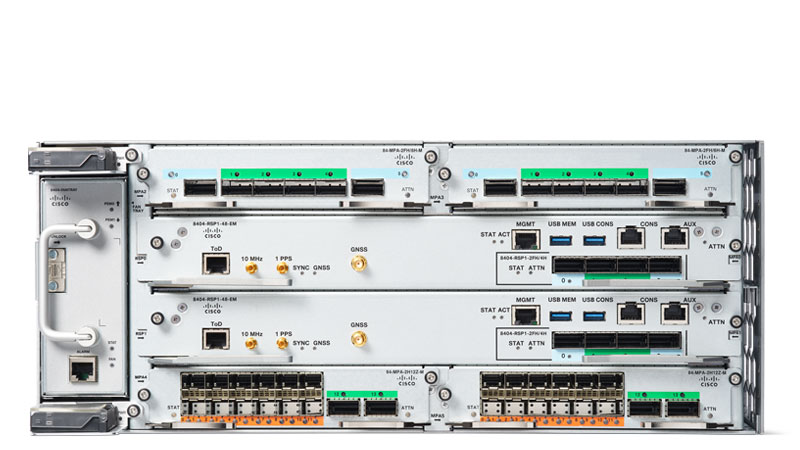 Guides
Cisco 7606-S EoL: Migrating to the Catalyst 8500 (C8500-12X)
The Cisco 7606-S (CISCO7606-S) passed Last Day of Support on July 31, 2021. Here is why the chassis must come out and how to migrate its WAN-edge roles cleanly to the IOS XE-based Catalyst 8500 (C8500-12X).
May 7, 2026 · 7 min readGuidesCisco 1941W EoL: Migrate to Catalyst 8200 C8200-1N-4T
The Cisco 1941W reached Last Day of Support on December 31, 2021, no patches, no TAC, no RMA. Here is what the EoL milestones mean and how to migrate cleanly to the Catalyst 8200 Edge Platform (C8200-1N-4T), including the licensing and wireless changes that catch teams off guard.
April 22, 2026 · 6 min read