
Cisco Smart Account & Smart Licensing: The Complete Setup Guide
What a Cisco Smart Account actually is, how Software Central and Virtual Accounts fit together, where licenses land when you buy through a partner, and how Smart Licensing Using Policy changed IOS-XE devices for good.
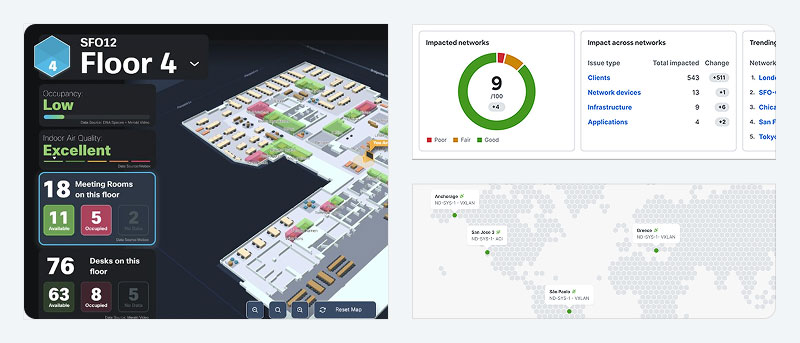
A Cisco Smart Account is the single, free container that holds every software license, service contract, and registered device your organization owns from Cisco, replacing the old system of emailed Product Activation Keys (PAKs) tied to individual purchase orders. You create it once in Cisco Software Central, organize it into Virtual Accounts by site or department, and every subsequent Cisco order, hardware, subscriptions, renewals, flows into it automatically instead of generating a new key to track by hand.
If you've ever hunted through old emails for a PAK, called Cisco licensing support to reissue a lost key, or discovered a stack of unused entitlements nobody remembered ordering, that's the exact pain Smart Accounts and Smart Licensing were built to end. This guide walks through what a Smart Account is, how Cisco Software Central is organized, how licenses actually move from a partner order into your account, what Smart Licensing Using Policy (SLP) means for IOS-XE gear specifically, and the handful of gotchas that trip up almost every team the first time.
What is a Cisco Smart Account, and why did PAKs go away?
Under the old classic licensing model, every software feature you bought, an IOS feature set, a security license, an ISE tier, arrived as a Product Activation Key you had to redeem individually on the Cisco License Registration Portal, then paste into the device console. Keys were scoped to a single order and a single device serial number. Lose the email, lose the paperwork trail, and you were on the phone with Cisco licensing support proving you owned something you'd already paid for. Multiply that by hundreds of devices across a distributed enterprise or a multi-site government agency and the overhead became a real operational cost.
A Smart Account replaces that model with one persistent, company-wide inventory. It's a free account (not a product, not a contract) that Cisco ties to your organization's domain. Once it exists, licenses purchased through any channel, direct from Cisco, through a distributor, or through a partner like Uniqcli, land in it automatically at the point of fulfillment, no key redemption required for Smart Licensing-enabled products. Devices then check in against the account to report and consume entitlements, either automatically (SLP) or through periodic sync, instead of storing a static unlock code.
Classic PAK licensing hasn't fully disappeared, some legacy platforms and older service contracts still use it, but Cisco has been steadily migrating product lines onto Smart Licensing for years, and virtually every current-generation platform ships Smart Licensing-only. If you're specifying new gear in 2026, assume Smart Account is the model you're building around.
Cisco Software Central and Cisco License Central: what lives where
Cisco Software Central (software.cisco.com) is the portal umbrella, the front door for Smart Account administration, software downloads, license management, and EA (Enterprise Agreement) workspace access. Inside it, the tool that actually manages license inventory, registration tokens, and usage reporting has been consolidating into Cisco License Central (CLC), which absorbed most of what used to be a separate Cisco Smart Software Manager (CSSM) interface. If you learned the old CSSM screens, the functions are the same, Virtual Accounts, license transfers, registration tokens, just reorganized under the CLC name inside Software Central. Bookmark Software Central as the starting point and expect the specific workspace name to keep evolving; Cisco has been merging licensing tools into fewer, simpler interfaces rather than adding new ones.
Within a Smart Account, Virtual Accounts are the organizational subdivisions, think folders inside the account. A K-12 district might run one Virtual Account per campus; a federal agency might split by bureau or by classification boundary; an enterprise might split by business unit or by data center. Every license and every registered product instance lives inside exactly one Virtual Account at a time, which is what makes usage reporting and internal chargeback tractable once you're past a handful of devices.
| Task | Where you do it |
|---|---|
| Create a new Smart Account | Software Central → Administration → Smart Accounts → Request Account |
| Add or rename a Virtual Account | Software Central → Manage Smart Account → Virtual Accounts tab |
| View total license inventory across the account | Cisco License Central → License Inventory |
| Generate a registration/transport token for a device | License Central → selected Virtual Account → General → New Token |
| Transfer licenses between Virtual Accounts | License Central → License Inventory → Transfer |
| Move an order out of a Partner Holding Account | License Central → Convert to Smart Licensing / Transfer, from the holding account |
| Assign or change user roles (Admin, Approver, User) | Software Central → Manage Smart Account → Users tab |
| Download purchased software images | Software Central → Software Download |
| View or renew subscription/EA term details | Software Central → Manage Licenses / EA Workspace |
| Check SLP reporting status for IOS-XE devices | License Central → Virtual Account → Product Instances |
How does license assignment work when you buy through a partner?
This is the step that confuses first-time buyers most. When you purchase Cisco hardware or software through an authorized partner, the order doesn't land directly in your company's Smart Account by default, it first drops into the partner's Partner Holding Account, a staging area every reseller and distributor is required to maintain. Licenses sitting in a holding account exist, but they cannot be activated, consumed, or reported against; they're inert until someone reassigns them to the correct Customer Smart Account.
The partner (or the customer, if they have the right access) then transfers the order from the holding account into the customer's own Smart Account, typically into a specific Virtual Account you designate at order time. Done correctly, this happens within a day or two of fulfillment and you never notice the intermediate step. Done poorly, or forgotten, your licenses sit unassigned in a partner's holding account for weeks while your new switch stack or Duo seats silently fail to activate.
One access nuance worth knowing: partners can be granted roles to help manage a customer's Smart Account, moving licenses, generating tokens, viewing inventory, but Cisco does not allow a partner to accept a Smart Licensing agreement or hold the Smart Account Approver role on the customer's behalf. That approval authority has to sit with someone inside your organization, which means every new customer Smart Account needs at least one named human who can log in and approve terms, even if a partner handles the day-to-day administration afterward.
What is Smart Licensing Using Policy (SLP) on IOS-XE?
Smart Licensing Using Policy (SLP) is the current licensing model for Cisco IOS-XE platforms, Catalyst switches, ISR/ASR routers, and Catalyst SD-WAN edge devices among them. It replaced the earlier "Smart Licensing" implementation that required devices to register against the Smart Account before features would even unlock. Under SLP, a device is unregistered but compliant by default: it boots, enables its configured features immediately, and only needs to phone home on a reporting schedule rather than at first boot.
In practice, an IOS-XE device under SLP reports usage to Cisco through one of three paths: directly to Cisco License Central over the internet, through CSLU (Cisco Smart License Utility) running on a local workstation for air-gapped or bandwidth-limited sites, or through SSM On-Prem for organizations that need an on-premises license manager and can't call out to Cisco at all, a common requirement for defense and classified networks. Reporting intervals vary by license type, but most run on a 30-to-90-day cycle for standard entitlements. Export-controlled features (strong encryption, for example) and a small set of enforced licenses still require active registration before they'll function, so government buyers in particular should confirm which license types on their platform fall into that enforced category.
The practical upshot for a fleet deployment: you can ship a Catalyst 9300 or an ISR 4000-series router to a remote site, rack it, configure it, and it will run at full licensed capability without anyone touching the licensing portal on day one. The compliance obligation doesn't disappear, it just shifts from an activation gate to a periodic reporting duty, which is far friendlier to large, distributed rollouts.
Common Smart Account gotchas and how to avoid them
- Licenses stuck in a Partner Holding Account. If a new order isn't showing up in your inventory a few days after shipment, check with your reseller, it's almost always sitting unassigned in their holding account waiting for a transfer.
- No one holds the Approver role. Smart Account Approver authority can't be delegated to a partner. If the person who set up your account left the company, get a current employee assigned that role before you need to accept a new agreement or you'll stall an order.
- Devices split across the wrong Virtual Account. Registering a new device into the wrong Virtual Account doesn't break it, but it does break your usage reporting and any per-site chargeback you're running. Fix it with a transfer rather than re-registering from scratch.
- Renewal lapses on subscription licenses. Term-based Smart Licenses (most security and collaboration subscriptions) expire on a date, not a device lifecycle. Set calendar reminders independent of Cisco's own renewal notices, those notices go to whichever email was on file when the Smart Account was created, which is often stale years later.
- Assuming SLP means "no compliance work." Unregistered-but-compliant still requires periodic reporting. If a device goes long enough without reporting (whether from a firewall rule blocking outbound access or a forgotten CSLU install), it eventually shows as out of compliance even though nothing about the configuration changed.
- Confusing Smart Account transfer with device RMA. Replacing hardware under RMA doesn't automatically move licenses to the new serial number, that's a separate reassignment step inside License Central.
How do I set up a new Cisco Smart Account?
Go to Cisco Software Central, select Request a Smart Account, and register using an email tied to your organization's domain, Cisco ties account eligibility to domain ownership to prevent duplicate or conflicting accounts for the same company. You'll designate an initial Account Administrator and Approver during setup; both roles can be reassigned later, but at least one Approver has to exist before the account can accept a Smart Licensing agreement. Once approved, create Virtual Accounts that match how you actually want to track licenses, by site, by department, or by contract, before your first order arrives, so licenses land in the right place from day one instead of needing a cleanup pass later.
If your organization already has a Smart Account and you're not sure who administers it, search by your company domain in the Smart Account lookup on Software Central before requesting a new one, duplicate accounts for the same organization are a common source of the "where did my licenses go" support ticket, since a new order can land in a second, forgotten account instead of the one your team actually uses.
Frequently asked questions
Is a Cisco Smart Account free?
Yes. A Smart Account itself has no cost, it's an administrative container for licenses, not a product. You only pay for the software licenses, subscriptions, or support contracts you place inside it. Any organization that buys or uses Cisco software, including through a partner, is expected to have one.
What's the difference between a Smart Account and a Virtual Account?
The Smart Account is the top-level container tied to your organization's domain; a Virtual Account is a subdivision inside it, used to organize licenses by site, department, or business unit. Every license lives in exactly one Virtual Account at a time, and you can transfer licenses between Virtual Accounts without leaving the parent Smart Account.
Why haven't my new Cisco licenses shown up after I ordered through a reseller?
New orders placed through a partner typically land first in that partner's Partner Holding Account, not directly in your Smart Account. Licenses in a holding account can't be activated until someone transfers them to your Customer Smart Account. Ask your reseller to confirm the transfer, or work with a partner that handles this step on every order.
What is Smart Licensing Using Policy (SLP)?
SLP is the current Cisco licensing model for IOS-XE platforms, where devices operate in an unregistered-but-compliant state from first boot instead of requiring upfront activation. Devices periodically report usage to Cisco License Central, CSLU, or SSM On-Prem depending on connectivity, typically every 30 to 90 days, rather than checking a static key at startup.
Can I still use old Product Activation Keys (PAKs)?
Some legacy platforms and older support contracts still use classic PAK licensing, and Cisco provides tools to convert an existing PAK to a Smart License. However, essentially all current-generation Cisco hardware and software ships Smart Licensing-only, so new purchases should be planned around a Smart Account rather than PAKs.
Who can approve a Smart Licensing agreement for my company?
Only a named employee holding the Smart Account Approver role inside your own organization can accept a Smart Licensing agreement, Cisco does not permit a reseller or distributor to hold that role on a customer's behalf, even if the partner manages day-to-day license administration. Make sure at least one current employee has that role assigned at all times.
Uniqcli Team
The Uniqcli Team is an authorized Cisco partner specializing in Catalyst wireless, switching, datacenter fabric, licensing, and managed services for U.S. federal, state, local, and education customers. We scope Cisco bills of materials, validate procurement paths (TAA, FIPS, contract vehicles), and deliver design, deployment, and managed operations.
Ready to scope your Cisco build?
Build a quoteRelated reading
View all → Guides
Cisco wireless licensing for Wi-Fi 7 explained
Wi-Fi 7 access points are the easy part. The licensing model behind them, from the Catalyst 9800 controller to per-AP subscriptions and Smart Account hygiene, is where budgets and deployments actually get decided. Here is how Cisco wireless licensing really works for a Wi-Fi 7 refresh, and how to size it before you buy.
May 15, 2026 · 10 min read Guides
Cisco 5520 WLC (AIR-CT5520-K9) to Catalyst 9800-40 Migration
The AIR-CT5520-K9 is past End of Sale and reaches hardware Last Day of Support on January 31, 2027. Here is why this AireOS controller has to be retired, what the Catalyst 9800-40 (C9800-40-K9) gives you, and how to migrate without ripping out your access points.
February 19, 2026 · 10 min read Guides
Cisco Unified Communications Manager (CUCM) Buying Guide
What CUCM actually is today, how it's licensed now that perpetual UCL is gone, where it runs (on-prem UCS vs. Webex Calling Dedicated Instance), and how partners actually structure a purchase.
July 3, 2026 · 8 min read Guides
Cisco Commerce Workspace (CCW): What It Is and Who Needs It
CCW is Cisco's quoting and ordering platform for authorized partners, not a customer storefront. Here's what it does, how it differs from CCW-R, and why most buyers never need to log in at all.
July 3, 2026 · 6 min read Guides
Cisco Licensing Cost Explained: Essentials vs Advantage vs Premier
Cisco hardware sticker prices are only the opening number. Here is how Essentials, Advantage, and Premier licensing tiers, subscription terms, and SmartNet quietly decide what you actually pay.
March 26, 2026 · 9 min read Guides
How Much Does Cisco Catalyst Center (DNA) Licensing Cost?
Catalyst Center (formerly Cisco DNA) licensing starts from roughly $25 to $150 per device, per year, but tier, subscription term, controller appliance, and SmartNet make the real number very different. Here is how the cost actually builds.
March 10, 2026 · 9 min read