
Stadium Wi-Fi capacity planning: sizing for a packed house
A sold-out crowd is the most hostile RF environment your wireless will ever face. Here is how to size Cisco Wi-Fi for a packed house, from device density math to antenna geometry to controller headroom.
Key takeaways
- Stadium Wi-Fi is a capacity problem, not a coverage problem. The math that matters is concurrent associated clients per access point and aggregate throughput per section, not signal bars on a heat map.
- Plan for 60 to 80 percent device take rate at peak, with bursty traffic that spikes at kickoff, halftime, and big plays. Average-utilization sizing will fail you on the only day that counts.
- Antenna geometry decides everything in the bowl. Narrow-beam directional antennas under seats or on handrails beat omnidirectional ceiling mounts that bleed cells into each other.
- Cisco Catalyst 9176 and 9178 Wi-Fi 7 access points paired with Catalyst 9800 controllers give you the 6 GHz spectrum and per-AP client headroom a dense venue needs.
- 6 GHz and Wi-Fi 7 features like Multi-Link Operation and preamble puncturing are the real density gain, but only if your client mix and regulatory power limits cooperate.
- Capacity planning does not end at the AP. Switching uplinks, PoE budget, controller capacity, and DAS or private 5G offload all have to scale together or the bottleneck just moves.
Why a packed stadium breaks ordinary Wi-Fi math
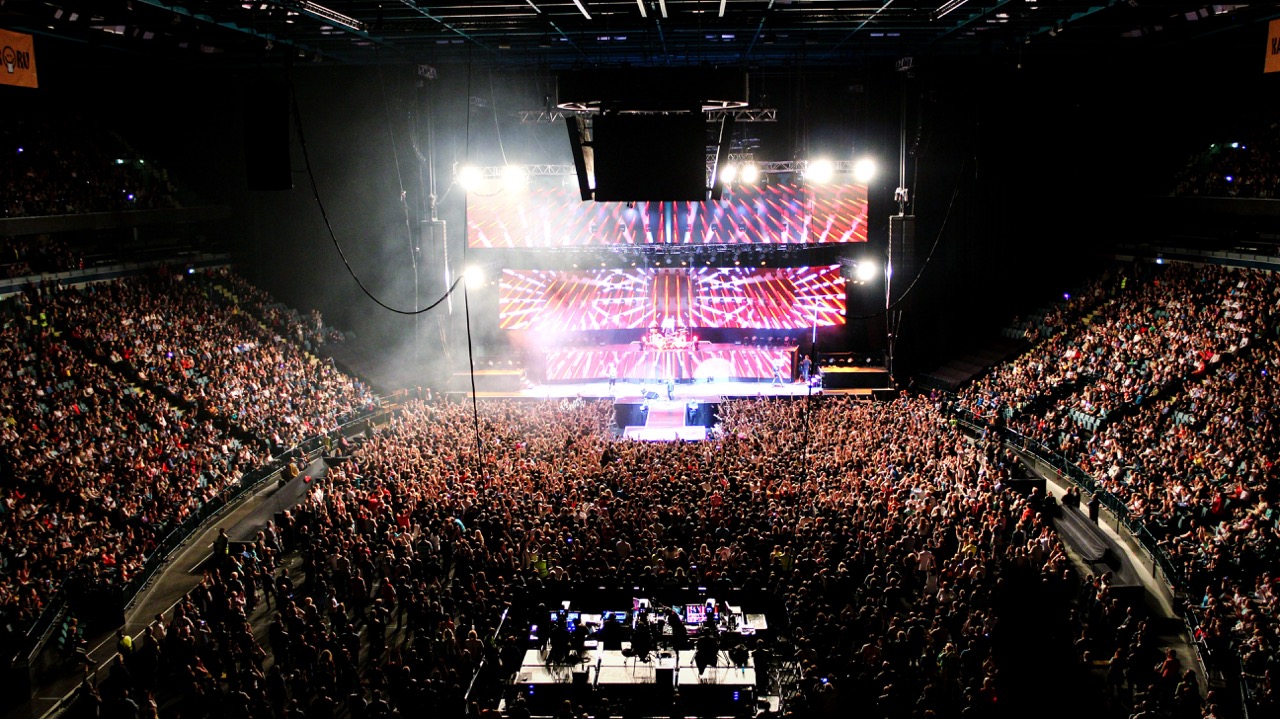
Most enterprise wireless gets designed for coverage. You walk the floor, you check that signal reaches every corner, you call it done. A stadium punishes that thinking immediately. The problem is not whether the radio reaches the back row. The problem is that 60,000 phones are crammed into a concrete bowl, all asking for spectrum at the same instant, and the air itself becomes the scarce resource. Capacity planning for a packed house is fundamentally a contention problem, and the unit of design is concurrent clients per radio, not square feet of coverage.
Consider the density. A typical corporate floor might carry one device per 100 square feet. A general-admission seating bowl at capacity can pack a connected device into every few square feet, and on game day a large share of those devices are actively streaming replays, uploading video, or hammering social apps. Cisco and the broader industry have long treated high-density venues as their own design discipline for exactly this reason, and the foundational radio standards that govern how those clients share the channel come straight from the IEEE 802.11 working group. When you ignore that and reuse an office template, the network does not fail gracefully. It collapses at kickoff.
The other trap is averages. Stadium traffic is violently bursty. It is quiet during play, then thousands of fans simultaneously hit upload after a touchdown or a controversial call. If you size for average utilization, you have built a network that works beautifully for 58 minutes and embarrasses you for the two that fans will post about. Real high-density wireless design starts from peak concurrency and worst-case burst, then works backward to AP count, antenna plan, and backhaul.
Start with device density and take rate, not AP count
Every credible stadium design begins with three numbers: seated capacity, expected Wi-Fi take rate, and target throughput per active user. Take rate is the share of attendees who actually associate to your network during the event. For a modern venue with a strong app and good onboarding, plan for 60 to 80 percent at peak. That means a 50,000-seat bowl can present 30,000 to 40,000 simultaneous associations, and that number, divided by realistic per-AP client limits, sets your access point count before you ever look at a floor plan.
Per-AP concurrency is where hardware choice starts to matter. A modern enterprise access point can technically associate hundreds of clients, but useful, responsive concurrency in a dense bowl is far lower once you account for airtime fairness, management overhead, and the reality that crowded channels force lower data rates. Practical stadium designs often target 50 to 80 active clients per radio in the densest seating, which is why bowls end up with hundreds or even thousands of APs. Getting this allocation right is exactly the kind of modeling our RF and capacity design service exists to produce, because the difference between 60 and 120 clients per AP doubles or halves your bill of materials.
Throughput targets close the loop. If you promise each active fan a sustained 1 to 2 Mbps for social and streaming, multiply that by concurrent users per section and you have an aggregate demand figure per cell. That figure has to fit inside the usable airtime of the channels you can deploy there, which is why spectrum, not radios, is frequently the true ceiling. The honest way to validate these assumptions is a measured pilot in a representative section, not a spreadsheet, and that is the first phase we recommend for any stadium or large-venue access point rollout.
Antenna geometry is the whole game in the bowl
In an office you can hang omnidirectional access points from the ceiling and let cells overlap politely. In a seating bowl that approach is a disaster. Omnidirectional radios mounted high will spray signal across the entire bowl, so a phone in section 120 hears APs from sections 118, 122, and the opposite side of the stadium. Every one of those distant cells becomes co-channel interference, airtime gets wasted on retries, and your effective capacity craters even though your heat map looks green. Density demands tight, deliberate cell shaping.
The fix is directional antennas with narrow beam widths, aimed to illuminate a defined wedge of seats and nothing else. Under-seat enclosures, handrail mounts, and railing or catwalk positions let you point energy down into a small group of rows, shrinking each cell so you can reuse channels far more aggressively across the bowl. This is geometry as capacity: smaller cells mean more cells, more cells mean more aggregate spectrum reuse, and more reuse means more total throughput delivered to the crowd. The tradeoff is cabling, conduit, and mounting complexity, which is why the antenna plan has to be drawn alongside the structural and electrical plan, not after.
Frequency planning rides on top of the geometry. With 6 GHz now available under FCC rules in the US and a much wider pool of clean channels, you finally have enough non-overlapping spectrum to make dense channel reuse viable, but only if cells are small enough that adjacent ones can sit on different channels. The interplay between antenna beam width, mounting height, transmit power, and channel assignment is genuinely hard to get right by hand, and it is the part of a campus and venue wireless build where experience pays off the fastest.
Why Wi-Fi 7 and 6 GHz change the density ceiling
For years the hard limit in stadiums was spectrum. The 2.4 GHz band is unusable in a crowd, and the 5 GHz band, while better, runs out of clean channels fast when you are packing hundreds of small cells into one structure. The opening of the 6 GHz band, certified through programs run by the Wi-Fi Alliance, roughly tripled the available spectrum and is the single biggest reason dense-venue capacity has jumped in the last few years. More clean channels means smaller cells can each get a private slice of air, which is the entire point in a bowl.
Wi-Fi 7 builds on that with features aimed squarely at congestion. Multi-Link Operation lets a capable client use 5 GHz and 6 GHz simultaneously, smoothing over interference on any single band. Preamble puncturing lets an access point keep using a wide channel even when part of it is occupied, recovering airtime that older standards would have thrown away. Higher 4096-QAM modulation raises peak rates for clients close to the radio. None of these are magic, and they only help clients that support them, but in a venue replacing aging hardware they meaningfully raise the practical ceiling on concurrent, responsive users.
On the Cisco side, the platforms that deliver this are the Catalyst 9176 and 9178 Wi-Fi 7 access points, which bring tri-band 6 GHz radios and the airtime features above into a form factor you can deploy across a bowl. The exact radio counts, antenna options, and power requirements should always be confirmed against the current Catalyst Wi-Fi 7 access point data sheet rather than from memory, because spec details and ordering options shift between releases. If your venue is weighing a refresh, our team can scope it directly against a Cisco Wi-Fi 7 quote tied to your actual seating map and target take rate.
Controllers, switching, and the backhaul that has to keep up
Access points are only the visible half of the system. Every radio in the bowl terminates somewhere, and at stadium scale you are managing hundreds to thousands of APs as one fabric. Cisco Catalyst 9800 wireless controllers, deployed for redundancy, carry the client state, RF management, and roaming logic for the whole venue, and their licensed AP and client capacity has to be sized with real headroom above your peak. A controller running near its ceiling on a normal night has nothing left to give on a sold-out playoff game, which is precisely when you cannot afford a failover hiccup. Plan the wireless controller tier and high-availability pair around peak day, not median day.
Underneath that, the wired plant has to absorb everything the air collects. Each AP needs PoE and an uplink, and a dense bowl can saturate access switches quickly when thousands of fans burst at once. That argues for high-PoE-budget access switches with fast uplinks into a distribution layer, and for honest oversubscription math from the edge switch to the core. Cisco Catalyst 9300 series switches are a common access-layer choice for this role, and their PoE and uplink specifics are worth verifying against the current Catalyst 9300 data sheet when you build the bill of materials. The wired and wireless designs are one design; sizing them separately is how bottlenecks hide.
Then comes the uplink out of the building. All that captured traffic still has to reach the internet, and game-day egress can dwarf a normal business day. Capacity planning has to include the WAN or internet edge, the firewall throughput in that path, and any caching or content distribution you can place locally to keep replay and streaming traffic off the expensive uplink. Treating the switching and campus fabric as an afterthought is one of the most common ways a beautifully designed RF plan still ends up feeling slow to fans.
Offload strategies: DAS, private 5G, and not putting every egg in Wi-Fi
No serious venue relies on Wi-Fi alone. Cellular has to work in the bowl too, both because many fans never join Wi-Fi and because mobile ticketing, payments, and two-factor logins ride over carrier networks. A distributed antenna system, or neutral-host DAS, brings carrier signal deep into the structure and quietly absorbs a large share of total device traffic. Every device that stays happy on cellular is a device not contending for your Wi-Fi airtime, so DAS is a capacity strategy as much as a coverage one.
Private 5G is the newer arrival and increasingly relevant for the operational side of a venue. Point-of-sale terminals, ticket scanners, security cameras, scoreboard and broadcast systems, and staff devices all benefit from a dedicated, controllable wireless layer that does not fight the fan crowd for spectrum. Pulling those mission-critical endpoints off public Wi-Fi hardens game-day operations and frees your fan-facing network to do one job well. Cisco positions private 5G for exactly these venue and large-campus use cases, and it pairs naturally with the rest of the access design.
The strategic point is layering. A resilient venue runs fan Wi-Fi for general connectivity, DAS for carrier coverage and offload, and a private wireless layer for operations, with each tier sized so a surge on one does not topple the others. Designing those tiers to coexist, share infrastructure where sensible, and fail independently is squarely an architecture exercise, and it is the kind of multi-domain build our managed operations and design teams handle end to end. The venues that stay up on the biggest night are the ones that never bet everything on a single radio technology.
Validation, day-one operations, and the lifecycle after
A capacity plan is a hypothesis until you load it. Predictive modeling and a pilot section get you close, but the only real test is a full house, which means you want instrumentation in place before opening day. Per-AP client counts, channel utilization, retry rates, and application response times should be visible in real time so your operations team can see a section saturating before fans start complaining. Cisco Catalyst Center gives you that management and assurance layer across the wireless fabric, and pairing it with full-stack observability tooling turns game day from guesswork into a dashboard you can actually act on.
Tuning is continuous. The first few sold-out events will reveal hot spots the model missed, antennas aimed a few degrees wrong, or sections where take rate ran higher than planned. Budget for an optimization cycle after launch, with the RF team adjusting power, channels, and antenna aim based on measured load rather than predicted load. A venue network is never finished on opening night; it is finished after a season of measured tuning, and the operators who treat that period as part of the project are the ones who end up with a network fans stop noticing because it just works.
Finally, plan the lifecycle. Wi-Fi standards move fast, hardware reaches end of life, and the spectrum and feature set keeps shifting. Keep your platforms inside Cisco's published end-of-life and end-of-sale policy windows so you are never running a marquee venue on unsupported gear, and keep coverage current through Smart Net Total Care so a failed controller on a Saturday night has a same-day path to replacement. Designing the refresh cadence up front, alongside the initial build, is how you avoid an emergency rip-and-replace three seasons in, and it is the throughline of our lifecycle services.
Cisco products involved
- Cisco Catalyst 9176 Wi-Fi 7 Access Point
- Cisco Catalyst 9178 Wi-Fi 7 Access Point
- Cisco Catalyst 9800 Series Wireless Controllers
- Cisco Catalyst 9300 Series Switches
- Cisco Catalyst Center
- Cisco Private 5G
- Cisco Smart Net Total Care
Bottom line: A packed-house network lives or dies on peak-concurrency math, tight antenna geometry, and backhaul that scales with the air, not just clean coverage. Bring us your seating map and target take rate and we will size the full Cisco design with a stadium Wi-Fi quote.
Frequently asked questions
How many access points does a stadium actually need?
It depends on seated capacity, your expected Wi-Fi take rate, and how many active clients you can put on each radio in the densest seating, which is usually 50 to 80 in a crowded bowl. A 50,000-seat venue at a 70 percent take rate can present 35,000 simultaneous clients, which typically translates to hundreds or low thousands of APs once antenna geometry and channel reuse are factored in. There is no per-seat rule of thumb that survives contact with a real floor plan, which is why the count comes out of a capacity model, not a catalog.
Is Wi-Fi 7 worth it for a stadium, or is Wi-Fi 6E enough?
Both 6E and Wi-Fi 7 open up the 6 GHz band, which is the biggest single capacity win for dense venues. Wi-Fi 7 adds Multi-Link Operation, preamble puncturing, and higher modulation that specifically help in congestion, but those features only benefit clients that support them. For a new build or a full refresh, Catalyst 9176 and 9178 Wi-Fi 7 APs future-proof the investment; for a partial upgrade, the right answer depends on your client mix and budget, which we can model against your actual venue.
Why are directional antennas so important in a seating bowl?
Because capacity comes from small cells, and small cells come from tightly aimed energy. Omnidirectional APs mounted high spray signal across the whole bowl, so distant cells interfere with each other and waste airtime. Directional antennas mounted under seats, on handrails, or on catwalks illuminate a defined wedge of rows, which shrinks each cell, lets you reuse channels far more aggressively, and dramatically raises total throughput delivered to the crowd.
Does fan Wi-Fi replace cellular or DAS in a venue?
No, and treating it that way is a mistake. Many fans never join Wi-Fi, and mobile ticketing, payments, and two-factor logins often ride over cellular. A distributed antenna system brings carrier signal into the bowl and offloads a large share of device traffic, while a private 5G layer can carry point-of-sale, scanning, cameras, and operations off the fan network. The resilient design layers Wi-Fi, DAS, and private wireless so a surge on one does not topple the others.
What is the most common reason stadium Wi-Fi feels slow despite a good RF design?
The bottleneck usually moves into the wired plant or the egress path. A great antenna plan still fails if access switches run out of PoE or uplink capacity, if the wireless controllers sit near their licensed ceiling on a sold-out night, or if the internet edge cannot absorb game-day bursts. Capacity planning has to size the switching, controllers, firewall throughput, and uplink together with the radios, because the air is only the first hop.
How far ahead should we plan a stadium wireless refresh?
Plan the lifecycle at the same time you plan the build. Wireless standards and hardware move quickly, so keep platforms inside Cisco's published end-of-life windows and keep support coverage current so a controller failure on a game night has a same-day replacement path. Designing the refresh cadence up front avoids an emergency rip-and-replace a few seasons in and keeps the venue on supported, current gear through its busiest events.
Uniqcli Team
The Uniqcli Team is an authorized Cisco partner specializing in Catalyst wireless, switching, datacenter fabric, licensing, and managed services for U.S. federal, state, local, and education customers. We scope Cisco bills of materials, validate procurement paths (TAA, FIPS, contract vehicles), and deliver design, deployment, and managed operations.
Ready to scope your Cisco build?
Build a quoteRelated reading
View all → Guides
Designing high-density Wi-Fi for stadiums and arenas
A packed stadium is the hardest Wi-Fi environment on earth: tens of thousands of clients in one RF space, all live at the same second. Here is how to design Cisco high-density wireless that holds up at kickoff, not just on a quiet weekday walk-through.
June 6, 2026 · 13 min read Guides
AP density and counts: Wi-Fi 6 vs Wi-Fi 7
Wi-Fi 7 changes the math on how many access points a high-density space actually needs. Here is how AP counts shift between Wi-Fi 6 and Wi-Fi 7, why the answer is rarely "fewer APs," and how to size a Cisco Catalyst deployment that holds up under real load.
April 19, 2026 · 12 min read Guides
How to size a campus wireless deployment: APs, switching and licensing
Sizing a campus wireless refresh is three problems wearing one trench coat: enough APs for the RF, enough switch ports and PoE to feed them, and the right licensing to run it all. Here is how to scope each layer so the bill of materials lands once.
June 6, 2026 · 12 min read Guides
Outdoor venue Wi-Fi: ruggedized APs, uplinks and event-day resilience
Outdoor venues punish ordinary wireless designs. Here is how to spec ruggedized Cisco access points, harden uplinks, and engineer a network that survives a sold-out event day.
June 6, 2026 · 11 min read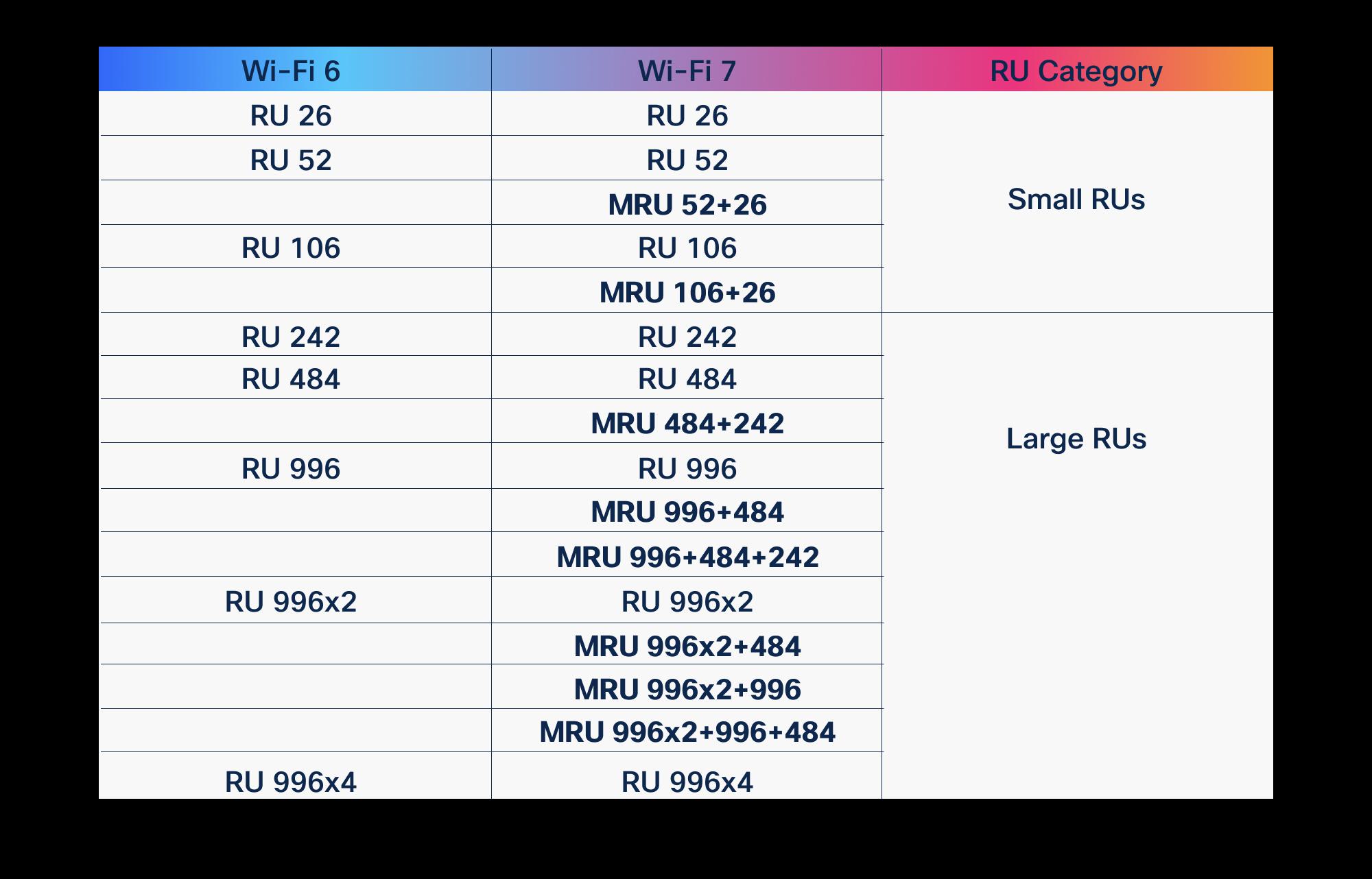 Guides
OFDMA in Wi-Fi 6 vs Wi-Fi 7: what improved
OFDMA arrived with Wi-Fi 6 to fix the airtime problem. Wi-Fi 7 didn't replace it, it gave it wider lanes, more granular scheduling, and a second radio to schedule across. Here is what actually changed, and why it matters for high-density enterprise and public-sector networks.
March 19, 2026 · 10 min read Guides
Wi-Fi 6 vs Wi-Fi 7: the complete comparison
Wi-Fi 7 is not a minor refresh of Wi-Fi 6. It reworks how spectrum, channels, and client connections are handled, and that changes how you plan a campus, a hospital floor, or a federal facility. Here is what actually differs, where the gains are real, and how to decide what to deploy.
January 22, 2026 · 11 min read