
Multigigabit switching for Wi-Fi 7: cabling and PoE
Wi-Fi 7 access points can outrun a 1G access port and outdraw legacy PoE. Here is how to plan multigigabit switching, structured cabling, and PoE budget so the wired side is ready before the radios light up.
Key takeaways
- A single Wi-Fi 7 access point can push more than a gigabit of client traffic, so a 1G access port becomes the choke point before the radios ever reach their ceiling. Multigigabit (mGig) ports at 2.5G, 5G, and 10G remove that bottleneck over existing copper.
- PoE is the other hard limit. Quad-radio Wi-Fi 7 APs increasingly want 802.3bt-class power (UPOE on Cisco Catalyst), and a closet's total PoE budget, not the per-port rating, is what fails first at scale.
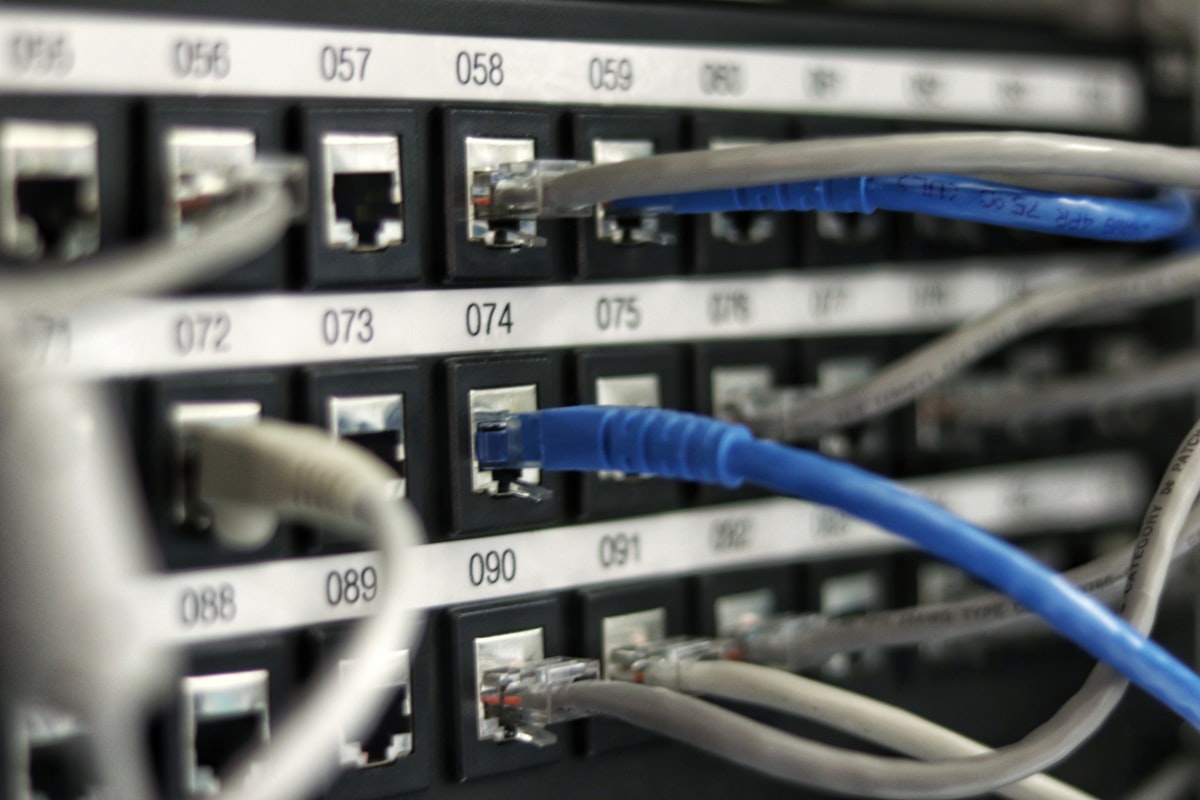
- Cabling decides what you can deliver. mGig runs full speed over Category 6A, while older Cat 5e and Cat 6 may cap at 2.5G or 5G depending on length and bundling. Survey the plant before you size switches.
- Uplinks must scale with the access layer. If every closet feeds dense Wi-Fi 7, 1G or even 10G uplinks can saturate; plan 10/25G aggregation so the wired core does not become the new bottleneck.
- Treat cabling, PoE, switching, and the wireless controller as one design, not four separate purchases. The most expensive Wi-Fi 7 mistakes happen when the wired side is scoped after the APs are already chosen.
Why Wi-Fi 7 breaks the 1-gig access port
For two decades the access switch port was rarely the limiting factor in wireless. An older access point negotiated a gigabit link, used a fraction of it, and everyone moved on. Wi-Fi 7 ends that comfortable arrangement. With 320 MHz channels in 6 GHz, 4K-QAM, and Multi-Link Operation, a single high-end access point can drive aggregate client throughput well past a gigabit under good conditions. The radio is no longer the bottleneck. The 1G copper port feeding it is.
This is the core planning shift, and it is easy to miss because the symptom is subtle. The wireless side looks healthy, clients associate at high data rates, and yet real throughput plateaus. The cause is a wired uplink that physically cannot carry what the radios generate. That is exactly the gap multigigabit Ethernet was created to close, and it is why a Wi-Fi 7 refresh is really a switching and cabling project wearing a wireless label.
Cisco designed its current access platforms around this reality. When you scope a Catalyst switching refresh for Wi-Fi 7, the question is no longer just port count and PoE class. It is how many ports need to run faster than 1G, how much power each AP draws, and whether the cable in the wall can carry the new speed at all. Get those three answers first and the bill of materials almost writes itself.
What multigigabit (mGig) actually delivers
Multigigabit Ethernet, standardized by the IEEE as 802.3bz, was built to squeeze speeds between 1G and 10G out of the twisted-pair copper already installed in millions of buildings. Instead of forcing a rip-and-replace to 10GBASE-T, mGig negotiates intermediate rates of 2.5 Gbps and 5 Gbps over existing Category cabling, with 10G available where the plant supports it. For a Wi-Fi 7 rollout that is the whole point: you upgrade the radios and the switch without necessarily re-pulling every cable.
On Cisco access switches, mGig ports auto-negotiate across 100M, 1G, 2.5G, 5G, and 10G on a per-port basis, so a closet can mix legacy endpoints and high-throughput APs on the same line card. The practical effect is that a Wi-Fi 7 access point connected to an mGig port stops being throttled by its uplink. The radios reach their realistic ceiling instead of slamming into a 1G wall a third of the way up.
The catch is that mGig is not free capacity. Each multigigabit port consumes more switch ASIC and backplane resources than a plain 1G port, so denser mGig means a more capable switch. This is one of the clearest dividers between Cisco's value and premium access tiers, and it is worth reviewing our Catalyst 9300 series page to see which variants carry the mGig density a dense Wi-Fi 7 floor actually needs.
Cabling: what your plant can and cannot carry
Before anyone orders switches, somebody has to walk the cable plant. The speed an mGig port can reach depends heavily on what is in the wall and how far it runs. Category 6A is the safe target: it carries 10GBASE-T to the full 100-meter channel and handles 2.5G and 5G with room to spare. That is why 6A is the default recommendation for any new Wi-Fi 7 cabling pull, and why new construction rarely specifies anything thinner.
Older cabling is where it gets nuanced. Cat 6 can often support 10G, but only over shorter runs and with attention to crosstalk in tightly bundled trays. Cat 5e was never specified for multigigabit at all, yet in practice it frequently negotiates 2.5G and sometimes 5G over typical run lengths. The honest answer for any given building is that you do not know until you test, because bundling, length, connector quality, and interference all move the result. Treat 'it should work' as a hypothesis, not a plan, and remember that tray density and long runs are what most often pull a link down a tier.
This is precisely the kind of detail that turns a clean design into a turn-up surprise, so it belongs in a structured site survey rather than a guess. Our deployment and cutover teams test the existing plant, flag the runs that will cap below the AP's needs, and tell you where re-cabling to 6A is cheaper than fighting marginal links forever. The result is a switching spec matched to physical reality, not to an optimistic assumption.
PoE budget is the limit that fails first
If multigigabit solves the speed problem, Power over Ethernet is where the next wall sits. Wi-Fi 7 access points pack more radios and more processing than their predecessors, and the high-end models increasingly want 802.3bt-class power rather than the older 802.3at (PoE+) ceiling of about 30 watts. On Cisco access switches this shows up as UPOE, delivering roughly 60 watts per port, with UPOE+ reaching about 90 watts for the most demanding endpoints. Always confirm the exact power class for the specific AP against its data sheet before committing a design.
The trap is per-port thinking. A switch can advertise UPOE on every port and still be unable to power a full closet of high-draw APs simultaneously, because the real constraint is the total PoE power budget of the chassis and its power supplies. Twenty-four APs each pulling toward 60 watts adds up fast, and that is before cameras, phones, and IoT share the same budget. The number that bites you at turn-up is the aggregate, not the per-port rating.
Plan power against the actual endpoint roadmap, not last refresh's assumptions. If your closets feed quad-radio Wi-Fi 7 access points plus a growing IoT footprint, size the power supplies for that combined load with margin, and verify redundancy where uptime matters. Cisco's broader switching documentation details the supported power and speed combinations per platform, and our access points page is the right place to confirm what a given AP draws before you finalize the PoE math.
Picking the right Cisco access switch
With cabling and power understood, the switch choice gets concrete. Cisco's access tiers map to how hard the closet is working. The Catalyst 9200 is a value access switch built around PoE and PoE+, well suited to closets with modest power needs and lighter wireless. It is the right tool when the floor is not yet Wi-Fi 7 at scale, and overspending there is just sunk cost.
The Catalyst 9300 is the workhorse for most Wi-Fi 7 access refreshes. It brings UPOE power, stacking, modular uplinks, and the mGig density that dense access points demand. Where a closet feeds high-throughput Wi-Fi 7, SD-Access fabric edge, or high-draw endpoints, the higher-performance 9300X tier adds UPOE+ near 90 watts per port, denser multigigabit ports, and faster uplinks into the 40G and 100G class. The split between base 9300 and 9300X is essentially a headroom decision, and it should follow the cabling and PoE survey, not precede it.
None of this lives in isolation from the wireless side. The access points terminate on a Catalyst 9800 wireless controller, and the whole estate is managed and assured through Catalyst Center. Designing the switch, the controller, and the management plane together is what keeps a Wi-Fi 7 rollout from turning into three disconnected purchases. When the closet-by-closet mix is set, a Catalyst 9300 quote turns the design into a real bill of materials matched to each floor.
Uplinks and aggregation: do not move the bottleneck
Fixing the access port only to choke at the uplink is a classic own goal. If every port in a closet can now do 2.5G or 5G to a Wi-Fi 7 AP, the switch's uplink to the distribution or core layer has to carry the sum of that traffic. A pair of 1G uplinks that was fine for Wi-Fi 5 will saturate instantly under a dense Wi-Fi 7 load. The bottleneck does not disappear; it just moves north unless you plan for it.
The fix is to scale uplinks and aggregation in step with the access layer. For most Wi-Fi 7 closets that means 10G uplinks at minimum, with 25G into aggregation where AP density is high. Stacking helps here too, pooling uplink bandwidth and simplifying the topology so a stack of access switches presents clean, high-capacity links upward rather than a tangle of oversubscribed 1G ports.
Aggregation and core sizing is where a campus design either holds up or quietly throttles itself, so it belongs in the same modeling exercise as the access count. Our network design and architecture practice models the north-south load a Wi-Fi 7 estate will actually generate and sizes uplinks and aggregation to match, so the wired backbone has headroom rather than becoming the next thing you have to rip out in two years.
Compliance and lifecycle for regulated buyers
For federal, defense, healthcare, and SLED buyers, the switching and cabling design is only half the deliverable. The other half is provenance and posture. TAA-compliant origin, current lifecycle status, and a documented security baseline all have to line up against exact SKUs before anything ships, and that work is far cheaper done during scoping than discovered during an audit. Hardening guidance such as the DISA STIGs and control frameworks like NIST SP 800-53 shape how these access switches must be configured, not just which ones you buy.
Lifecycle status deserves a hard look before a multi-year Wi-Fi 7 investment. Putting a switch nearing its published milestones at the heart of a new access layer is a budgeting mistake, so check each candidate against Cisco's end-of-life policy and attach support coverage through Smart Net Total Care so the gear stays patched and serviceable across the deployment's life.
Procurement vehicle matters as much as the product. Government buyers should confirm the acquisition path early: Uniqcli currently sells through Government Purchase Card, Simplified Acquisition (FAR Part 13), and FAR-based purchase orders rather than a GSA Schedule or SEWP contract, and our government and public sector team builds the bill of materials and compliance packet around whichever path actually applies. That keeps the technically correct design from stalling in a contracting review it could have passed cleanly.
Sequencing the project so nothing waits on a surprise
The cleanest Wi-Fi 7 rollouts treat the wired and wireless work as one sequenced program. The order matters: survey the cable plant and measure achievable speeds, model PoE draw against the AP roadmap, size switches and uplinks to that data, then stage and cut over. Doing wireless first and discovering the cabling caps at 2.5G, or the closet cannot power a full AP load, is the failure mode that blows schedules and budgets.
Staging is where a lot of risk gets retired before it reaches the building. Pre-configuring switches, validating PoE and mGig behavior on the bench, and kitting by closet means the on-site work is mechanical and fast rather than improvised at 2 a.m. during a maintenance window. For multi-site estates this is the difference between a predictable phased cutover and a string of one-off scrambles.
If you would rather not run that orchestration in-house, our managed operations and lifecycle teams own the survey, staging, cutover, and post-deployment assurance as a single workstream. The deliverable is a Wi-Fi 7 access layer where the cabling, the PoE budget, the switching, and the uplinks were all sized to the same numbers, so the radios light up against infrastructure that is genuinely ready for them.
Cisco products involved
- Cisco Catalyst 9300
- Cisco Catalyst 9300X
- Cisco Catalyst 9200
- Cisco Catalyst 9166 Wi-Fi 7 access point
- Cisco Catalyst 9800 wireless controller
- Cisco Catalyst Center
- Cisco Smart Net Total Care
Frequently asked questions
Do I need multigigabit switch ports for every Wi-Fi 7 access point?
Not necessarily for every port, but for the high-throughput APs, yes. A capable Wi-Fi 7 access point can push more than a gigabit of aggregate client traffic, which saturates a 1G port. Multigigabit ports at 2.5G or 5G remove that ceiling over existing copper. Lighter-use APs and legacy endpoints can still sit on 1G, which is why mixed mGig and 1G line cards are common in real designs. Confirm each AP's link needs against its data sheet.
Can I run Wi-Fi 7 over my existing Cat 5e or Cat 6 cabling?
Often partially. Cat 5e frequently negotiates 2.5G and sometimes 5G over typical run lengths even though it was never specified for multigigabit, and Cat 6 can reach 5G or even 10G on shorter, well-managed runs. The only honest answer for a specific building comes from testing, because length, bundling, and connector quality all change the result. New pulls should be Category 6A for full 10G headroom to 100 meters.
What PoE class do Cisco Wi-Fi 7 access points require?
It varies by model, and the high-end multi-radio APs increasingly want 802.3bt-class power rather than the older PoE+ (802.3at) ceiling near 30 watts. On Cisco access switches that maps to UPOE at roughly 60 watts per port, with UPOE+ near 90 watts for the most demanding endpoints. Always verify the exact figure against the specific access point data sheet before sizing the switch and its power supplies.
Why does total PoE budget matter more than per-port rating?
Because a switch can advertise high per-port power on every port yet still be unable to power a full closet of high-draw APs at once. The real constraint is the aggregate PoE budget of the chassis and its power supplies, shared across APs, cameras, phones, and IoT. Sizing for that combined load, with redundancy where uptime matters, is what prevents a turn-up failure when every device draws power simultaneously.
Should I choose the Catalyst 9300 or 9300X for a Wi-Fi 7 refresh?
It depends on closet density. The base Catalyst 9300 with UPOE handles most Wi-Fi 7 access refreshes well. The higher-performance 9300X adds UPOE+ near 90 watts per port, denser multigigabit ports, and faster uplinks, which pays off where closets feed dense Wi-Fi 7, SD-Access fabric edge, or high-draw endpoints. The decision should follow your cabling and PoE survey rather than precede it.
Will my uplinks become the new bottleneck after upgrading access ports?
They can, if you only fix the access layer. When every closet port can do 2.5G or 5G to a Wi-Fi 7 AP, the uplink to distribution or core has to carry the combined load, and legacy 1G uplinks saturate quickly. Plan 10G uplinks at minimum and 25G into aggregation for high-density floors, and use stacking to pool uplink bandwidth so the wired backbone keeps pace with the wireless edge.
Uniqcli Team
The Uniqcli Team is an authorized Cisco partner specializing in Catalyst wireless, switching, datacenter fabric, licensing, and managed services for U.S. federal, state, local, and education customers. We scope Cisco bills of materials, validate procurement paths (TAA, FIPS, contract vehicles), and deliver design, deployment, and managed operations.
Ready to scope your Cisco build?
Build a quoteRelated reading
View all → Guides
How to size a campus wireless deployment: APs, switching and licensing
Sizing a campus wireless refresh is three problems wearing one trench coat: enough APs for the RF, enough switch ports and PoE to feed them, and the right licensing to run it all. Here is how to scope each layer so the bill of materials lands once.
June 6, 2026 · 12 min read Guides
Wi-Fi 7 power: UPOE and PoE requirements
Wi-Fi 7 access points draw more power than any generation before them. Here is what UPOE, 802.3bt, and switch budgeting actually mean for a Cisco Catalyst deployment, and how to avoid the throttling traps.
April 25, 2026 · 11 min read Guides
Wi-Fi 6E vs Wi-Fi 7: which should you deploy in 2026
Wi-Fi 6E gave us a clean 6 GHz band. Wi-Fi 7 stacks multi-link operation, wider channels, and 4K-QAM on top. Here is how to decide which one belongs in your 2026 refresh, with the Cisco access points that ship each standard.
January 27, 2026 · 10 min read Guides
Cisco Catalyst 9300 vs 9300X: The Differences and Which to Buy for a Wi-Fi 7 / High-PoE Access Refresh
The 9300X is not simply a quicker 9300. It is the headroom tier of the same family, and the gaps in uplink speed, multigigabit density, UPOE+ power, and stack bandwidth are exactly the ones a Wi-Fi 7 and high-PoE refresh will expose. Here is how to read the split and size each closet honestly.
May 12, 2026 · 9 min read Guides
Migrating from Wi-Fi 6 to Wi-Fi 7: a planning guide
A practical, vendor-honest roadmap for moving an enterprise, federal, or healthcare campus from Wi-Fi 6 to Cisco Wi-Fi 7 without ripping out what already works: where to start, what the wiring closet really needs, and how to phase the cutover.
May 31, 2026 · 11 min read Guides
Cisco Catalyst Wi-Fi 7 access points: the lineup
A practical, model-by-model tour of Cisco's Catalyst Wi-Fi 7 access point family, from the compact CW9171 to the flagship CW9179F, with guidance on matching radios, uplinks, and form factors to real deployments.
April 30, 2026 · 11 min read