
How to Tell If Your Cisco ISE or ASA Is Vulnerable (and What to Do)
A practical, vendor-neutral playbook for checking a Cisco ISE vulnerability or ASA exposure in your running software. Pull the version, match it against the advisory, and decide patch versus refresh before an attacker decides for you.
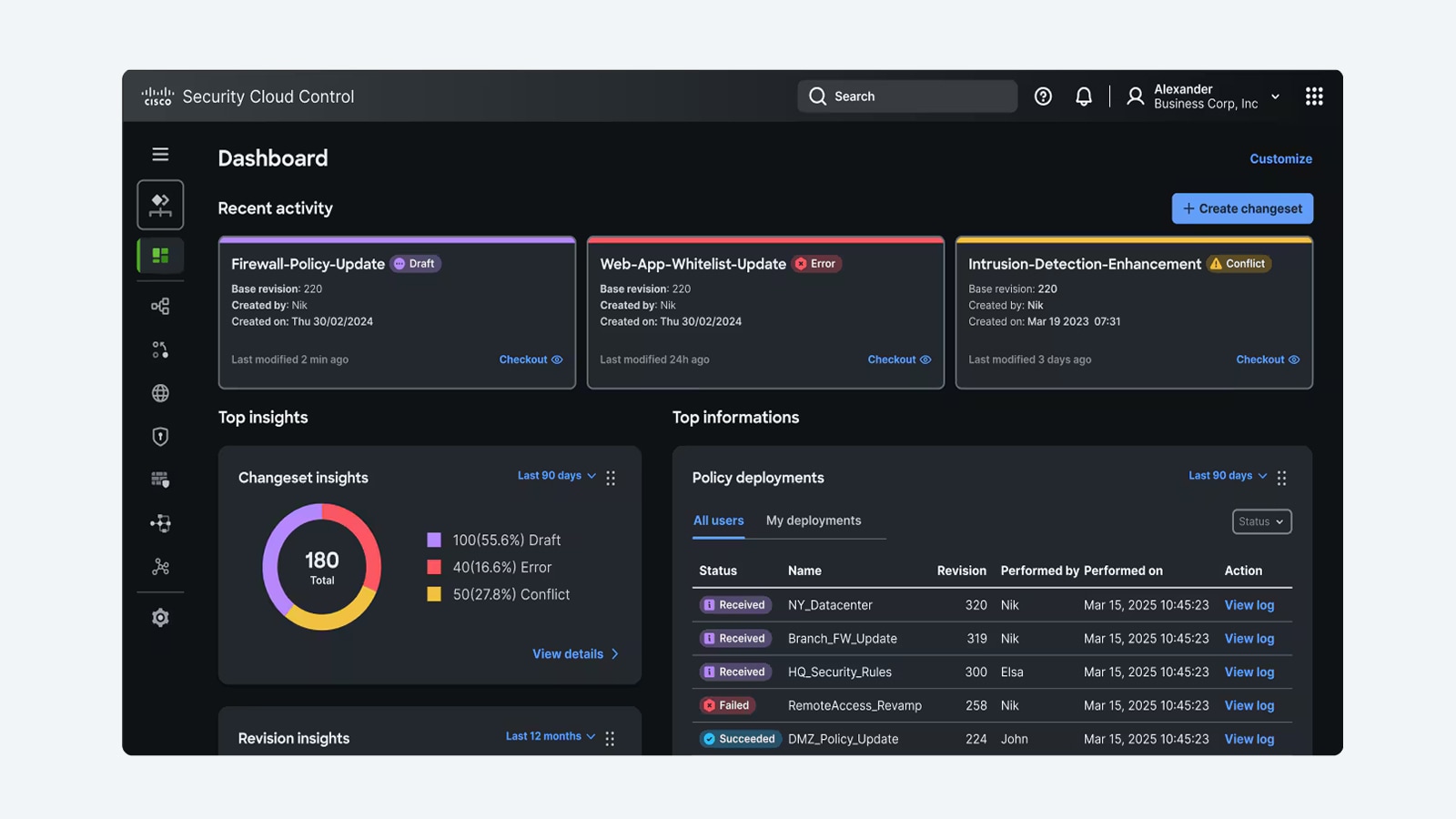
When Cisco's PSIRT publishes a new advisory for Identity Services Engine (ISE) or the Adaptive Security Appliance (ASA), the question that lands in every IT and security inbox is the same. Am I actually affected, or is this noise? It is a deceptively hard question. A headline-grabbing Critical-rated advisory may not touch you at all if you are running a different software train, while a quieter Medium-rated bug might be live on every appliance you own. The only way to know is to compare the exact software version you are running against the affected and fixed releases the advisory names.
This guide walks through that comparison the way a Uniqcli engineer would do it for a federal, healthcare, or enterprise customer. Identify the product and version, look up the matching advisory, map yourself to the First Fixed Release, then prioritize the fix by severity, exposure, and whether the flaw is being actively exploited. The same method works for ISE, ASA, Secure Firewall (formerly Firepower), IOS XE, NX-OS, and the rest of the portfolio. We focus on ISE and ASA because they sit at the network edge and the identity perimeter, which is exactly where attackers look first. For the specific advisories live right now, always defer to our continuously updated Cisco security advisories feed rather than any list hardcoded into an article.
Why a Cisco ISE Vulnerability Is Not the Same as Your Neighbor's
Two organizations can both run Cisco ISE and have completely different exposure to the same advisory. Vulnerability applicability is a function of three things: the platform (the product and hardware), the software version or patch level, and sometimes the feature configuration. A Cisco ISE vulnerability advisory will spell out the affected versions precisely, and an appliance one patch level newer or older can fall entirely outside that range.
This is why you cannot answer the question is my Cisco vulnerable from the headline alone. ISE in particular ships in major trains with cumulative patches layered on top, and Cisco frequently fixes a flaw in a specific patch of a specific train rather than a whole new release. The practical implication is that you need your real, running version string, not the version you think you deployed eighteen months ago. Drift is common, especially across distributed deployments with multiple Policy Service Nodes.
The one rule that prevents most mistakes: Never assess applicability from memory or from an asset spreadsheet. Pull the live version from the running device and compare it character for character against the advisory's affected-releases table. Inventory records lag reality more often than anyone admits.
Step One: Pull the Exact Software Version You Are Running
Every applicability decision starts with the version string. The command differs by platform, but the goal is identical. Capture the precise release and patch level the device is actually executing right now.
On Cisco ISE
- From the ISE admin GUI, the version and installed patches appear under the deployment and licensing views, and the per-node patch level is shown in the node configuration.
- From the ISE CLI, run show version to capture the application version, and show application version ise to see the cumulative patch level applied on top of the base train.
- Record the full string for every node, not just the Primary Admin. A Policy Service Node left a patch behind is still an exposed Policy Service Node.
On Cisco ASA and Secure Firewall
- On ASA software, run show version to print the ASA release (and, where relevant, the ASDM and FXOS versions). This is the figure you compare against an ASA advisory.
- On Secure Firewall Threat Defense (FTD) managed by FMC, capture both the FTD software version and the FXOS or firmware version, because a Cisco Firepower vulnerability can live in any of those layers.
- Run show inventory to capture the hardware model and serial, which you will need to confirm the platform is even in scope and whether it is still supported.
If you cannot reach the CLI quickly, or you are reconciling a large fleet, the model and lifecycle status can be resolved from the serial number using our Cisco serial number lookup tool. That tells you what you actually own, which is the first input to both vulnerability scoping and any End-of-Life decision.
Step Two: Find the Matching Advisory and Read the Affected-Releases Table
With versions in hand, find the advisory that names your product. Cisco advisories carry IDs in the form cisco-sa-name, list the relevant CVE IDs and CWE classification, assign a Security Impact Rating (SIR) of Critical, High, Medium, Low, or Informational, and include a CVSS base score from 0.0 to 10.0. Critical sits roughly at 9.0 and above, while High spans 7.0 to 8.9. We deliberately do not reproduce specific advisory numbers or scores here, because they change constantly. Read them live instead.
The fastest path is to search our continuously updated, openVuln-powered feed on the Cisco security advisories page by product or CVE, then open the per-product view. For identity, start at the Cisco ISE advisories page. For the VPN and firewall edge, use the Cisco ASA advisories page and the Cisco Secure Firewall advisories page, which covers the platform formerly branded Firepower. These pages stay current as PSIRT publishes, so you are reading live data rather than a snapshot.
Inside the advisory, go straight to the affected-software section. Confirm two things together. That your platform is listed, and that your specific version falls inside the affected range. If your platform is listed but your version is above the fix, you are not vulnerable to that particular issue. If your version sits inside the affected range, you are, and you move to the fixed-release column.
Watch the configuration conditions: Some advisories only apply when a specific feature is enabled, for example a particular VPN service on ASA or an external identity integration on ISE. The advisory's details section spells out those conditions. Confirm them before you either panic or relax.
Step Three: Map Yourself to the First Fixed Release
Every Cisco advisory names a First Fixed Release, the earliest software version that contains the fix. This is your upgrade target. The job is to move from your current version to a release at or above the First Fixed Release on a train Cisco supports.
- Prefer the lowest fixed release that resolves every open advisory affecting the platform, so you close multiple findings in a single maintenance window instead of upgrading repeatedly.
- On ISE, that often means applying a specific cumulative patch on your existing train rather than jumping major versions, which is far less disruptive to a live identity deployment.
- On ASA and Secure Firewall, confirm the target release is also clear of any other current advisories, and check interoperability with FMC, FXOS, and ASDM versions before you schedule the change.
- If the advisory documents a workaround or mitigation and you genuinely cannot patch immediately, apply it as a bridge, then treat the upgrade as still outstanding. A mitigation is a tourniquet, not a cure.
Document the before and after version for every node. For regulated environments, that record is also your audit evidence that the finding was remediated, and on what date.
Step Four: Prioritize by Severity, Exposure, and KEV Status
You will rarely face a single advisory in isolation. When several apply at once, prioritize with a consistent rubric rather than chasing whichever one made the news.
- SIR and CVSS first. Critical and High advisories with high base scores go to the front of the queue.
- Exposure second. An ASA terminating internet-facing VPN, or an ISE node reachable from a broad management network, outranks an appliance buried deep in a segmented enclave.
- Exploitation third, and decisively. If the flaw appears in the CISA Known Exploited Vulnerabilities (KEV) catalog, treat it as urgent regardless of score. KEV inclusion starts a binding remediation deadline under BOD 22-01 for federal civilian agencies, and it is a strong real-world signal for everyone else that the bug is being weaponized now.
- Pre-auth and remote-code-execution flaws on edge devices deserve the most aggressive timelines, because they are the ones adversaries chain into footholds.
For identity infrastructure specifically, remember that compromising ISE can undermine authentication and authorization across the whole network, so a serious Cisco ISE vulnerability frequently warrants an out-of-cycle change window. Our Cisco ISE overview explains where the platform sits in a zero-trust architecture and why it is such a high-value target.
When the Answer Is Refresh, Not Patch
Sometimes the version comparison ends somewhere uncomfortable. The platform is End-of-Life and there is no fixed release to upgrade to. When software maintenance has ended, Cisco does not produce a patch, and the documented remedy for any new vulnerability becomes a hardware or software refresh. This is common with older ASA 5500-X chassis and earlier ISE generations still running in production well past their support dates.
- Cross-check lifecycle milestones (End-of-Sale, Last Day of Support) before you assume a patch exists, so you do not waste a change window hunting for a release that was never produced.
- If a device is past Last Day of Support and carries an open KEV-listed flaw, that is the strongest possible case for an immediate refresh, because you have an actively exploited bug with no vendor remedy.
- For federal and SLED buyers, fold Trade Agreements Act (TAA) compliance and GSA purchasing paths into the refresh decision so the replacement is procurement-ready from day one.
A refresh is also the moment to consolidate. Replacing several aging, separately managed appliances with current Secure Firewall and ISE platforms shrinks both your attack surface and the number of advisory tables you will be reading next quarter.
Building a Repeatable Cisco Vulnerability Check Into Operations
A one-time scramble during a high-profile advisory is not a security program. The organizations that handle PSIRT bulletins calmly have turned the four steps above into a standing process that runs on a cadence, not on adrenaline.
- Maintain an accurate, version-level inventory of every Cisco platform, refreshed from live show version and show inventory output rather than from memory. The serial lookup tool helps you reconcile model and lifecycle data at scale.
- Subscribe to the advisory feed and review the live Cisco security advisories page on a fixed weekly rhythm, with an out-of-band trigger for any Critical or KEV-listed item.
- Pre-stage tested fixed releases for your core ISE, ASA, and Secure Firewall platforms so that when an advisory lands, the upgrade target is already validated and the change window is short.
- Keep mitigation playbooks ready for the edge devices that are hardest to take offline, so you can buy time safely while a patch is scheduled.
- Record remediation dates and versions as audit evidence, which is invaluable for FedRAMP, HIPAA, CMMC, and similar regimes.
That discipline turns the question is my Cisco vulnerable from a fire drill into a five-minute lookup with a clear, defensible answer every time.
Get a Definitive Answer for Your Fleet
If you want a faster, authoritative read on your exposure, start with the live, searchable Cisco security advisories feed and the per-product views for ISE, ASA, and Secure Firewall. Confirm exactly what hardware you own with the Cisco serial number lookup tool, and review where identity fits in your defenses on our Cisco ISE page. When you are ready to patch, mitigate, or refresh, request a quote and our team will map your running versions to fixed releases, flag any End-of-Life gaps, and build a TAA-compliant remediation or upgrade plan for your environment.
Frequently asked questions
How do I check the Cisco ISE software version to see if it is vulnerable?
Pull the live version rather than trusting inventory records. From the ISE admin GUI the version and per-node patch level appear in the deployment and node configuration views, and from the CLI you can run show version plus show application version ise to capture the cumulative patch level. Record the full string for every node, including each Policy Service Node, then compare it against the affected-releases table in the matching advisory on our live Cisco ISE advisories page.
Is my Cisco ASA vulnerable if a high-severity advisory was just published?
Not necessarily. A high CVSS base score describes the severity of the flaw, not whether it applies to you. Run show version on the ASA to capture your exact release, then check whether that version falls inside the advisory's affected range and whether any required feature, such as a specific VPN service, is enabled. If your version is at or above the First Fixed Release, or the triggering feature is not configured, you are not exposed to that particular issue.
What is the difference between a Cisco Firepower vulnerability and a Secure Firewall advisory?
They cover the same platform. Cisco rebranded Firepower as Secure Firewall, so advisories for current and legacy versions appear together on our Secure Firewall advisories page. When you scope a Firepower or Secure Firewall vulnerability, capture both the Threat Defense (FTD) software version and the underlying FXOS or firmware version, because the flaw can live in either layer and each has its own fixed release.
What should I do if my Cisco device is End-of-Life and there is no patch?
When a platform has passed its software maintenance dates, Cisco does not issue a fix, so the documented remedy for a new vulnerability is a hardware or software refresh. Confirm the lifecycle status, apply any available mitigation as a temporary bridge, and prioritize replacement, especially if the flaw is listed in the CISA KEV catalog, since that means it is being actively exploited with no vendor remedy available.
How does CISA KEV listing change how I prioritize a Cisco vulnerability?
KEV inclusion means the vulnerability is being actively exploited in the wild, which should push it to the top of your queue regardless of CVSS score. For US federal civilian agencies, KEV listing also starts a binding remediation deadline under BOD 22-01. For everyone else it is a strong signal to patch or mitigate immediately rather than waiting for the next routine maintenance window.
How often should I run a Cisco vulnerability check?
Make it a standing process rather than a reaction to headlines. Review the live advisory feed on a fixed weekly cadence, with an out-of-band trigger for any Critical or KEV-listed item. Keep a version-level inventory refreshed from live device output, pre-stage tested fixed releases for your core ISE, ASA, and Secure Firewall platforms, and record remediation dates as audit evidence.
Uniqcli Team
The Uniqcli Team is an authorized Cisco partner specializing in Catalyst wireless, switching, datacenter fabric, licensing, and managed services for U.S. federal, state, local, and education customers. We scope Cisco bills of materials, validate procurement paths (TAA, FIPS, contract vehicles), and deliver design, deployment, and managed operations.
Ready to scope your Cisco build?
Build a quoteRelated reading
View all → Guides
Cisco ASA vs Firepower (Secure Firewall): What Actually Changed
Cisco ASA vs Firepower is less a hardware decision than a software one: classic stateful firewall code against Secure Firewall's Snort-based NGFW stack running on the same appliance families.
July 11, 2026 · 5 min read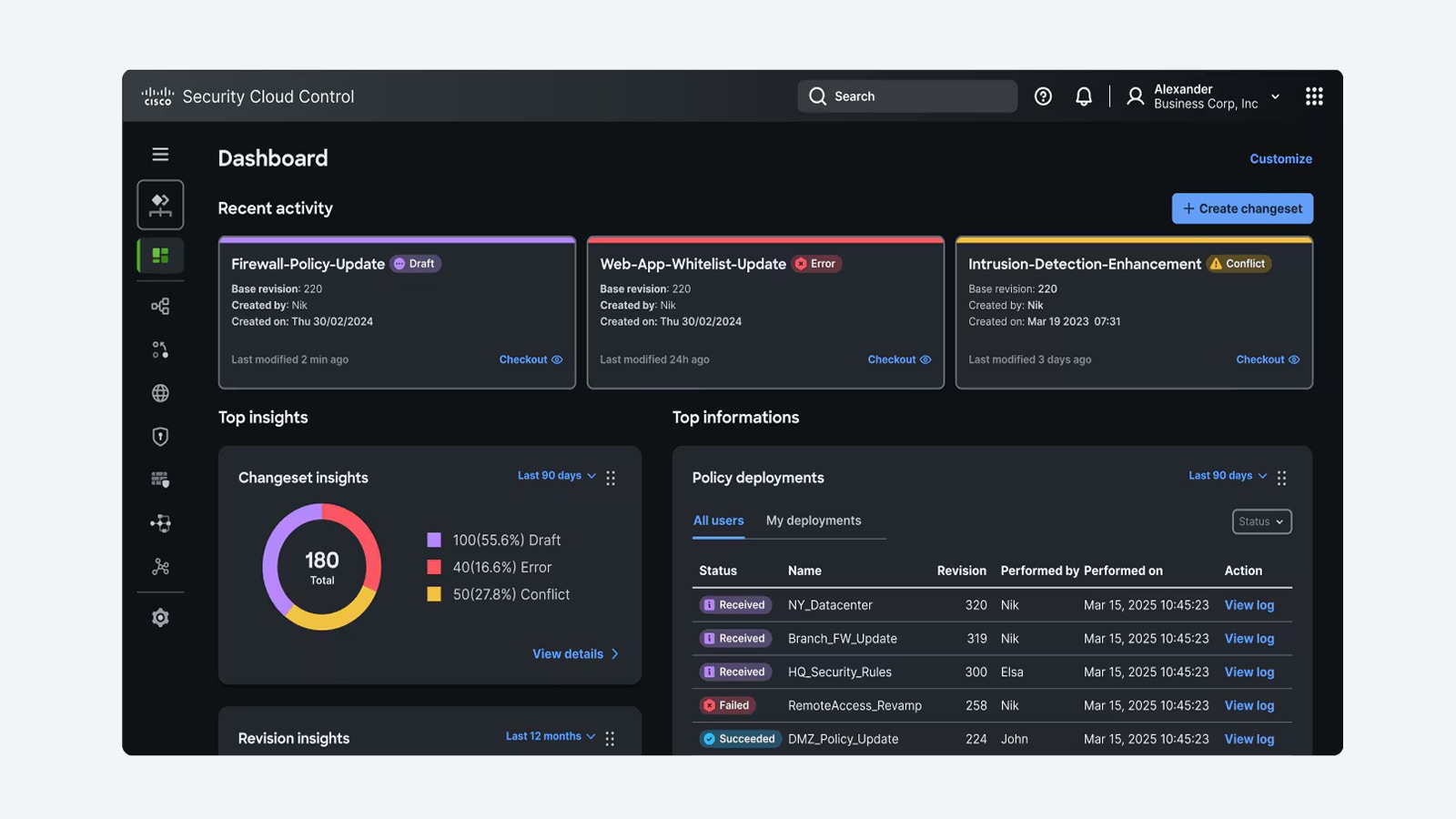 Guides
Cisco Firepower Threat Defense (FTD) Explained: Buyer's Guide 2026
What FTD actually is, how it replaced ASA software, which Secure Firewall hardware runs it today, and how licensing and management options fit together for a real purchase decision.
July 3, 2026 · 7 min readGuidesASA 5555-X (ASA5555-K9) Replacement & Migration Guide
Cisco ASA 5555-X support ends 30 September 2025, here is the practical path to a Secure Firewall 3100 refresh, from licensing to phased cutover.
October 3, 2025 · 8 min readGuidesCisco ASA 5545-X (ASA5545-K9) EoL: Firepower 2100 Migration
The Cisco ASA 5545-X (ASA5545-K9) is past its September 30, 2025 Last Day of Support, here is how to migrate to the Firepower 2100 / Secure Firewall 3100 Series cleanly.
October 2, 2025 · 8 min readGuidesCisco ASA 5525-X (ASA5525-K9) EoL: Migration to Secure Firewall 3100
The ASA 5525-X hit Last Day of Support on September 30, 2025, here is what each milestone means and how to migrate to the Cisco Secure Firewall 3100 (Firepower 2100) replacement.
September 30, 2025 · 7 min readGuidesASA 5516-X (ASA5516-FPWR-K9) to Firepower 1000 Migration
With Last Day of Support set for August 31, 2026, here is how to plan a clean refresh from the ASA 5516-X with FirePOWER Services to a Cisco Secure Firewall 1000 Series appliance.
September 28, 2025 · 7 min read