
Cisco ISE Upgrade Guide: Planning a Safe Move to the Latest 3.x Release
A practical, low-risk Cisco ISE upgrade path: deployment-node order, backups and restore, patching, validation, and why an active SmartNet contract is the entitlement that keeps the whole upgrade supported and safe.
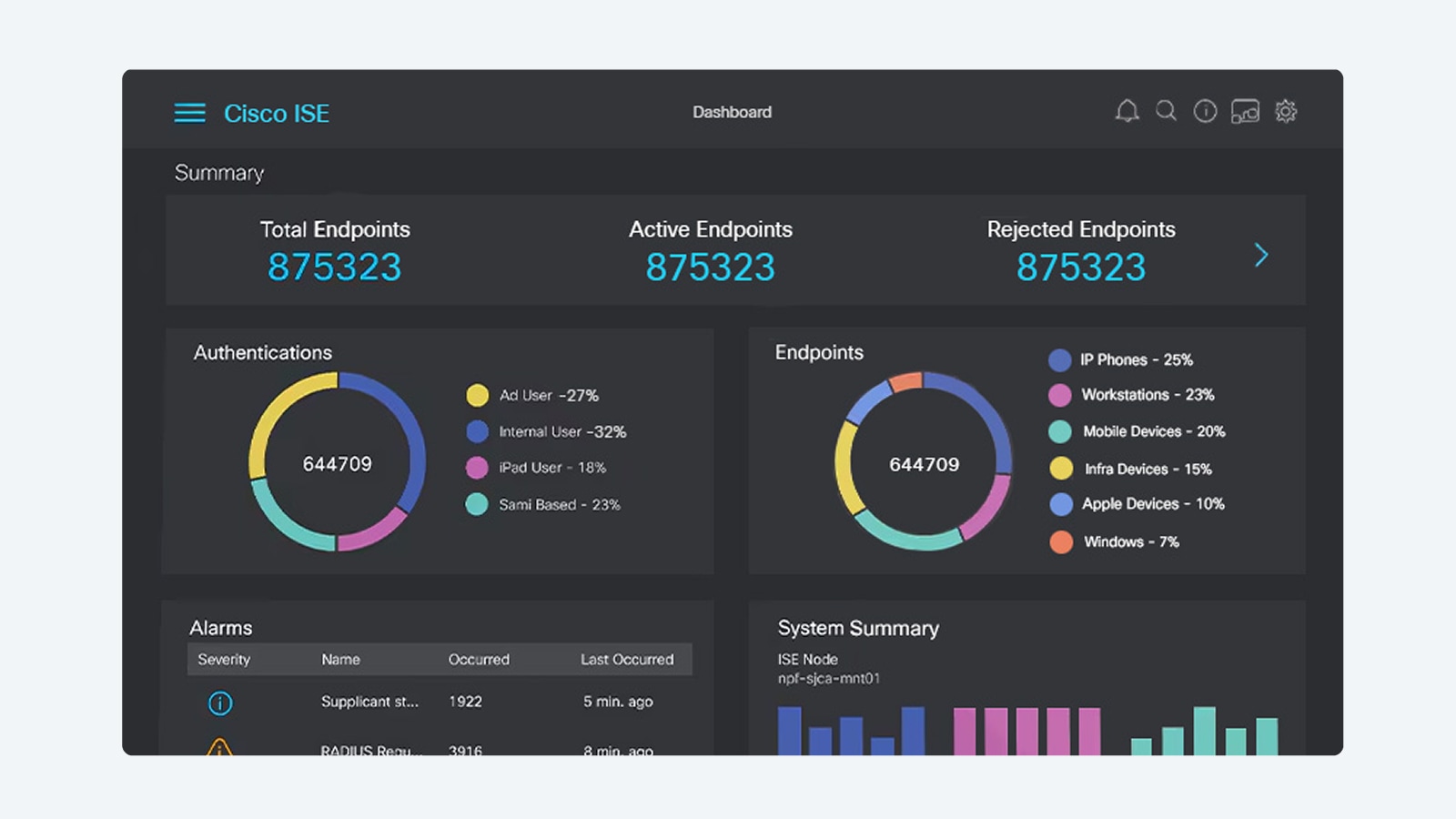
A Cisco Identity Services Engine upgrade is one of those projects that looks like a button-click and behaves like open-heart surgery. ISE is the policy decision point sitting in the authentication path for your entire wired, wireless, VPN, and 5G access layer, so a botched Cisco ISE upgrade does not just inconvenience an admin team. It can lock thousands of users and devices off the network. The good news is that Cisco has matured the 3.x upgrade tooling considerably, and a disciplined plan turns a nerve-wracking maintenance window into a routine, reversible event.
This guide walks through the practical mechanics of moving an ISE deployment to the latest 3.x release: confirming your supported upgrade path, taking backups you can actually restore from, upgrading distributed nodes in the right order, applying patches, and validating before you call it done. It is written for admins who are mid-lifecycle and need to move from an older 3.x build (or a 2.7 holdout) to current code without breaking production. Throughout, treat your support entitlement as a prerequisite, not an afterthought, because the software and the safety net both depend on it.
Before you touch anything: prerequisites and the upgrade path
The single most common cause of a failed ISE upgrade is skipping the version matrix. Cisco does not let you jump from any release to any other release. Each target version publishes a list of supported source versions, and if your current build is older than the oldest supported source, you must hop through an intermediate release first, then upgrade again to the target. Open the upgrade guide for the exact target release in the documentation and read the supported-versions table verbatim before you plan anything else. Do not assume the path you used last year still applies, because Cisco revises these tables with nearly every release.
Next, validate the foundation underneath ISE. Confirm the target release supports your current SNS appliance hardware or, for virtual nodes, that the VM meets the CPU, memory, and disk reservations the new release requires (newer 3.x builds often raise minimums). Check NTP synchronization across every node, verify DNS forward and reverse records resolve, and confirm certificate validity. An expired or soon-to-expire system or admin certificate will surface at the worst possible moment, so renew anything inside its last 90 days first.
Run the readiness check first: ISE includes an Upgrade Readiness Tool (URT) that you can run against the secondary PAN before the real upgrade. It dry-runs the configuration data migration and reports problems you can fix while production is still healthy. Always run URT, fix what it flags, and only schedule the maintenance window once it passes cleanly.
Entitlement is a prerequisite, not paperwork
You cannot download ISE software, and you cannot open a TAC case mid-upgrade, without a valid support entitlement, and current ISE features depend on active subscription licensing. If your Smart Net Total Care coverage has lapsed, the upgrade can stall before it starts. Confirm coverage is active and co-terminated across the deployment before scheduling work; if you are unsure, a SmartNet renewal quote reconciles what is actually deployed against your contract and closes any gap so software access and the support safety net are both in place on upgrade night.
Back up everything you would cry over losing
Your backup is your rollback plan. If the upgrade goes sideways and you cannot complete it forward, you reimage to the prior release and restore. That only works if the backup is complete, current, and reachable, so treat this step as non-negotiable and verify each artifact rather than trusting that the job ran.
- Configuration backup taken from the primary Policy Administration Node, written to an off-box repository (SFTP, NFS, or a secured share), not left on the appliance.
- Operational (Monitoring) backup so you retain historical logs and reports; this is separate from the configuration backup and easy to forget.
- Certificate export of every system and trusted certificate together with its private key, protected by a known passphrase, because certificates do not always survive a reimage cleanly.
- System (ADE-OS) configuration and the repository definitions and credentials, recorded somewhere outside ISE so you can rebuild connectivity to your backup store during a restore.
- A written record of your deployment topology: node personas, roles, IP addresses, and which node is the primary PAN, so you can rebuild the cluster in the correct sequence.
After the jobs finish, prove the backup is good. Confirm the files exist in the repository, that they are the expected size, and that the repository credentials still authenticate. A backup you have never confirmed you can reach is not a backup, it is a hope. For organizations standardizing this discipline across the fleet, Uniqcli folds pre-change Cisco ISE backup and restore validation into managed upgrade engagements so the rollback path is tested, not assumed.
Patch versus upgrade: know which one you are doing
Admins frequently conflate a Cisco ISE patch with a version upgrade, and the two are operationally different animals. A patch is a cumulative hotfix layered onto an already-installed release. It fixes defects and security issues without changing the major version, installs relatively quickly, and rolls back cleanly by removing the patch. ISE patches are cumulative, so the newest patch contains every fix from the prior ones, and you apply only the latest. Patching is the right tool when you are current on a release and just need fixes.
A version upgrade moves the deployment onto a new release train, for example from an older 3.x build into the latest 3.x. It migrates the configuration database, can change hardware and VM requirements, and is a planned, multi-phase event with a real maintenance window. The two operations also pair naturally: the standard pattern is to complete the version upgrade to your target release, then immediately apply the latest cumulative patch for that release so you land on fully fixed code. Plan for both in the same window rather than discovering the patch step afterward.
The node upgrade order in a distributed deployment
Standalone ISE upgrades are straightforward because there is only one box. Distributed deployments are where order matters, and Cisco's split-and-upgrade method exists specifically to keep authentication alive while you work. The principle is that nodes you have not yet touched keep serving RADIUS and TACACS+ requests, so users continue to connect through the window.
Recommended sequence
- Run the Upgrade Readiness Tool against the Secondary PAN and resolve every issue it reports.
- Upgrade the Secondary Policy Administration Node first. ISE promotes it to primary, and the deployment begins running on the new release while the legacy nodes carry production traffic.
- Upgrade the Monitoring nodes next so logging and reporting follow the new primary.
- Upgrade Policy Service Nodes in controlled batches, never all at once, so a portion of the PSNs always remains available to authenticate endpoints. Drain or steer load away from each batch before you upgrade it.
- Upgrade the original Primary PAN last; it rejoins the deployment as the secondary on the new code, completing the cluster.
Between phases, pause and validate rather than racing to the finish. Confirm the upgraded nodes have rejoined, that replication is healthy, and that test authentications succeed against the upgraded PSNs before you move to the next batch. The GUI-based upgrade workflow orchestrates much of this, but you still own the go or no-go decision at each checkpoint. If anything looks wrong, this is the moment to stop and reassess, not after the last node is converted.
Protect the authentication path with redundancy: The split-upgrade method only protects users if you have enough Policy Service Node capacity to lose a batch and still authenticate everyone. If your deployment runs PSNs at the edge of capacity, the upgrade window is also when a single node outage hurts. Size redundancy before the upgrade, not during it.
Validation: how to know the upgrade actually worked
An upgrade that completes is not the same as an upgrade that succeeded. The real test is whether identity-based access still behaves exactly as it did before, across every authentication method and device type you support. Build a validation checklist before the window and work it methodically once the last node is converted, because subtle policy regressions are far cheaper to catch at 2 a.m. on a planned night than during Monday's login storm.
- Wired and wireless 802.1X: authenticate a real corporate laptop with EAP-TLS or TEAP and confirm it lands in the correct VLAN or SGT.
- MAB devices: verify printers, cameras, and other supplicant-less endpoints still get the right authorization through MAC Authentication Bypass.
- Guest and BYOD portals: walk a guest registration and a BYOD onboarding end to end, including certificate provisioning.
- TACACS+ device administration: log in to a switch or router and confirm command authorization and accounting still work for admin accounts.
- Profiling and posture: confirm endpoints are still classified correctly and that posture or MDM policy (if licensed at Premier) enforces as expected.
- Integrations: check pxGrid subscribers, Active Directory or Entra ID joins, and any XDR or ServiceNow context-sharing that depends on ISE.
Watch the Live Logs during validation for authentication failures, certificate errors, and policy mismatches. Confirm Active Directory and Entra ID join points are still connected, since directory bindings sometimes need attention after a major release jump. Only after the full checklist passes should you apply the latest cumulative patch (if you have not already), take a fresh post-upgrade configuration backup, and formally close the change. That new backup becomes your baseline for the next cycle.
Rollback, timing, and the public-sector angle
Decide your rollback trigger in advance. Define what failure looks like (for example, authentication success rate not recovering within a set time, or a critical integration that will not reconnect) and the point of no return after which you finish forward rather than reverting. Because ISE upgrades are not trivially reversible once data migration completes, rollback usually means reimaging affected nodes to the prior release and restoring from the verified configuration and operational backups you staged earlier. That is exactly why the backup discipline above is the heart of the plan.
For US federal, DoD, SLED, and healthcare buyers, the upgrade is also a compliance checkpoint. Newer ISE 3.x releases advance FIPS 140-3 review status, Common Criteria (NDcPP) alignment, single-stack IPv6 support, and DoD Common Access Card administrator authentication, and the certified status differs by release. If your environment must run a specific certified build for DoDIN APL or FedRAMP-adjacent reasons, confirm the target release's current Global Government Certifications status before you commit, rather than assuming the newest code is the compliant code. ISE remains a foundational control for the identity and device pillars of the CISA Zero Trust Maturity Model, so keeping it current and supported is itself a Zero Trust posture decision.
Procurement matters here too. SNS appliance refreshes that an upgrade sometimes forces should be sourced TAA-compliant through GSA or other government purchasing vehicles, and Government Purchase Card transactions need GPC-eligible channels. As an authorized Cisco partner, Uniqcli scopes the right Cisco ISE hardware and license tier, confirms the certified release for regulated environments, and reconciles support coverage so nothing lapses mid-project. If a hardware swap is in play, you can also build an indicative number through our instant quote builder.
Next step: scope the upgrade and lock in coverage
A safe Cisco ISE upgrade comes down to three habits: confirm the supported path, prove your backups are restorable, and upgrade nodes in the order that keeps authentication alive. Do those well and the latest 3.x release is a routine maintenance event rather than a gamble on your network's front door. Start by reading the upgrade guide for your exact target release, run the readiness tool, and stage a verified rollback before you schedule the window.
When you are ready to plan the work, Uniqcli can scope the full migration against your deployment, from node sizing to certified-release selection for regulated environments. Begin with the Cisco ISE overview to align the design, then make sure your entitlement is current with a SmartNet renewal quote so software access and TAC support are guaranteed on upgrade night. When you want a scoped number for hardware or licensing, request a validated quote and we will return a right-sized, TAA-compliant path.
Frequently asked questions
What is the supported Cisco ISE upgrade path to the latest 3.x release?
Cisco publishes a supported upgrade matrix for each release, and you can only jump directly from releases that are explicitly listed as supported source versions for your chosen target. If your current version is too old, you upgrade in hops, moving to an intermediate release first, then to the target. Always confirm the exact source-to-target matrix in the upgrade guide for the specific release before you begin, because supported paths change between versions.
In what order do you upgrade Cisco ISE nodes in a distributed deployment?
Cisco upgrades the Secondary Policy Administration Node (PAN) first so it becomes the new primary and the deployment runs on the upgraded code while the rest follows. Then Monitoring nodes, then Policy Service Nodes in batches, and the original Primary PAN last. The split-and-upgrade approach keeps authentication services online on the nodes that have not yet been touched, so users keep connecting during the maintenance window.
How do I back up Cisco ISE before an upgrade?
Take both a configuration backup and an operational (Monitoring) backup from the primary PAN, plus export the ISE certificates and their private keys and a copy of the system (ADE-OS) configuration. Store the backups and the repository credentials off-box on a reachable repository such as SFTP or a secured network share. A verified, restorable backup is your rollback plan, so confirm the backup completed and that you can actually reach the repository before you start the upgrade.
Should I patch Cisco ISE or do a full version upgrade?
They are different operations. A patch is a cumulative hotfix applied on top of an installed release to fix bugs and security issues without changing the major version, and patches install fast and roll back cleanly. A version upgrade moves you to a new release train (for example into the latest 3.x) and is a larger, planned event. A common pattern is to upgrade to the target release, then immediately apply the latest cumulative patch for that release.
Do I need an active SmartNet contract to upgrade Cisco ISE?
Effectively yes. ISE software downloads and the TAC support you may need mid-upgrade are tied to a valid support entitlement, and current ISE functionality also depends on active subscription licensing. If your Smart Net Total Care or software support has lapsed, you cannot reliably pull the images or open a case if something goes wrong. Confirm coverage is active and co-terminated before you schedule the work.
How long does a Cisco ISE upgrade take and how much downtime is there?
Per-node upgrade time varies with hardware, data volume, and the size of the operational database, and a large distributed deployment can run across several hours. Designed correctly, the split-upgrade method keeps authentication available throughout because un-upgraded Policy Service Nodes continue serving requests. Plan a generous maintenance window anyway, validate after each phase, and have your rollback backup staged so a problem does not extend the outage.
Uniqcli Team
The Uniqcli Team is an authorized Cisco partner specializing in Catalyst wireless, switching, datacenter fabric, licensing, and managed services for U.S. federal, state, local, and education customers. We scope Cisco bills of materials, validate procurement paths (TAA, FIPS, contract vehicles), and deliver design, deployment, and managed operations.
Ready to scope your Cisco build?
Build a quoteRelated reading
View all → Guides
Cisco 2960-48TC-L EoL: Migrate to Catalyst 9200L 48-Port
The Catalyst 2960-48TC-L (WS-C2960-48TC-L) passed Last Day of Support on October 31, 2019. Here is why this Fast Ethernet LAN Base switch has to come out of the wiring closet, and how to refresh cleanly to the Catalyst 9200L 48-port C9200L-48T-4X-A.
June 9, 2026 · 8 min read Guides
Cisco ISE Deployment Checklist: Planning, Personas, 802.1X, Posture, and TrustSec
A field-tested planning sequence for Cisco Identity Services Engine, node personas, 802.1X rollout, posture, and TrustSec segmentation, built for federal, SLED, and healthcare teams who cannot afford a noisy cutover.
June 1, 2026 · 11 min read Guides
Migrating from Wi-Fi 6 to Wi-Fi 7: a planning guide
A practical, vendor-honest roadmap for moving an enterprise, federal, or healthcare campus from Wi-Fi 6 to Cisco Wi-Fi 7 without ripping out what already works: where to start, what the wiring closet really needs, and how to phase the cutover.
May 31, 2026 · 11 min read Guides
Meraki MR24 (MR24-HW) End of Life: Migrate to Catalyst CW9164I
The Meraki MR24 reached Last Day of Support in May 2021, which means no PSIRT patches, firmware, or TAC. Here is what the milestone dates mean and a practical plan to refresh to the Wi-Fi 6E Catalyst CW9164I (CW9164I-MR) under the same Meraki dashboard.
May 18, 2026 · 7 min readGuidesCisco Catalyst 3560V2 (WS-C3560V2-48PS-S) to Catalyst 9200 Migration Guide
The WS-C3560V2-48PS-S reached Last Day of Support on May 31, 2021, no PSIRT patches, no TAC, no RMA. Here is a practical, specs-driven plan to migrate from the Fast Ethernet 3560V2 to the gigabit, IOS-XE Catalyst 9200 (C9200-48P-A).
May 13, 2026 · 7 min read Guides
Cisco MDS 9513 EoL: Migration to the MDS 9718 Director
The MDS 9513 (DS-C9513) passed Last Day of Support on April 30, 2022, no patches, no TAC, no RMA. Here is why the SAN core has to move and how to refresh cleanly to the 18-slot MDS 9718.
April 17, 2026 · 9 min read