
Cisco ISE Licensing Explained: Essentials, Advantage, and Premier Tiers Demystified
A plain-English guide to Cisco ISE license tiers: what Essentials, Advantage, and Premier each add, how endpoint-count subscriptions and the separate Device Administration license work, and the cost drivers behind your quote.
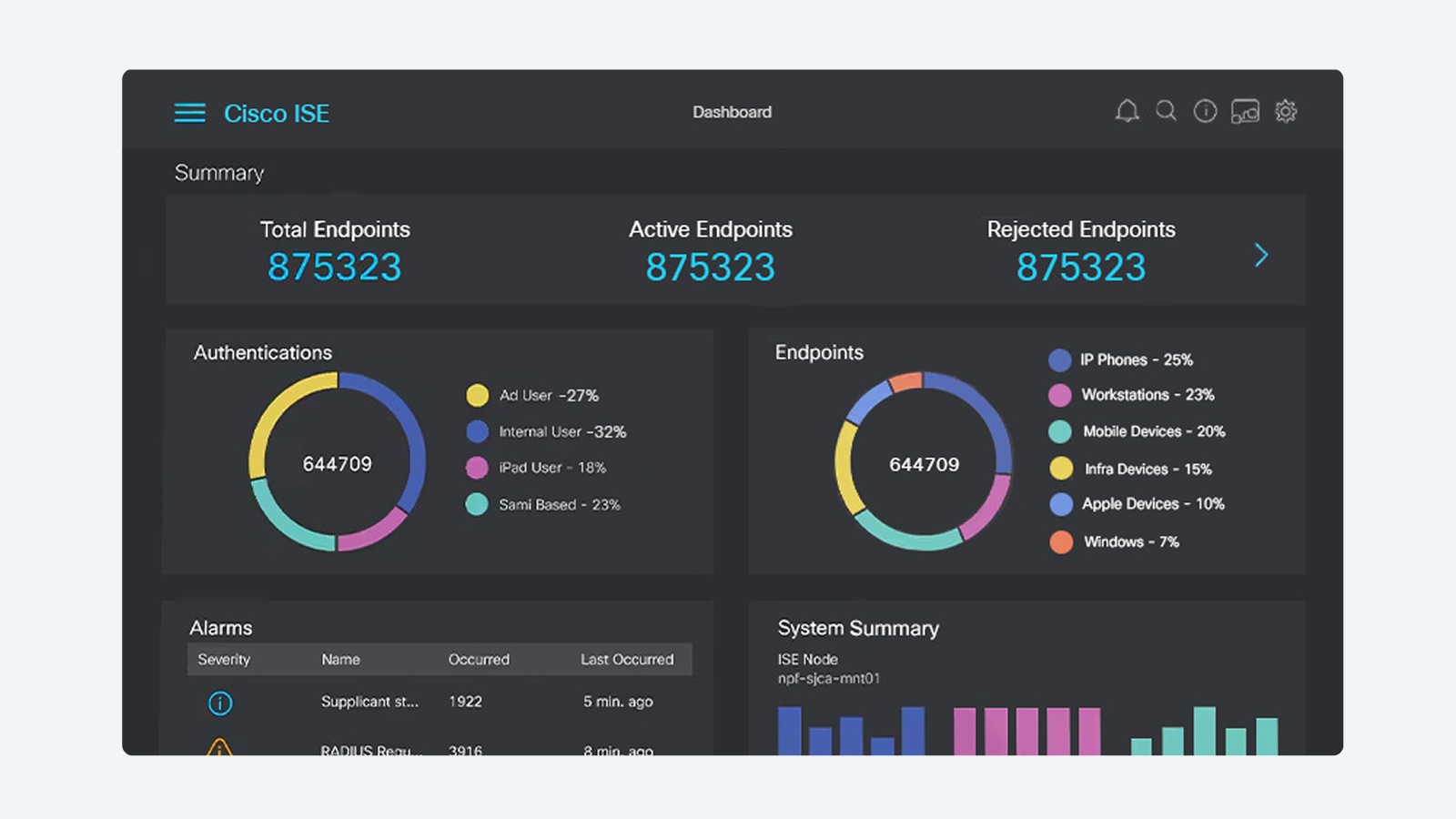
Few Cisco products generate as much licensing confusion as Identity Services Engine (ISE). The tier names changed at version 3.0, the subscriptions are counted per endpoint rather than per appliance, and one important capability (TACACS+ device administration) sits outside the three-tier structure entirely on its own perpetual license. Add in the hardware or virtual appliance question and it is easy to build a quote that either overspends on features you will never enable or, worse, comes up short on the exact capability your zero-trust project depends on.
This guide demystifies the whole stack. We will walk through what each of the three nested tiers (Essentials, Advantage, and Premier) actually adds, how the endpoint-count subscription model works, why Device Administration is licensed separately, and the real cost drivers that shape your number. The goal is simple: by the end you should be able to read an ISE quote line by line and know exactly what you are paying for. For the full product overview, the Cisco ISE platform page covers the architecture and deployment options that sit underneath the licensing.
How Cisco ISE licensing actually works
ISE licensing has two independent axes that buyers frequently conflate. The first is the capability tier: Essentials, Advantage, or Premier. The second is the count: how many concurrent endpoints (devices and users on the network) you need to authenticate and manage. You pick one tier, then you license the number of endpoints at that tier. The appliance or virtual machine you run ISE on is a separate purchase; the software subscription is not bundled into the box.
The three tiers are nested, which is the single most important thing to understand. Each higher tier is a strict superset of the one below it. Advantage includes everything in Essentials, and Premier includes everything in Advantage (and therefore everything in Essentials too). You do not stack licenses or buy Essentials plus Advantage; you buy the highest tier the deployment needs and it carries the lower-tier features with it. Cisco moved to this nested, subscription-based, endpoint-counted model with ISE 3.0, retiring the older perpetual Base, Plus, and Apex license names that long-time Cisco shops may still have in their heads.
The old names, translated: If you are migrating from a pre-3.0 deployment: the legacy Base license maps to Essentials, Plus maps to Advantage, and Apex maps to Premier. The capabilities did not vanish; they were repackaged into nested subscription tiers counted per endpoint.
ISE Essentials: core network access control
Essentials is the entry tier and it covers the foundational job most people mean when they say network access control. That means 802.1X and RADIUS authentication, the AAA (authentication, authorization, and accounting) server function, and IEEE 802.1X access control across wired, wireless, VPN, and 5G connections. Essentials also includes guest access (hotspot, self-registration, and sponsored portals), Easy Connect / PassiveID, and base endpoint visibility.
For an organization whose primary requirement is authenticating users and devices at the port before they reach the network (and handing guests a clean, separate path), Essentials does the core work. What it does not include is the enforcement-grade segmentation, profiling, and posture capabilities that turn ISE from an authentication server into a full zero-trust policy engine. If your project plan uses the words TrustSec, Security Group Tags, profiling enforcement, BYOD onboarding, or posture, you are already past Essentials and into Advantage or Premier territory. The broader role ISE plays as a network access control policy engine puts these capability lines in context.
ISE Advantage: segmentation, profiling, and BYOD
Advantage is where ISE becomes the engine most enterprise and public-sector zero-trust designs are built around. On top of everything in Essentials, Advantage adds endpoint profiling enforcement and AI Endpoint Analytics, group-based policy through TrustSec and Security Group Tag (SGT) segmentation, BYOD onboarding, context sharing via pxGrid, and Rapid Threat Containment through Adaptive Network Control (ANC).
This is the tier that lets the network itself limit lateral movement. TrustSec lets you write policy by role (a security group) instead of by IP address or VLAN, and propagate that micro- and macro-segmentation across switches, routers, wireless, and firewalls. Profiling automatically discovers and classifies every connected endpoint, including the unmanaged IoT, medical, and OT devices that cannot run a supplicant, so you can isolate the unknown ones before they become an entry point. pxGrid context sharing is what feeds identity into the rest of the Cisco security stack, including identity context that flows into Cisco XDR so security incidents carry the user and device behind the activity. For most segmentation-driven deployments, Advantage is the right floor.
Essentials vs Advantage: where the line really falls
The Essentials vs Advantage decision usually comes down to one question: do you need the network to enforce policy based on who the endpoint is and what group it belongs to, or do you only need to authenticate it and let it on? If you want SGT-based segmentation, automated profiling enforcement, self-service BYOD, or the ability to quarantine a compromised endpoint automatically, that is Advantage. If you genuinely only need 802.1X authentication and guest portals, Essentials is enough and there is no reason to overbuy. Be honest about the roadmap, though: many teams buy Essentials to save money in year one, then re-license to Advantage six months later when the segmentation phase starts, and pay for the change twice.
ISE Premier: posture, MDM, and Threat-Centric NAC
Premier is the top tier and includes all of Advantage and Essentials. What it adds is posture visibility and enforcement, MDM/EMM integration for posture (with platforms such as Jamf and Microsoft Intune), and Threat-Centric NAC (TC-NAC). Posture assessment checks endpoint health (OS patch level, antivirus and antimalware status, disk encryption, registry state, jailbreak or root status, and USB media) before granting access, using the Cisco Secure Client full, temporal, or agentless options, with automatic remediation.
Threat-Centric NAC is the differentiator that justifies Premier for high-assurance environments. TC-NAC ingests vulnerability and threat intelligence (for example CVSS scores from Tenable) and changes an endpoint's access automatically based on its risk, quarantining or restricting devices that fall out of compliance without a human in the loop. For healthcare networks protecting connected medical devices, for agencies enforcing continuous compliance, and for any environment that has to prove devices are patched and posture-checked before they touch sensitive data, Premier is the tier that maps to the requirement.
Which tier maps to your zero-trust goal: Authenticate users and segregate guests: Essentials. Segment by identity with TrustSec and profile IoT/OT: Advantage. Enforce posture, MDM compliance, and automatic threat-based quarantine: Premier. Each tier includes everything below it, so you buy the highest capability you need, not a stack of licenses.
The Device Administration license: the one that lives outside the tiers
Here is the line item that catches the most people off guard. TACACS+ device administration (centrally controlling which administrators can run which commands on your switches, routers, and firewalls, with a full audit trail) is not part of Essentials, Advantage, or Premier. It is a separate Device Administration license applied to the Policy Service Nodes running the device-administration persona, and it is licensed independently of the three nested endpoint subscription tiers.
Crucially, the Device Administration license is licensed per deployment, and historically perpetually, rather than per endpoint on a subscription. So if your use case is network device administration and command authorization (a very common driver for buying ISE in the first place, especially in regulated and audited environments), you need to add this license explicitly. It does not come free with a Premier subscription, and a quote that lists only an endpoint tier will not cover it. When TACACS+ device admin is in scope, confirm the Device Administration license is on the bill of materials before you sign.
Endpoint counts and the deployment that licenses run on
The number on your ISE subscription is a count of concurrent endpoints, so right-sizing it means counting what actually authenticates: employee laptops and phones, IoT and OT devices, medical equipment, printers, IP phones, and the peak of guest devices, not just your headcount. Undercount and you hit the limit and stop authenticating new devices; overcount and you pay for capacity you do not use. This is a place to be deliberate, because the count is one of the larger swing factors in the total.
Separately, the software has to run somewhere. ISE deploys as a physical Cisco Secure Network Server appliance (the SNS 3700/3800 series), as a virtual appliance on VMware ESXi, KVM, Microsoft Hyper-V, Nutanix AHV, or Red Hat OpenShift, or in the public cloud on AWS, Microsoft Azure, Oracle Cloud Infrastructure, and Google Cloud. Larger and high-availability deployments combine multiple physical or virtual nodes into a distributed cluster for scale, redundancy, and failover. The appliance or VM sizing is a separate cost from the license, and the two have to be sized together: the node count and model are driven by your endpoint count, the personas you run, and your redundancy requirements.
Subscription term length
Because the tier licenses are subscriptions, term length is a cost driver in its own right. ISE subscriptions are sold for multi-year terms, and the per-year cost generally improves as the term lengthens. The trade-off is commitment versus flexibility: a longer term locks in pricing and simplifies renewals but commits you to the endpoint count and tier you chose. If your environment is growing quickly, factor expected endpoint growth into the term decision so you are not re-quoting mid-contract.
What actually drives the cost of an ISE quote
Cisco does not publish a flat list price for ISE, and any number you see floating around without your specifics attached is meaningless, so it is more useful to understand the levers. Five drivers shape almost every ISE quote, and once you can see them you can model your own scenario before you ever ask for pricing.
- Tier: Essentials, Advantage, or Premier. Each step up adds capability and cost, and because the tiers are nested you pay once for the highest tier you need.
- Endpoint count: the number of concurrent endpoints you license at that tier, sized to peak device population (including IoT, OT, guests, and medical devices), not just user headcount.
- Subscription term: the multi-year commitment, where longer terms typically lower the effective annual cost.
- Device Administration license: a separate, per-deployment line item that must be added explicitly when TACACS+ device administration is in scope.
- Hardware vs virtual vs cloud: the SNS appliance, VM, or public-cloud node sizing and quantity, including any redundancy or distributed-cluster nodes, which is priced apart from the software subscription.
Layer on top of these the services to design, deploy, and operate the platform, plus support coverage. Existing ISE customers should also plan the renewal cadence so coverage and subscriptions never lapse; Uniqcli can co-terminate dates and reconcile what is licensed against what is deployed through a SmartNet and subscription renewal quote so you are not paying for ghost endpoints or discovering a gap at audit time.
Buying ISE for federal, SLED, and regulated environments
For US public-sector buyers, the licensing conversation comes with a compliance conversation attached. ISE is widely deployed as the network-level enforcement point for zero trust, mapping directly to the identity and device pillars of the CISA Zero Trust Maturity Model through continuous device identification, authentication, posture, and segmentation. The specific Premier-tier capabilities (posture and Threat-Centric NAC) are frequently exactly what continuous-compliance mandates call for, which is why agency deployments often land on Premier rather than Advantage.
Per Cisco documentation, ISE is designed to meet Federal Information Processing Standard (FIPS) 140 (140-2 or 140-3 depending on release), Common Criteria under the Network Device Collaborative Protection Profile (NDcPP), and Unified Capabilities / DoDIN Approved Products List requirements, and recent releases add full single-stack IPv6 support and administrator authentication via DoD Common Access Card (CAC) / smart card. Certifications vary by release, though, so the certified status of the exact ISE version you intend to deploy should be confirmed at quote time rather than assumed. Note too that ISE itself is not a FedRAMP-authorized cloud service, so any cloud-hosted deployment plan should verify current authorization posture with your Cisco representative.
Procurement mechanics matter just as much as the SKU. The SNS appliances need to be sourced TAA-compliant with country-of-origin documentation, the buy should run through a Government Purchase Card (GPC), Simplified Acquisition, or a FAR-based purchase order, and the bill of materials should be CLIN-structured to clear review the first time. As an authorized Cisco partner, Uniqcli scopes the compliant SKU, the right tier and endpoint count, and the appropriate Device Administration licensing; our federal procurement and TAA compliance page details the purchasing paths, FIPS notes, and CLIN structure that go into a government-ready ISE package.
Get ISE licensing right the first time
ISE licensing is confusing mostly because three independent decisions (tier, endpoint count, and the separate Device Administration license) get presented as one number. Break them apart and it becomes manageable: choose the highest tier your zero-trust roadmap actually needs, count your real peak endpoint population, add Device Administration if TACACS+ is in scope, and size the appliance or VM to match. Get those four right and the rest of the quote follows.
To go deeper on the platform itself, start with the Cisco ISE overview, then have Uniqcli scope your exact tier, endpoint count, hardware, and compliance posture. When you are ready for a number, request a Cisco ISE quote and we will return a right-sized, TAA-compliant bill of materials with the licensing broken out line by line so there are no surprises.
Frequently asked questions
What is the difference between ISE Essentials, Advantage, and Premier?
The three tiers are nested, so each higher one includes everything below it. Essentials covers core network access control: 802.1X/RADIUS authentication, AAA, and guest access. Advantage adds TrustSec/SGT segmentation, endpoint profiling enforcement, BYOD, pxGrid context sharing, and Rapid Threat Containment. Premier adds posture assessment, MDM/EMM integration (Jamf, Intune), and Threat-Centric NAC. You buy the highest tier you need, not a stack of them.
Is the Cisco ISE Device Administration license included in any tier?
No. TACACS+ device administration is licensed separately from Essentials, Advantage, and Premier. The Device Administration license applies to the Policy Service Nodes running the device-administration persona and is licensed per deployment, historically perpetually, rather than per endpoint. If you need command-level administration and audit of your network devices, this license has to be added to the quote explicitly.
How is Cisco ISE licensing counted, per user or per device?
ISE subscription tiers are counted per concurrent endpoint, meaning every device and user that authenticates to the network. That includes employee laptops and phones plus IoT, OT, medical devices, printers, IP phones, and the peak of guest devices, so the count is usually higher than headcount. The appliance or virtual machine ISE runs on is a separate cost from the per-endpoint subscription.
What does a Cisco ISE license cost?
Cisco does not publish a flat list price for ISE. The cost is driven by the tier you choose (Essentials, Advantage, or Premier), the number of endpoints you license, the subscription term length, whether you add the separate Device Administration license, and the hardware, virtual, or cloud node sizing. The best way to get an accurate figure is to scope these drivers and request a quote rather than rely on a generic number.
Do I need new licenses migrating from the old ISE Base, Plus, and Apex tiers?
Yes, ISE 3.0 retired the perpetual Base, Plus, and Apex licenses in favor of nested per-endpoint subscriptions. Base maps to Essentials, Plus maps to Advantage, and Apex maps to Premier. The capabilities carried over, but the licensing model changed to a subscription counted per concurrent endpoint, so a migration is a re-licensing exercise that should be scoped against your current and projected endpoint count.
Is Cisco ISE TAA-compliant and suitable for federal and DoD networks?
Cisco ISE is widely deployed in federal, SLED, and DoD environments as the zero-trust network enforcement point, and is designed to meet FIPS 140, Common Criteria (NDcPP), and DoDIN APL requirements depending on the release. Certification status varies by version and should be confirmed at quote time. Uniqcli, an authorized Cisco partner, sources TAA-compliant SNS appliances and the right licensing via GPC, Simplified Acquisition, and FAR-based purchase orders.
Uniqcli Team
The Uniqcli Team is an authorized Cisco partner specializing in Catalyst wireless, switching, datacenter fabric, licensing, and managed services for U.S. federal, state, local, and education customers. We scope Cisco bills of materials, validate procurement paths (TAA, FIPS, contract vehicles), and deliver design, deployment, and managed operations.
Ready to scope your Cisco build?
Build a quoteRelated reading
View all → Guides
Cisco Licensing Cost Explained: Essentials vs Advantage vs Premier
Cisco hardware sticker prices are only the opening number. Here is how Essentials, Advantage, and Premier licensing tiers, subscription terms, and SmartNet quietly decide what you actually pay.
March 26, 2026 · 9 min read Guides
Cisco ISE Essentials vs Advantage vs Premier: License Tiers Explained
Cisco ISE Essentials vs Advantage license tiers, and where Premier fits above them, explained at the feature level, plus how endpoint count, term length, and legacy Base/Plus/Apex naming factor in.
July 11, 2026 · 5 min read Guides
Cisco XDR Pricing and Licensing Explained: Tiers, Costs, and What Drives the Quote
Cisco XDR pricing has no public list price. Here is how the three tiers, telemetry volume, retention, and Enterprise Agreement bundling drive your quote, and how to size it before you ask.
June 15, 2026 · 11 min read Guides
How Much Does Cisco ISE Cost?
Cisco ISE pricing starts from about $15,000 for a real deployment, but the per-endpoint license tier, subscription term, node sizing, and SmartNet are what actually set your number. Here is how to budget it honestly.
February 25, 2026 · 9 min read Guides
Cisco Duo Editions and Pricing Guide (2026): Essentials vs. Advantage vs. Premier
Cisco Duo ships in four editions with clearly split feature lines. Here is what Free, Essentials, Advantage, and Premier actually include, how per-user licensing works, and how to buy it through a partner.
July 3, 2026 · 8 min read Guides
Cisco wireless licensing for Wi-Fi 7 explained
Wi-Fi 7 access points are the easy part. The licensing model behind them, from the Catalyst 9800 controller to per-AP subscriptions and Smart Account hygiene, is where budgets and deployments actually get decided. Here is how Cisco wireless licensing really works for a Wi-Fi 7 refresh, and how to size it before you buy.
May 15, 2026 · 10 min read