
Cisco Firepower Threat Defense (FTD) is the unified, next-generation firewall operating system Cisco now ships on all Secure Firewall appliances, combining stateful firewalling, intrusion prevention (IPS), URL filtering, and malware inspection in one image, managed by Firepower/Secure Firewall Management Center (FMC), cloud-delivered FMC, or Secure Firewall Device Manager (FDM). It replaced classic ASA software as Cisco's default firewall OS, though ASA software still ships on request for a shrinking set of use cases.
If you're buying a firewall from Cisco in 2026, you're almost certainly buying Secure Firewall hardware running FTD. The naming has shifted twice in five years, Firepower NGFW became Secure Firewall Threat Defense, but the underlying architecture and buying logic haven't changed much. This guide covers what FTD is, why it exists, which appliances run it today, how the licensing stack works post-rebrand, and how to size a purchase against real throughput numbers instead of marketing bullets.
What is Cisco Firepower Threat Defense (FTD)?
FTD is Cisco's converged firewall software image: it merges the routing, NAT, and VPN engine originally built for ASA with the Snort-based intrusion prevention and application visibility engine from the Sourcefire acquisition. Instead of running ASA and a separate Firepower services module side by side (the old "ASA with FirePOWER Services" model), FTD runs as a single OS image on a single appliance, managed through one policy model. Cisco now markets the whole product line as Cisco Secure Firewall, with FTD as the software and Secure Firewall 1200/3100/4200 as the hardware.
Under the hood, FTD uses the Snort 3 detection engine (multithreaded, with better performance and TLS 1.3 visibility than Snort 2), supports Cisco Talos threat intelligence feeds, and integrates with Cisco XDR and Secure Endpoint for correlated detection. It runs as physical appliance software, as a virtual firewall (FTDv) on ESXi/KVM/AWS/Azure/GCP, and in containerized form for some cloud-native deployments.
FTD vs ASA: what's the actual difference?
ASA (Adaptive Security Appliance) software is Cisco's older firewall OS, mature, CLI-driven, extremely well understood by network engineers who've run it for two decades. It's still sold on Secure Firewall 3100 and 4200 hardware for customers who need ASA-specific features (certain routing protocols, specific VPN behaviors, or operational familiarity), but Cisco's product direction, new feature investment, and default recommendation all point to FTD.
| Capability | ASA Software | FTD (Threat Defense) |
|---|---|---|
| Stateful firewall + NAT + site-to-site VPN | Yes | Yes |
| Native IPS / Snort inspection | No (required separate FirePOWER module) | Yes, built into the same image |
| URL filtering, malware inspection, AVC | No | Yes, via subscription licenses |
| Centralized multi-device management | ASDM (per-device) or CSM (legacy) | FMC, cloud-delivered FMC, or CDO/Security Cloud Control |
| Single-device local management | ASDM | FDM (Firewall Device Manager) |
| Snort version | N/A | Snort 3 (multithreaded) |
| Cisco's current default recommendation | Legacy / specific use cases | Yes, default OS on new orders |
For a net-new purchase, there's rarely a good reason to order ASA software over FTD unless a specific feature gap forces it, check with your engineering team against the current feature parity matrix before assuming otherwise. Cisco's own guidance nudges nearly everyone toward FTD, and it's the platform receiving new detection engine, cloud management, and AI-assisted policy features.
ASA-to-FTD migration: what it actually involves
Moving from ASA to FTD is not a firmware flash, it's a configuration re-platforming. Cisco's Firewall Migration Tool automates the bulk of it: it reads an ASA configuration export, maps access rules, NAT, and VPN objects into FTD/FMC policy constructs, flags anything it can't auto-convert (some inspection policies, certain routing configs), and lets you review before pushing to a device. In practice, expect the automated tool to carry over 80-95% of a typical ASA config cleanly, with manual cleanup needed for edge-case ACLs, object-group nesting, and any ASA features that don't have a direct FTD equivalent.
Current Cisco Secure Firewall hardware lineup
Cisco organizes physical Secure Firewall appliances into three current families, all of which run FTD (and, for the 3100/4200, ASA software as an ordering option). The old Firepower 1000/2100 series has been superseded by the Secure Firewall 1200 series.
| Series | Target use case | Approx. firewall throughput | Notes |
|---|---|---|---|
| Secure Firewall 1200 | Branch office, small campus, retail | Roughly 6-18 Gbps depending on model (compact vs standard) | Entry desktop/1U models; replaces Firepower 1000 series |
| Secure Firewall 3100 | Mid-size campus, distribution edge, data center edge | Roughly 10-45 Gbps per appliance (model dependent), higher in cluster | 5 models (3105-3140); most common mid-market pick |
| Secure Firewall 4200 | Large enterprise core, data center, service provider | High-throughput, up to 400G interface support | 3 models (4215/4225/4245); supports up to 16-node clustering |
Actual throughput varies a lot based on traffic profile (firewall-only vs NGFW with IPS and AVC enabled), packet size, and whether TLS decryption is active, the headline numbers in Cisco's datasheets are best-case. Always size against your real average packet size and the features you'll actually turn on, not the top-line spec. Browse current models and configurations in Secure Firewall in the catalog.
FMC vs cdFMC vs FDM: which management option do you need?
FTD separates the data plane (the firewall doing the inspecting) from the management plane (the console setting policy). You have three ways to manage it, and the right choice depends almost entirely on device count.
- FDM (Firewall Device Manager), a local web UI running on the appliance itself. No separate management server, simplest to stand up, but realistically only practical for one firewall or a very small footprint where you don't need centralized policy or correlated event views across devices.
- On-prem FMC (Firepower/Secure Firewall Management Center), a dedicated management appliance or VM that centralizes policy, event correlation, reporting, and multi-device orchestration. This is the traditional choice for organizations with several firewalls, strict data-residency requirements, or existing FMC operational investment.
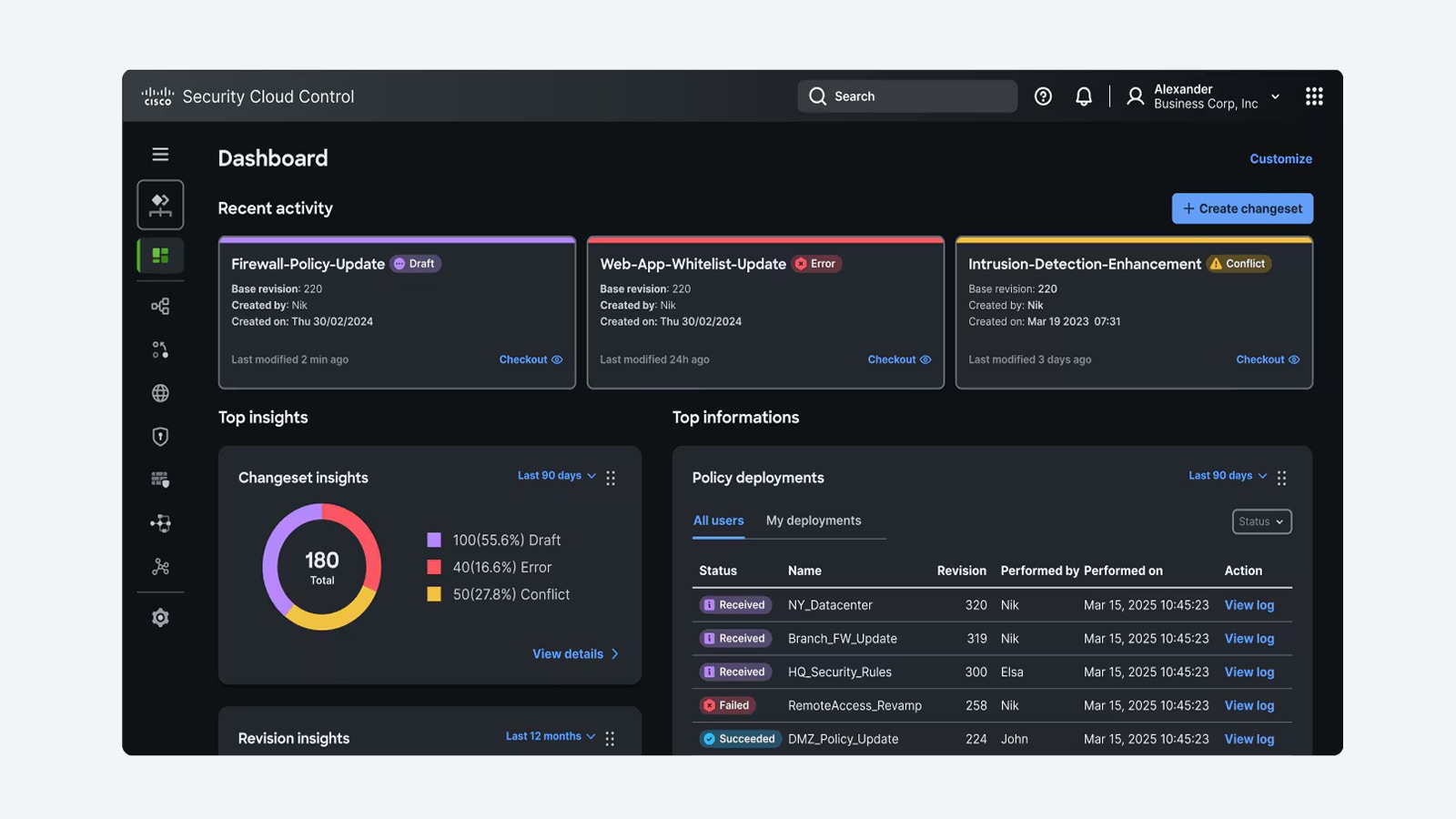
- Cloud-delivered FMC (cdFMC), the same FMC policy engine, delivered as a module inside Cisco Security Cloud Control (the platform formerly known as Cisco Defense Orchestrator/CDO). Cisco hosts the infrastructure, patching, and backups; you just onboard devices. This has become Cisco's preferred path for new deployments that don't have a hard reason to self-host management.
For most mid-market and government buyers standing up 2 or more firewalls, cdFMC via Security Cloud Control is now the lowest-friction option, no management server to size, patch, or back up. On-prem FMC still makes sense where data residency, air-gapped operations, or existing automation tooling requires it.
How does Cisco Secure Firewall licensing work now?
Cisco restructured Secure Firewall licensing around a small set of named subscriptions, replacing the older "Protection/Control/URL/Malware" naming and the earlier "Threat, Malware, URL" bundle shorthand (TMC). Every FTD deployment needs a base license plus whichever inspection subscriptions you're turning on.
| License | What it enables | Required for |
|---|---|---|
| Essentials | Base platform license (replaces the old "Base" license); required for the device to register and operate | Every FTD deployment, automatically applied when you register to cdFMC in most cases |
| IPS | Intrusion prevention / Snort inspection policies | Any deployment applying intrusion policy to traffic; prerequisite for Malware Defense |
| Malware Defense | File/malware detection via Secure Malware Analytics (formerly AMP) | Malware blocking and file trajectory; requires IPS to be licensed |
| URL Filtering | Category- and reputation-based URL filtering | Web content control policies |
| Carrier | Service-provider protocol inspection (GTP/Diameter/SCTP) | Mobile/carrier network deployments only |
Licenses are subscription-term (1/3/5-year are common) and sized to the platform's performance tier, a 3110 and a 4225 draw different license SKUs even for the same feature, so the entitlement has to match the hardware tier you order. IPS, Malware Defense, and URL Filtering can be bought individually or bundled; most enterprise and government buyers license all three plus Essentials to get full NGFW functionality (IPS + malware inspection + web filtering) rather than running firewall-only.
Sizing guidance: matching throughput to your network
The single biggest sizing mistake is buying to the datasheet's peak firewall-only throughput number and then turning on IPS, AVC, and TLS decryption, each of those cuts effective throughput, sometimes substantially. A rough rule of thumb: budget for NGFW (firewall + IPS + AVC) throughput, not raw firewall throughput, when comparing models against your actual WAN or LAN bandwidth.
- Under 1 Gbps internet edge, branch office: Secure Firewall 1200 series compact models are typically sufficient.
- 1-10 Gbps, mid-size site or campus edge: Secure Firewall 1200 (higher-end) or entry 3100 series (3105/3110).
- 10-40 Gbps, distribution or data center edge: Secure Firewall 3100 series (3120-3140), sized by NGFW throughput not firewall-only.
- 40+ Gbps or clustered core/data center: Secure Firewall 4200 series, with clustering (up to 16 nodes) for horizontal scale beyond a single chassis.
Also account for growth headroom and TLS decryption load specifically, decrypting and re-encrypting inbound and outbound TLS traffic is the most expensive operation these appliances do, and if most of your traffic is HTTPS (it is), a box sized only on plaintext throughput numbers will underperform. If you're unsure which tier fits your traffic mix, request a quote and we'll size it against your actual bandwidth and feature requirements rather than the brochure number.
Buying Secure Firewall through a Cisco partner
FTD hardware and licensing are sold through Cisco's partner channel, you won't buy Essentials, IPS, or Malware Defense subscriptions directly from Cisco as an end customer in most cases. A partner quote should include the hardware PID, the matching performance-tier license SKUs, the management path (cdFMC included, or on-prem FMC hardware/VM sizing), and the subscription term. As an authorized Cisco partner, Uniqcli quotes Secure Firewall hardware and licensing below list and manages the Smart Account and TAA documentation for government and education buyers, so the PO maps cleanly to what shows up in your Smart Account.
Frequently asked questions
Is Cisco Firepower the same as FTD?
Yes, in practice. "Firepower Threat Defense" (FTD) is the full name; "Firepower" was the earlier product-family branding before Cisco renamed the hardware line to "Secure Firewall." The software is the same FTD OS whether you see it called Firepower NGFW or Secure Firewall Threat Defense, Cisco changed the marketing name, not the underlying architecture.
Do I need to replace my ASA to run FTD?
Usually yes, if your ASA is on older hardware like the 5500-X series. FTD runs on Secure Firewall 1200/3100/4200 appliances (and some ASA 5500-X models with restrictions), so most ASA-to-FTD moves involve a hardware refresh alongside the software and config migration, not a same-box software swap.
What's the difference between FMC and FDM?
FDM (Firewall Device Manager) is a local web UI built into a single FTD appliance, best for managing just one firewall. FMC (Firewall/Secure Firewall Management Center) is a separate management platform, on-prem appliance/VM or cloud-delivered (cdFMC), that centralizes policy and event correlation across multiple firewalls. Use FDM for one box, FMC for a fleet.
What license do I need for IPS on Cisco Secure Firewall?
You need the Essentials license (base platform) plus the IPS subscription license, sized to your appliance's performance tier. IPS is also a prerequisite for the Malware Defense license, you can't license malware inspection without IPS already enabled on the device.
How much throughput do I actually get with IPS and TLS decryption turned on?
Significantly less than the firewall-only datasheet number. Cisco's top-line throughput figures are typically firewall-only or NGFW-with-AVC at large packet sizes; enabling IPS, malware inspection, and especially TLS decryption on real-world mixed traffic can cut effective throughput well below the peak spec. Size against NGFW throughput figures, not firewall-only ones.
Is cloud-delivered FMC (cdFMC) free?
cdFMC itself doesn't require separate management hardware or licensing beyond your FTD device licenses, it's delivered as a module within Cisco Security Cloud Control (formerly Cisco Defense Orchestrator). You still need the standard Essentials and feature licenses (IPS, Malware Defense, URL Filtering) for each device you manage through it.
Uniqcli Team
The Uniqcli Team is an authorized Cisco partner specializing in Catalyst wireless, switching, datacenter fabric, licensing, and managed services for U.S. federal, state, local, and education customers. We scope Cisco bills of materials, validate procurement paths (TAA, FIPS, contract vehicles), and deliver design, deployment, and managed operations.
Ready to scope your Cisco build?
Build a quoteRelated reading
View all → Guides
Cisco ASA 5525-X (ASA5525-K9) EoL: Migration to Secure Firewall 3100
The ASA 5525-X hit Last Day of Support on September 30, 2025, here is what each milestone means and how to migrate to the Cisco Secure Firewall 3100 (Firepower 2100) replacement.
September 30, 2025 · 7 min readGuidesASA 5555-X (ASA5555-K9) Replacement & Migration Guide
Cisco ASA 5555-X support ends 30 September 2025, here is the practical path to a Secure Firewall 3100 refresh, from licensing to phased cutover.
October 3, 2025 · 8 min read Guides
How Much Does a Cisco Secure Firewall Cost?
A Cisco Secure Firewall starts from about $10,000 for an appliance, but the threat-defense subscription, support, and deployment are what set the real number. Here is how the math actually works.
February 22, 2026 · 9 min readGuidesCisco FirePOWER 8350 (FP8350-K9) to Firepower 9300 Migration
The FirePOWER 8000 Series hit Last Day of Support on 2024-06-30, here is how to migrate the FP8350-K9 to Cisco's Firepower 9300 Series cleanly and compliantly.
November 24, 2025 · 8 min readGuidesCisco ASA 5515-X (ASA5515-K9) to Firepower 1100 Migration
The ASA 5515-X reached last date of support on August 31, 2022, here is a concrete, architect-grade plan to refresh it to a Cisco Secure Firewall 1100 Series appliance.
September 26, 2025 · 8 min readGuidesCisco ASA 5585-X (S20) EoL: Migration to Secure Firewall 3130
The ASA 5585-X SSP-20 (ASA5585-S20-K9) passed Last Day of Support on May 31, 2023. Here is what each milestone means and how to migrate cleanly to the Cisco Secure Firewall 3130.
March 28, 2026 · 9 min read