
How to size a campus wireless deployment: APs, switching and licensing
Sizing a campus wireless refresh is three problems wearing one trench coat: enough APs for the RF, enough switch ports and PoE to feed them, and the right licensing to run it all. Here is how to scope each layer so the bill of materials lands once.

Key takeaways
- Size APs to capacity and RF, not square footage. A coverage map that ignores client count and application mix will under-build the busy rooms and over-build the quiet ones.
- Wi-Fi 7 changes the power and uplink math. Quad-radio Catalyst CW9176I and CW9178I access points pull more PoE and want multigigabit uplinks, which pushes the access switch decision toward UPOE and mGig ports.
- The switch tier follows the AP count. Every AP needs a port, a PoE class, and uplink headroom back to the core, so the wireless plan and the Catalyst switching plan have to be sized together.
- Controller capacity is a hard ceiling. Catalyst 9800 appliances and the 9800-CL each license a maximum AP and client count, so size the controller for three-year growth, not day-one count.
- Licensing is recurring, not one-time. Network Essentials versus Network Advantage and DNA/Catalyst Center subscriptions are term commitments that belong in the budget from the first quote.
- Federal, SLED, and healthcare buyers verify TAA origin, lifecycle status, and FIPS posture against exact SKUs before the order, then buy on a vehicle with SmartNet attached.
Wireless sizing is three budgets, not one
Most campus wireless projects go sideways for the same reason: someone sizes the access points, signs off, and treats switching and licensing as line items to fill in later. They are not. A campus wireless deployment is three interlocking budgets that have to be solved together, because each one constrains the next. The number of access points sets the number of switch ports. The class of access point sets the PoE draw and the uplink speed. The total AP and client count sets the controller you need and the licenses you carry for the next three years.
Get one of those wrong and the others quietly break. Spec quad-radio Wi-Fi 7 APs without checking PoE budget and your access switches starve at turn-up. Right-size the APs but forget the controller ceiling and you cannot onboard the last building. The discipline that fixes this is boring but reliable: size top to bottom in one pass, from RF to ports to power to license, and price the whole stack before anyone commits. When we size a Cisco wireless refresh, the first conversation is about the building and the users, not the SKU that happened to be on the last purchase order.
- RF and capacity define how many APs and where they hang.
- AP class defines PoE draw, uplink speed, and switch port type.
- Total AP and client count defines controller capacity and license tier.
- All three are priced as one bill of materials, not three quotes stitched together.
Step one: size the access points to capacity, then RF
The oldest mistake in wireless is sizing to floor area. A coverage-only model says one AP covers so many square feet and divides, which works until thirty people walk into a room built for ten and the radio chokes. Modern campus design is capacity-first. You start with how many concurrent clients each space holds, what those clients actually do (voice and video are far hungrier than email), and what throughput each client expects, then you let coverage fall out of the density requirement. A lecture hall, an open office, and a warehouse with the same square footage need wildly different AP counts.
Cisco gives you a deep enterprise lineup to map against those zones. The Catalyst 9176I data sheet covers the Wi-Fi 7 indoor workhorse for dense general-purpose space, while higher-tier models like the CW9178I and CW9179F target stadium-grade density and the CW9163E and rugged outdoor units handle quads, loading docks, and exterior coverage. The standards context matters too: the 6 GHz spectrum that makes Wi-Fi 7 worthwhile exists because of FCC rulemaking, and interoperability is governed by the Wi-Fi Alliance certification program, so the band plan you design has to respect both regulatory power limits and certified channel widths. Browse the current indoor and outdoor families on our access points page to match each environment to a model rather than forcing one AP across the whole campus.
- Capacity-first design: clients per space and application mix drive count, not square feet.
- Wall material, ceiling height, and 6 GHz attenuation change real coverage per AP.
- High-density venues, offices, classrooms, and outdoor zones each need a different AP class.
- A predictive or on-site survey replaces guesswork before the order is final.
Step two: Wi-Fi 7 rewrites the power and uplink math
Wi-Fi 7 is not a like-for-like swap on the access layer. The 802.11be access points worth deploying are quad-radio designs with 320 MHz channels and Multi-Link Operation, and they ask more of the closet than the Wi-Fi 5 and Wi-Fi 6 units they replace. Two numbers move. First, PoE: a fully featured Wi-Fi 7 AP often wants UPOE (60W class) to run every radio and onboard IoT at full tilt, where an older AP was happy on PoE+ (30W). Second, the uplink: a single AP can now push more than a gigabit of real traffic, so a 1G access port becomes the bottleneck and multigigabit (mGig) ports become the sane default.
That is why the AP decision and the switch decision cannot be made in separate meetings. If you standardize on Catalyst CW9176I or CW9178I access points, you are implicitly choosing a UPOE, mGig-capable access switch and a PoE power budget that can run every port near class maximum, not just a handful. Plan that against your Catalyst switching layer in the same pass, and confirm exact per-model power draw on the Cisco data sheet rather than assuming the old PoE budget still fits. We work this trade-off explicitly during network design so the wireless and wired bills of materials agree before either is quoted.
- Quad-radio Wi-Fi 7 APs commonly need UPOE (60W), not PoE+ (30W).
- Per-AP throughput above 1 Gbps makes mGig (2.5/5/10G) access ports the default.
- PoE budget must support every port near class max, not a token few.
- 320 MHz channels and 6 GHz only pay off if the wired uplink can carry the load.
Step three: the access switch follows the AP count
Once the AP plan is set, the access switch plan is mostly arithmetic with a few judgment calls. Every access point consumes one switch port, draws a known PoE class, and needs uplink capacity back to the core or distribution layer. So a building with 90 APs is not a 90-port problem; it is a port-count-plus-PoE-budget-plus-uplink-headroom problem, sized with growth built in. The usual rule of thumb is to scope 10 to 20 percent port headroom for adds and to size the PoE supply for the real draw, not the nameplate, so a stack does not brown out when every AP and phone is live.
The Catalyst 9300 family is the standard answer at the access tier because it stacks over high-bandwidth StackWise, takes modular uplinks so you can move from 10G to 25G without replacing the switch, and delivers the UPOE that Wi-Fi 7 wants. The Catalyst 9300 ordering guide lays out the port, power, and uplink permutations so you can match the exact variant to each closet. From there the access stacks aggregate up to a Catalyst 9500-class core, and the uplink speed you chose for the APs has to survive that whole path. When the wireless count is firm, a Catalyst 9300 quote puts a configured number on the wired side of the deployment.
- One AP equals one port, one PoE class, and a share of the uplink budget.
- Scope 10 to 20 percent port headroom for moves, adds, and changes.
- Size the PoE supply for real simultaneous draw, not nameplate maximums.
- Stack access switches, then verify the uplink path survives all the way to the core.
Step four: the wireless controller has a hard ceiling
Access points do not run themselves. In a Cisco campus they are managed by a Catalyst 9800 wireless LAN controller, available as the 9800-CL virtual controller for smaller and virtualized deployments or as physical appliances for larger campuses. The critical sizing fact is that each controller model licenses a maximum supported access point count and a maximum client count. Cross either ceiling and you are buying another controller or a bigger one, mid-project, at a worse price. This is the single most common late surprise in campus wireless: the APs were sized for growth, the controller was sized for day one.
Size the controller for where the campus will be in three years, including the building that is not funded yet but everyone knows is coming. Plan for redundancy as well, since a controller is a shared dependency for every AP it manages and an HA pair keeps the wireless plane up during failures and upgrades. Pair the controller with Catalyst Center for assurance, automation, and the telemetry that turns a wireless network into something you can actually operate, and review the wireless controller options against your forecast count rather than your current one. Confirm exact AP and client maximums per model on the Cisco data sheet before committing, because that ceiling is a fixed number, not a soft target.
- Catalyst 9800-CL suits smaller or virtualized sites; appliances scale the campus.
- Each controller licenses a fixed maximum AP and client count.
- Size for three-year growth, not day-one count, to avoid a mid-project upgrade.
- Plan an HA pair so the wireless control plane survives failures and upgrades.
Step five: licensing is a recurring decision, not a checkbox
Licensing is where a clean hardware quote turns into a real total cost of ownership, and it is the layer buyers most often under-scope. On the wired side, Catalyst switches run either Network Essentials, which covers Layer 2 and basic Layer 3, or Network Advantage, which adds advanced routing, SD-Access fabric, and richer telemetry. On the wireless and management side, controller and Catalyst Center capabilities ride on DNA or Cisco networking subscription tiers tied to term length. None of this is a one-time line item. It is a recurring commitment that has to sit in the budget from the first draft, sized per role rather than per habit.
The trap is paying for Advantage on a closet that will never run fabric, or under-licensing the one stack that does, and then patching it later. Pick the tier to the job, attach the subscription term you actually intend to run, and decide on day one whether you are operating this network yourself or handing the assurance and tuning to a partner through managed operations. Visibility tools under observability depend on the right license tier being present, so the license decision quietly determines how much you can see once the network is live. Treat licensing as part of the design, and it stops being the invoice nobody planned for.
- Network Essentials versus Network Advantage is a per-role wired switch choice.
- Controller and Catalyst Center features ride on term-based subscription tiers.
- Under-licensing fabric or over-licensing a value closet both waste money.
- License tier governs assurance and observability, so decide it during design.
Step six: survey, lifecycle, and a low-risk cutover
A sized bill of materials is a hypothesis until a survey tests it. A predictive design models coverage and capacity from the floor plans, wall materials, and density targets, and an on-site validation or AP-on-a-stick survey confirms the model before cabling crews mobilize. This is also where the practical constraints surface: where cable can actually run, where mounting is feasible, which ceilings hide concrete or metal that eats 6 GHz, and which areas need outdoor or hardened units. Skipping the survey is how a paper-perfect design produces dead spots in the rooms that matter most.
Lifecycle hygiene matters just as much as the design. Check every model against the Cisco End-of-Life and End-of-Sale policy so you are not buying near end-of-sale, and wrap the production estate in Smart Net Total Care so support and RMA paths exist before something fails at 2 a.m. Then plan the cutover to minimize disruption: phased by building or floor, with a rollback, change windows, and labeled documentation. Our deployment services cover survey, cabling, mounting, configuration, and a staged cutover so the network that was designed is the network that actually gets installed.
- Predictive design plus on-site validation replaces square-footage guesswork.
- Cable routes, mounting, and RF obstacles surface during the survey, not at install.
- Verify lifecycle status and attach SmartNet before the order ships.
- Phase the cutover with rollback, change windows, and labeled documentation.
Putting the campus build together for regulated buyers
For federal, SLED, healthcare, and other regulated environments, sizing is necessary but not sufficient. The same three-layer design has to clear a procurement and compliance bar on top of the engineering one. That means verifying TAA country of origin, current lifecycle listing, and FIPS posture against the exact SKUs, then buying on an approved vehicle with support attached. Cisco documents its federal contracts and funding vehicles, and agencies that hold NASA SEWP or a GSA Schedule can buy against those paths; Uniqcli holds neither, so our design and estimate are built around GPC purchases, Simplified Acquisition, and direct FAR-based purchase orders.
Security and hardening ride alongside. Wireless segmentation and access control through the Identity Services Engine keep the campus aligned to controls like the ones in NIST SP 800-53, and DoD environments hold the build to the relevant DISA STIGs before it goes live. As an Authorized Cisco Partner working US federal, SLED, healthcare, and enterprise, Uniqcli sizes the APs, switching, controller, and licensing as one validated stack and quotes it against a GPC purchase, Simplified Acquisition, or a FAR-based purchase order. When the design is set, a campus wireless quote turns the three-layer plan into a single configured number.
- Verify TAA origin, lifecycle status, and FIPS posture against exact SKUs.
- Buy through the acquisition path available to you (your own SEWP or GSA Schedule if you hold one, or a GPC purchase or Simplified Acquisition through Uniqcli if you do not) with SmartNet attached.
- Enforce wireless segmentation and access control with ISE to meet NIST controls.
- Hold DoD builds to the applicable DISA STIGs before go-live.
Cisco products involved
- Cisco Catalyst CW9176I Wi-Fi 7 access point
- Cisco Catalyst CW9178I Wi-Fi 7 access point
- Cisco Catalyst CW9163E outdoor access point
- Cisco Catalyst 9300 Series switches
- Cisco Catalyst 9500 Series switches
- Cisco Catalyst 9800 wireless LAN controller
- Cisco Catalyst Center
- Cisco Identity Services Engine (ISE)
Bottom line: Size a campus wireless deployment from the top down in one pass: capacity-first APs, then the switch ports and PoE to feed them, then a controller and license tier with three-year headroom. When the three layers agree on paper, a campus wireless quote turns the plan into one configured number.
Frequently asked questions
How many access points do I actually need per floor?
There is no fixed square-footage answer. Start from capacity: how many concurrent clients each space holds, what those clients do (voice and video need far more than email), and the throughput each expects, then let coverage follow from the density requirement. A predictive design plus an on-site validation survey turns that into a defensible per-floor count before you order.
Do Wi-Fi 7 access points need new switches?
Often, yes. Quad-radio Wi-Fi 7 APs like the Catalyst CW9176I and CW9178I commonly want UPOE (60W) rather than PoE+, and they can push more than a gigabit of real traffic, which makes 1G access ports a bottleneck. That usually points to a UPOE, multigigabit-capable access switch such as the Catalyst 9300 family, sized with PoE budget headroom.
What sizes the wireless controller?
The total access point count and client count across the campus, projected forward about three years. Each Catalyst 9800 model (including the 9800-CL virtual controller) licenses a fixed maximum AP and client count, so the most common late surprise is sizing the controller for day one while the APs were sized for growth. Plan an HA pair for resilience and confirm the exact ceilings on the Cisco data sheet.
What licensing should I budget for a campus wireless build?
Two recurring decisions. On the wired side, Catalyst switches run Network Essentials (Layer 2 and basic Layer 3) or Network Advantage (advanced routing, SD-Access, richer telemetry). On the wireless and management side, controller and Catalyst Center features ride on term-based subscription tiers. Pick the tier per role, attach the term you intend to run, and put it in the budget from the first draft, not after the hardware quote.
How do federal and SLED buyers handle campus wireless procurement?
On top of the engineering sizing, verify TAA country of origin, current lifecycle listing, and FIPS posture against the exact SKUs. If your agency holds NASA SEWP or a GSA Schedule, buy against that; Uniqcli holds neither, so we sell through a GPC purchase, Simplified Acquisition, or a direct FAR-based purchase order, with SmartNet attached. Hold the build to the applicable controls and STIGs, and enforce wireless segmentation with the Identity Services Engine. Uniqcli, as an Authorized Cisco Partner, sizes the full stack and quotes it against the acquisition path available to you.
Uniqcli Team
The Uniqcli Team is an authorized Cisco partner specializing in Catalyst wireless, switching, datacenter fabric, licensing, and managed services for U.S. federal, state, local, and education customers. We scope Cisco bills of materials, validate procurement paths (TAA, FIPS, contract vehicles), and deliver design, deployment, and managed operations.
Ready to scope your Cisco build?
Build a quoteRelated reading
View all →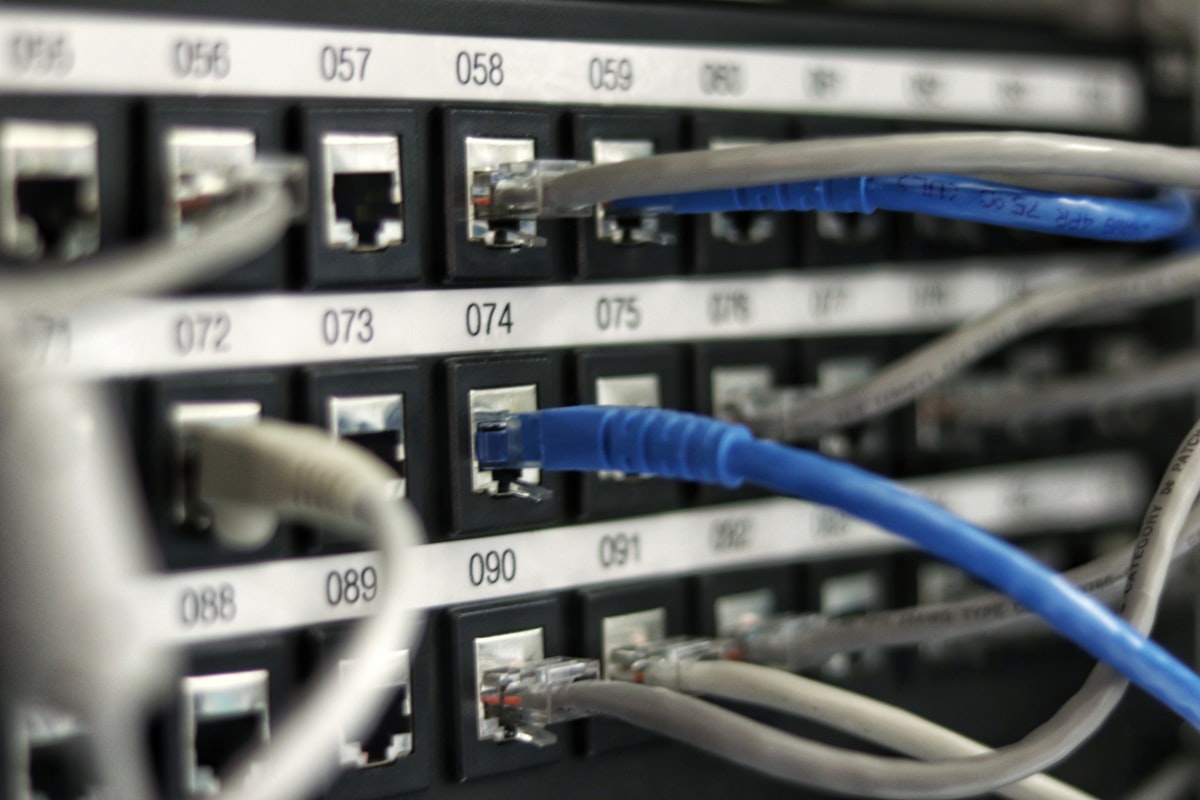 Guides
Multigigabit switching for Wi-Fi 7: cabling and PoE
Wi-Fi 7 access points can outrun a 1G access port and outdraw legacy PoE. Here is how to plan multigigabit switching, structured cabling, and PoE budget so the wired side is ready before the radios light up.
April 14, 2026 · 11 min read Guides
Stadium Wi-Fi capacity planning: sizing for a packed house
A sold-out crowd is the most hostile RF environment your wireless will ever face. Here is how to size Cisco Wi-Fi for a packed house, from device density math to antenna geometry to controller headroom.
June 6, 2026 · 12 min read Guides
Cisco wireless licensing for Wi-Fi 7 explained
Wi-Fi 7 access points are the easy part. The licensing model behind them, from the Catalyst 9800 controller to per-AP subscriptions and Smart Account hygiene, is where budgets and deployments actually get decided. Here is how Cisco wireless licensing really works for a Wi-Fi 7 refresh, and how to size it before you buy.
May 15, 2026 · 10 min read Guides
AP density and counts: Wi-Fi 6 vs Wi-Fi 7
Wi-Fi 7 changes the math on how many access points a high-density space actually needs. Here is how AP counts shift between Wi-Fi 6 and Wi-Fi 7, why the answer is rarely "fewer APs," and how to size a Cisco Catalyst deployment that holds up under real load.
April 19, 2026 · 12 min read Insights
Wi-Fi 7 in practice: what MLO and 320 MHz really change
Multi-Link Operation and 320 MHz channels are the two features that actually separate Wi-Fi 7 from Wi-Fi 6E. Here is what they do on real Cisco Catalyst hardware, where the gains evaporate, and how to plan a rollout that survives contact with a U.S. enterprise RF environment.
June 6, 2026 · 10 min read Guides
How to budget a Cisco Catalyst 9300 refresh: ports, PoE, licensing, and services
A line-item approach to scoping a Catalyst 9300 refresh, so the number you bring to finance survives the year it has to live in.
May 12, 2026 · 10 min read